hrms and payroll

Buy Payroll Management Software
hrms and payroll, Workforce Management

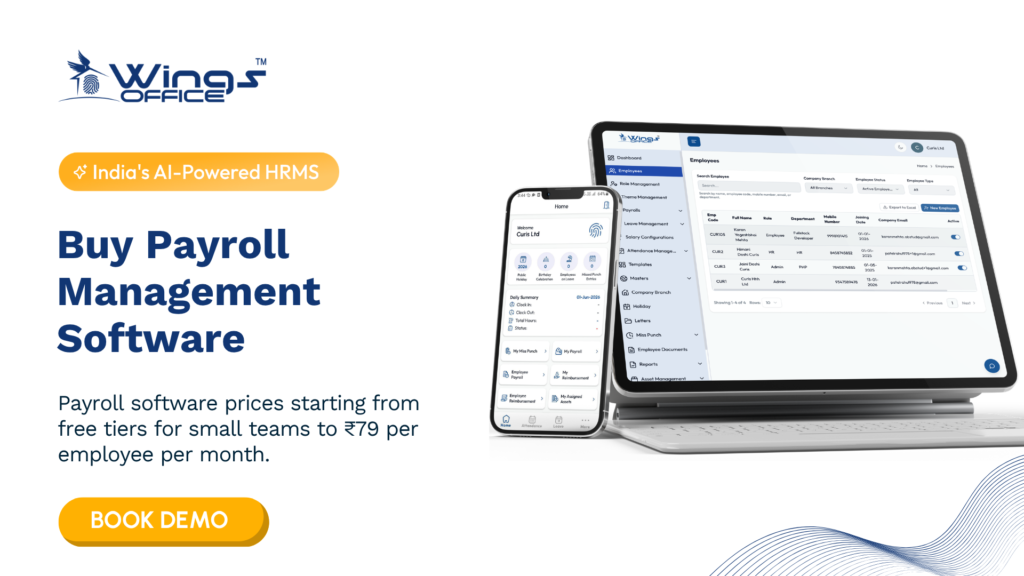
Buy payroll management software

Key Takeaways Payroll software automates salary calculation, tax deductions, and compliance filings so small teams stop losing time to spreadsheets. Buying decisions should weigh monthly cost, compliance coverage, and integration with your existing accounting and attendance tools. A payroll system free trial and a guided demo are the two fastest ways to confirm a tool fits before you pay for it. Payroll software suits businesses that want control and lower long-term cost, while a payroll service suits those who prefer to outsource the work entirely. A clear setup checklist, from statutory registrations to first-run testing, prevents the most expensive early mistakes. Buying payroll management software is less about finding the “best” tool and more about finding the one that handles your specific tax rules, pay frequency, and headcount without forcing you to work around it. Most small businesses start with spreadsheets, then hit a wall the first time a tax deadline, a new hire, and a reimbursement claim all land in the same week. That’s usually the moment buying payroll management software stops being optional and starts being overdue. This guide walks through what payroll management actually covers, what you’ll pay, how software compares to a full-service provider, and how to test a tool properly before you commit. What Payroll Management Really Involves Payroll is more than sending salaries on the 30th. It’s the full process of calculating gross pay, applying deductions, withholding and depositing taxes, filing statutory returns, and keeping records that survive an audit. Miss any one of those and the problem rarely stays small. For a typical small business, a single pay cycle touches attendance data, leave balances, overtime, bonuses, provident fund or social security contributions, income tax withholding, and professional tax where it applies. Doing this by hand is survivable for three or four employees. Past ten, the error rate climbs fast, and payroll errors are the kind employees notice immediately. Good software collapses that work into a repeatable run. You input or sync attendance, review the calculated figures, approve, and disburse. The calculations, the tax tables, and the compliance forms are handled by the system rather than by your memory of last year’s rules. How to Set Up Payroll for a Small Business Setting up payroll correctly the first time saves you from untangling errors later. The sequence matters more than the speed. Before you process a single payslip, get these foundations in place: Register for the employer tax identifiers your jurisdiction requires, along with provident fund, social security, and professional tax registrations where they apply to your headcount and location. Decide your pay frequency and pay date, then document how you’ll treat partial months, new joiners mid-cycle, and final settlements for exits. Collect and verify employee details, including bank accounts, tax declarations, exemptions claimed, and any salary structure components like allowances or variable pay. Define your salary structure clearly, separating fixed components, reimbursements, and statutory deductions so the software can calculate each correctly. Run a parallel test cycle, where you process one month in the new system alongside your old method and compare the results line by line before going live. That last step is the one most businesses skip and most regret. A parallel run exposes misconfigured tax slabs or wrong deduction rules while it’s still harmless. Pro Tip: Load at least one tricky employee case into your test run, such as someone with mid-month joining, variable pay, and a tax declaration change. If the software handles your hardest case correctly, the straightforward ones take care of themselves. Once your first live run is clean, document the exact steps you followed. Payroll should be reproducible by someone other than the person who set it up, because the person who set it up will eventually take leave on the worst possible week. Payroll Management Software Comparison: What Actually Differs Most payroll tools claim the same feature list. The real differences show up in the details that don’t make the marketing page: how they handle local compliance, how pricing scales with headcount, and how much manual work remains after automation. When you compare options, focus on these dimensions rather than feature counts. Comparison factor Why it matters What to check Compliance coverage Tax rules and statutory filings vary by region and change yearly Does it auto-update tax tables and generate the exact filing formats your authorities require? Pricing model Per-employee pricing can balloon as you grow Is it a flat fee, per-employee, or tiered, and what triggers the next tier? Integrations Re-keying data causes errors Does it connect to your accounting, attendance, and banking tools? Self-service Reduces admin queries Can employees download payslips and tax statements themselves? Support quality Payroll problems are time-sensitive Is support available during your pay-run window, not just business hours? Wings Office fits teams that want payroll, attendance, and HR data in one system rather than stitched across separate tools. For a small business trying to manage payroll for SMBs without hiring a dedicated payroll administrator, consolidation matters more than any single flashy feature, because every disconnected tool is one more place for data to drift out of sync. The honest trade-off: cheaper tools often skip local compliance depth, and all-in-one platforms sometimes bundle features you won’t use. Match the tool to your actual complexity, not to the longest feature list. Payroll Software Monthly Cost: What to Expect Payroll software price usually follows one of three structures: a flat monthly fee, a per-employee charge, or a tiered plan that bundles a set number of employees with step-ups as you grow. Each has a break-even point. Per-employee pricing looks cheap at five people and expensive at fifty. Flat-fee plans do the opposite. Tiered plans sit in between but can sting the month you cross a threshold and jump to the next bracket. Before you commit, model your cost at your current headcount and at where you expect to be in a year. Watch for charges that sit outside the headline payroll software price. Common extras include setup or onboarding fees, charges
ESS Portal
ESS Portal, hrms and payroll

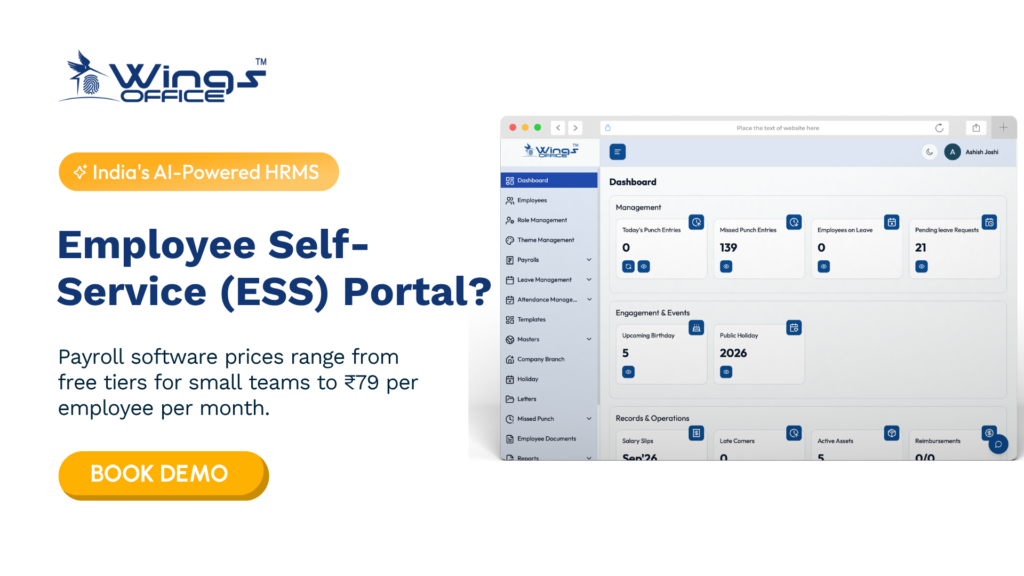
What Is an Employee Self-Service (ESS) Portal? 2026 Guide for Indian Businesses

Key Takeaways An Employee Self-Service (ESS) Portal lets staff handle routine HR tasks like leave requests, payslip access, and profile updates themselves, cutting the admin load on HR teams. For Indian businesses, the right portal must handle statutory realities like PF, ESI, TDS, Form 16, and multi-state compliance, not just generic HR workflows. The real return on an ESS portal comes from reclaimed HR hours, fewer payroll errors, and faster query resolution, which you can estimate with a simple ROI model. Choosing an ESS solution for India means prioritising compliance depth, mobile access, and local payroll logic over feature count.   Every month, HR teams across India spend hours answering the same questions. “What’s my leave balance?” “Can you resend my payslip?” “How do I update my bank details?” None of these need a human to answer. An Employee Self-Service (ESS) Portal exists precisely to stop that drain, handing routine tasks back to employees and freeing HR to do work that actually needs judgment. This guide walks through what an ESS portal is, how it works, the features that matter, and what Indian businesses specifically need to watch for in 2026 when compliance and payroll rules rarely behave like the textbook. What an Employee Self-Service (ESS) Portal Actually Is An Employee Self-Service (ESS) Portal is a secure online system where employees manage their own HR-related information and requests without routing everything through the HR department. Think of it as the self-checkout counter of HR: the employee does the work that only they can verify, like confirming a leave date or checking a payslip, while the system handles the record-keeping in the background. At its core, an employee self-service portal replaces email threads, paper forms, and spreadsheet trackers with a single interface. An employee logs in to apply for leave, view salary breakups, download tax documents, update personal details, or submit reimbursement claims. Managers use the same system to approve requests and view team data. HR sets the rules once, and the portal enforces them consistently. The shift is less about technology and more about ownership. In a traditional setup, HR is the bottleneck for every small action. With ESS, employees own their data and routine transactions, and HR steps in only for exceptions, policy decisions, and the work that genuinely requires a person. How an ESS Portal Actually Works Behind the clean login screen, an ESS portal connects to your core HR and payroll database. When an employee submits a request, the system doesn’t just store it. It triggers a workflow. Say an employee applies for three days of leave. The portal checks the available balance against company policy, routes the request to the right manager, and sends a notification. Once approved, it updates the leave ledger, adjusts the attendance record, and feeds that information into payroll so the salary calculation reflects it. No one re-enters anything by hand. This is where the real value sits: integration. A portal that only collects requests but still needs HR to manually update the master records solves very little. The useful ones connect leave, attendance, payroll, and employee records so a single action updates every downstream system at once. Access is controlled by role. Employees see their own information. Managers see their team. HR and admin see the full picture with permission to edit policies and override exceptions. Modern portals also run on mobile, which matters for field staff, factory workers, and anyone who doesn’t sit at a desk all day. Key Features and Functionalities of an ESS Portal Not every ESS portal has features of the same depth, and the feature list is where buying decisions usually go wrong. People get impressed by the longest list rather than the features their workforce will actually use. Here are the functions that carry real weight. Leave and attendance management is the most-used feature by a wide margin. Employees apply for leave, check balances, and view attendance records. Managers approve on the spot. The system enforces leave policies automatically, including carry-forward rules and different quotas for different grades. Payslip and salary access lets employees view and download payslips without raising a ticket. A good portal shows the full breakdown: basic, allowances, deductions, and net pay, so employees understand what they’re paid and why. Tax and compliance documents matter enormously in India. Employees should be able to submit investment declarations, download Form 16, and view TDS details directly. This single feature removes one of the heaviest seasonal loads from HR around tax time. Personal information updates let employees correct their address, phone number, bank account, or emergency contact, usually with an approval step so changes to sensitive fields like bank details get verified before they hit payroll. Reimbursement and expense claims allow staff to upload bills, submit claims, and track approval status instead of chasing finance over email. Document center stores offer letters, appraisal records, company policies, and certificates in one place employees can access anytime. Pro Tip: Before comparing feature lists, pull a month of HR query tickets and sort them by type. The three most frequent query categories should map directly to the first three features you prioritise. Everything else is secondary. Benefits of ESS Portals for Businesses and Employees The case for ESS splits cleanly into two audiences, and both need to feel the gain for adoption to stick. For the business, the biggest win is time. HR teams stop acting as a help desk for routine queries and reclaim hours for hiring, retention, and strategy. Data accuracy improves because employees enter and verify their own details rather than HR transcribing them from forms. Compliance gets tighter because documents, declarations, and approvals leave a clear audit trail. And payroll errors drop, since the information flowing into salary calculation is confirmed at the source. Benefits for Employees Employees gain control and speed. No more waiting two days for someone to confirm a leave balance or resend a payslip. They can check information at midnight if they want, from their phone, without feeling like

Payroll Software Pricing
Compare, hrms and payroll

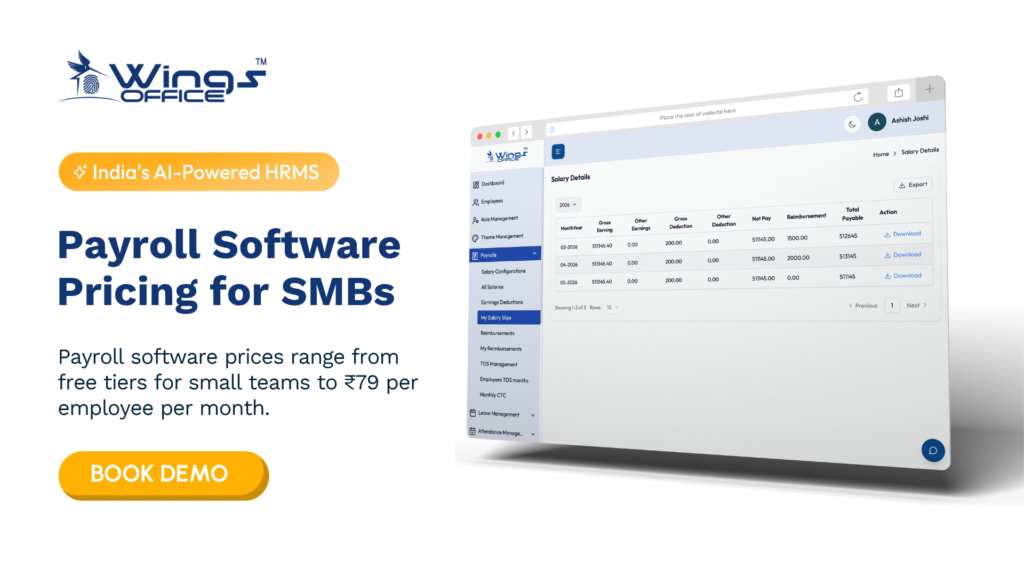
Payroll software pricing in India

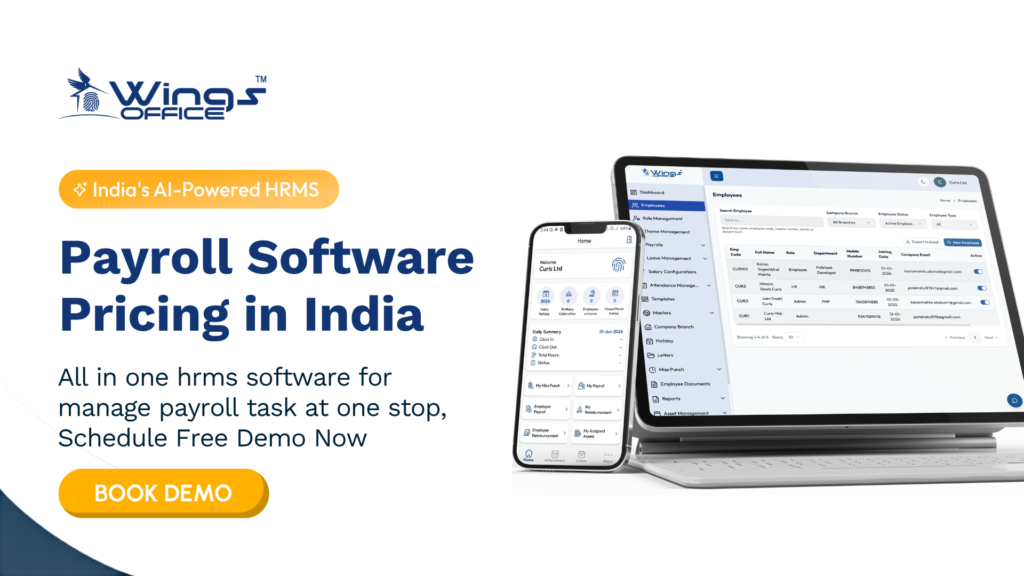
Key Takeaways Payroll software pricing in India usually follows one of a few models (per employee per month, headcount slabs, flat subscriptions, or one-time licenses), and the right model depends on how fast your team is growing. The subscription fee is rarely the full cost, because implementation, data migration, add-on modules, minimum billing clauses, and 18% GST can change what you actually pay. Company size changes what you should pay for: a 15-person startup needs accurate statutory compliance, while a 500-person company needs multi-location, approval workflows, and integrations. A free trial is only useful if you run a real payroll cycle through it, including edge cases like mid-month joiners, loss of pay, and full and final settlements. Payroll software prices in India typically range from free tiers for small teams to ₹79 per employee per month, or ₹2500 to over ₹50,000 per year for flat-rate and enterprise solutions. Most businesses that compare payroll software pricing in India end up comparing the wrong number. The headline per-employee rate on a pricing page tells you very little about your real annual spend. What matters is how that rate scales with headcount, which statutory features sit behind a higher tier, and what you’ll pay before the first payslip ever goes out. This guide breaks down how vendors in India structure their pricing, what different company sizes should expect to budget for, and how to use a trial period to pressure-test a tool before you commit. You’ll also find a shortlist of established options, including where Wings Office fits. What Are the Payroll Software Pricing Models in India? Indian payroll vendors mostly use variations of five pricing structures. Each one rewards a different kind of business, so the model matters as much as the rate. Pricing Model How It Works Best Suited For Watch Out For Per employee per month (PEPM) You pay a fixed amount for each active employee processed every month Growing teams that want costs to track headcount Minimum monthly billing that kicks in regardless of actual headcount Headcount slabs A fixed price covers a range of employees (for example, up to 50) Stable teams that sit comfortably inside one slab Paying for a full slab when you’re just one hire over the threshold Flat subscription One price for the platform, often with a headcount cap Small businesses with predictable teams Caps that force an upgrade sooner than expected Module-based pricing Core payroll is priced separately from attendance, leave, expenses, and performance Companies that only need specific functions Essential features quietly placed inside paid add-ons One-time license (on-premise) Upfront purchase plus annual maintenance charges Organisations with strict data residency or IT control requirements Upgrade costs, server maintenance, and slower compliance updates PEPM is the most common model among cloud payroll vendors in India today. It feels fair because you only pay for people you actually process. The catch is that it rewards companies whose headcount is flat or shrinking, while fast-hiring startups can watch their bill climb faster than their revenue. Slab pricing works in the opposite direction. If you have 48 employees on a “up to 50” plan, you’re getting excellent value. If you have 52, you’re likely paying for a jump to the next tier that covers far more people than you have. What Actually Drives the Number on Your Quote Two vendors quoting similar per-employee rates can produce very different annual invoices. The gap usually comes from the factors below, and most of them don’t appear on a public pricing page. Statutory compliance depth. Basic plans typically handle PF and TDS calculations. Fuller compliance means ESI, professional tax across multiple states, Labour Welfare Fund contributions, quarterly Form 24Q filing support, and Form 16 generation. If you operate in several states, professional tax alone adds real complexity, since rates and slabs differ by state and some states don’t levy it at all. Implementation and data migration. Moving historical salary data, YTD tax figures, and employee master records from spreadsheets or an older system takes effort. Some vendors include onboarding in the subscription. Others charge a one-time setup fee, and the amount often depends on how messy your existing data is. Integrations. Connecting payroll to your attendance devices, accounting software, or bank for salary disbursement may be free, may require a higher plan, or may be billed as a custom project. Taxes. Software subscriptions in India attract 18% GST. It sounds obvious, but many internal budget approvals get built on pre-tax figures and come up short. Support level. Email-only support is standard on entry plans. A dedicated account manager or priority phone support during payroll week usually costs more, and for a first-time implementation it’s often worth it. What Will Payroll Software Cost for Your Company Size? Rather than quote rupee figures that change every quarter, it’s more useful to look at what each company size should be paying for. Your budget should follow your operational needs, not the other way around. Micro businesses and early startups (under 20 employees) At this stage, your biggest risk is compliance errors, not efficiency. You need accurate salary computation, correct PF and TDS deductions, and payslips your employees can trust. A flat plan or a low-tier PEPM plan usually covers this. Be wary of vendors whose minimum monthly charge assumes a larger team, because you’ll end up paying a per-head rate far above the advertised one. Small and growing businesses (20 to 200 employees) This is where payroll stops being a monthly task and starts being a process. You’ll want leave and attendance integration, employee self-service for tax declarations and payslips, reimbursement handling, and support for both old and new tax regimes. Most businesses in this band get the best value from mid-tier plans. Paying for enterprise features now, on the assumption you’ll grow into them, is one of the most common forms of overspending. Mid-sized companies (200 to 1,000 employees) Multi-location payroll, role-based access, approval workflows, and audit trails become necessary rather than nice-to-have. You’ll likely negotiate a custom quote rather

payroll management software for startups in India
hrms and payroll, Workforce Management

Top-rated payroll management software for startups in India?

Key Takeaways Payroll management software automates salary calculations, statutory deductions, and payslip generation so founding teams stop running payroll in spreadsheets. Startups in India need software that handles PF, ESI, TDS, and professional tax correctly, because manual compliance errors invite penalties early. The best fit depends on team size, growth plans, and whether you want payroll bundled with HR, attendance, and accounting. Wings Office offers a payroll module built for small and growing Indian teams, covering salary processing and statutory compliance in one place. Evaluate on compliance accuracy, ease of setup, integration, and support, not just price. Run payroll wrong once in India and you’ll feel it fast: a wrong TDS deduction, a missed PF challan, an employee asking why their payslip doesn’t match their offer letter. For a startup where the founder often doubles as the HR and finance team, these aren’t minor slip-ups. They cost money, trust, and hours you don’t have. This is exactly where payroll management software earns its place, and this guide walks through the top-rated options for startups in India, what to look for, and how the right tool keeps you compliant without hiring a full payroll team. What payroll management software actually does and why startups need it At its core, payroll software takes the monthly chaos of paying people and turns it into a repeatable process. It calculates gross-to-net salary, applies deductions for provident fund, employee state insurance, income tax, and professional tax, generates payslips, and prepares the files you need to file with government portals. Instead of maintaining a brittle spreadsheet that only one person understands, you get a system that applies the same rules every cycle. For a startup, the appeal is less about scale and more about survival. Early-stage teams run lean, and payroll is one of those tasks that feels small until it breaks. A single miscalculated TDS figure can mean reconciling with the income tax department months later. A missed PF deposit can trigger interest and damages. When you’re juggling product, fundraising, and hiring, you don’t want statutory compliance sitting in someone’s memory. There’s also the employee-experience angle. People notice when payslips are late, inconsistent, or missing breakdowns. A clean, on-time payslip signals that the company is run properly, which matters when you’re competing for talent against larger firms with established HR functions. Why startups specifically lean on payroll software early Larger companies can absorb a dedicated payroll executive. Startups usually can’t, so the software becomes the payroll executive. That shift happens for a few practical reasons. The first is time. Manual payroll for even ten people eats a surprising number of hours once you factor in attendance adjustments, reimbursements, new joiners, and exits. Automating it frees the founder or ops lead to do work that actually moves the business. The second is accuracy under changing rules. India’s payroll regulations shift, and wage definitions, contribution thresholds, and filing formats get updated. Keeping track manually is a real risk. Good software updates these rules centrally, so you’re not reading government circulars at month-end. The third is audit readiness. Investors, during due diligence, often ask for payroll records and statutory compliance proof. A system that stores structured records and generates reports on demand makes that conversation far shorter than digging through email attachments. What features should startups look for in payroll software in India Not every feature matters at ten employees. But a handful are non-negotiable if you want the tool to grow with you rather than get replaced in a year. Here’s what deserves real attention during evaluation. Statutory compliance built in, meaning the software calculates and tracks PF, ESI, TDS, and professional tax according to current rules, and ideally helps you generate the challans and return files you need for filing. Automated salary structuring, so you can define components like basic, HRA, special allowance, and reimbursements once, then apply them consistently across employees without rebuilding the math each month. Payslip generation and self-service access, letting employees download their own payslips and tax statements instead of emailing HR, which saves back-and-forth and looks professional. Attendance and leave integration, because payroll accuracy depends on correct days worked, and a tool that pulls leave and attendance data automatically removes a major source of manual error. Scalability and multi-state support, since professional tax rules differ by state, and a startup hiring remote employees across India needs software that applies the right slabs automatically. Integration with accounting, so salary expenses and liabilities flow into your books without re-entering data, keeping your financial reporting consistent. A useful filter: if a feature saves you more time than it takes to set up within the first two or three payroll cycles, it’s worth having. If it’s a feature you’ll “grow into someday,” it shouldn’t drive your decision now. Pro Tip: Before committing, run one full dummy payroll cycle in the trial using your real salary structures and a tricky case like a mid-month joiner. How the software handles the messy edge, not the clean demo, tells you whether it’ll actually hold up. Which is the best payroll management software for startups in India There’s no single answer that fits every startup, and anyone claiming otherwise is selling something. The “best” tool depends on your headcount today, your hiring plans, your budget, and whether you want payroll as a standalone function or bundled with HR and attendance. That said, for most early-stage Indian startups, the strongest fit is software that pairs genuine statutory compliance with a simple setup and fair pricing. You want something a non-specialist can run confidently, that won’t require a consultant to configure, and that keeps up with India payroll compliance changes on its own. Wings Office fits this profile well for small and growing teams. Its payroll module handles salary processing, automated deductions, payslip generation, and statutory calculations in one place, and it sits alongside other office and operations tools, so you’re not stitching together separate systems. For a founder who wants payroll handled correctly without building a dedicated function, it

payroll management system
hrms and payroll, Workforce Management

A guide to payroll management systems

Key Takeaways A payroll management system automates salary calculation, tax deductions, compliance, and payment distribution so teams stop relying on manual spreadsheets. The right method depends on your headcount, in-house expertise, and compliance complexity, ranging from manual processing to fully outsourced or cloud-based options. Cloud-based platforms reduce compliance errors, scale with hiring, and give employees self-service access without heavy IT overhead. Choosing a system comes down to matching features to your actual workflow, not buying the longest feature list. Paying people correctly and on time sounds simple until you actually do it at scale. Between shifting tax rules, statutory deductions, overtime calculations, and last-minute joiners or exits, payroll turns into one of the most error-prone functions in a business. A single miscalculation can trigger compliance penalties or, worse, erode employee trust. That’s why a payroll management system has become a non-negotiable part of running an organization of almost any size. This guide walks through what these systems do, the methods available, how the process actually runs month to month, and how to pick one that fits your business instead of forcing your business to fit the software. What a payroll management system actually does A payroll management system is the software and process framework that handles everything involved in paying employees: calculating gross pay, applying deductions and taxes, distributing net salary, and keeping records for audits and reporting. Think of it as the engine that turns hours worked, salaries agreed, and rules imposed by law into an accurate paycheck. Underneath that simple description sits a lot of complexity. The system needs to know each employee’s compensation structure, factor in bonuses and reimbursements, subtract provident fund and income tax, account for leaves and unpaid days, and then generate compliant payslips. Do that for five people and a spreadsheet might cope. Do it for fifty across different states or contract types, and manual methods start breaking down fast. Why getting payroll right is worth the investment Payroll is where a lot of quiet risk hides. Employees notice immediately when their pay is wrong, and repeated errors damage morale in ways that are hard to reverse. On the other side, tax authorities and labor regulators don’t accept “we made a mistake” as a defense. Late filings and incorrect deductions carry real financial consequences. Beyond error prevention, good payroll gives you data you can actually use. Labor cost per department, overtime trends, and headcount growth all live inside payroll records. When that data is clean and accessible, finance and leadership can plan instead of guessing. This is a big reason payroll software for HR teams has moved from a back-office convenience to a strategic tool. The main methods of payroll management There’s no single correct way to run payroll. Most businesses use one of these approaches, and many switch as they grow. Manual payroll relies on spreadsheets and human calculation. It costs nothing upfront and works for a handful of employees, but it’s slow and highly prone to error. The moment you add variable pay or multi-state compliance, it stops being viable. Outsourced payroll hands the entire function to a third-party provider or accounting firm. You send them the inputs, they handle the rest. This removes the operational burden and is a common choice for a payroll solution for small businesses that lack an internal finance team. The trade-off is less control, ongoing fees, and dependence on the provider’s turnaround times. In-house software means running dedicated payroll software on your own team. You keep control and visibility while automating the heavy lifting. This suits growing companies that want ownership of the process without doing math by hand. Cloud-based payroll, a subset of in-house software, moves everything online so data updates in real time and can be accessed anywhere. It has become the default for most modern businesses, and we’ll come back to why later. The phases of a payroll cycle Payroll isn’t a single action. It runs as a repeating cycle, usually monthly, split into three broad phases. Before the run, you gather and validate inputs: attendance, leave records, new hires, exits, salary revisions, and any one-off payments or deductions. This is the phase where most errors are introduced, because bad inputs guarantee bad output no matter how good the software is. During the run, the system calculates gross pay, applies taxes and statutory deductions, and arrives at net pay for each employee. A well-configured platform does this in minutes and flags anomalies, like a salary that jumped unexpectedly, before anything is finalized. After the run, you distribute salaries, generate payslips, file statutory returns, and update your accounting records. Reconciliation happens here too, matching what was paid against what was budgeted. Pro Tip: Freeze your input data by a fixed cutoff date each cycle. Most payroll errors trace back to last-minute changes that arrive after calculations have already started, so a firm cutoff protects the whole run. Core functions to expect from a payroll management system Different platforms package features differently, but a capable system should reliably handle the following. Each item below is where the real day-to-day value lives. Automated salary calculation that accounts for variable components like overtime, bonuses, and prorated pay for mid-month joiners without manual intervention. Tax and statutory compliance that stays current with changing rates and generates the filings and reports regulators require, reducing the chance of penalties. Employee self-service portals where staff can download payslips, view tax documents, and update personal details without routing every request through HR. Attendance and leave integration so worked days, absences, and approved leave flow directly into pay calculations instead of being re-entered by hand. Reporting and analytics that turn payroll data into readable insight on labor costs, department spend, and trends leadership can act on. How different industries use payroll systems The core function stays the same, but priorities shift depending on how a business operates. A manufacturing company with shift workers cares most about accurate overtime and attendance integration, since a large share of pay is variable. A software firm

AI-Powered HRMS Software
hrms and payroll

AI-Powered HRMS Software in India – Smart Workforce Management with Wings Office

Key Takeaways AI-powered HRMS software automates repetitive HR work like payroll, attendance, and compliance while surfacing insights managers can actually act on. The difference between HRMS and HRIS comes down to scope: HRIS stores workforce data, while HRMS adds workflow automation and increasingly, AI-driven decision support. Indian businesses face specific pressures around statutory compliance, multi-state payroll, and hybrid teams that AI features are well suited to handle. Small and mid-sized companies often see the fastest returns because they lack large HR teams to absorb manual work. Wings Office offers an integrated approach that connects HR, payroll, and workforce analytics in one system. Picture an HR manager at a growing company in Pune spending the last week of every month reconciling attendance logs, chasing leave approvals, and manually calculating PF and TDS deductions across three states. That routine is exactly what AI-powered HRMS software in India is built to dismantle. Instead of treating HR as a data-entry function, modern systems automate the grunt work and hand people time back for the parts of the job that need judgment. This piece explains what AI HRMS software actually does, how it differs from older HRIS systems, why it fits Indian businesses in particular, and where the technology is heading. Wings Office sits in this conversation as a platform built around that shift, and we’ll look at where it fits along the way.   What AI HRMS Software Really Means At its core, an HRMS (Human Resource Management System) is the software backbone that runs employee-facing operations: recruitment, onboarding, attendance, leave, payroll, and exits. The “AI-powered” part refers to a layer of automation and prediction sitting on top of that backbone. Rather than just storing records and running rules you define, the system learns from patterns in your workforce data and makes suggestions or takes routine actions on its own. The distinction matters. A traditional HRMS will process leave requests according to a policy you configure. An AI-enhanced one might flag that a particular team’s leave clustering every quarter-end correlates with burnout or auto-classify a resume against a job description without a recruiter reading all 200 applications first. The intelligence is applied, practical, and tied to outcomes, not a chatbot bolted onto a login screen. Most credible AI HRMS platforms today include a recognizable set of capabilities: Automated payroll and compliance processing that calculates statutory deductions, generates payslips, and files returns while adapting to changes in tax slabs or state-specific rules. Attendance and shift management using biometric, geo-tagged, or app-based check-ins, with anomaly detection that flags unusual patterns instead of waiting for a manager to notice. Predictive analytics for attrition, which reads signals like engagement scores, tenure, and compensation gaps to estimate flight risk before an employee resigns. Resume screening and candidate matching that ranks applicants against role requirements, cutting the time recruiters spend on early-stage filtering. Employee self-service and conversational support, where staff can check balances, apply for leave, or resolve routine HR queries without opening a ticket. Not every feature earns its keep for every company. A ten-person startup rarely needs attrition modeling, but it may benefit enormously from automated payroll. The value comes from matching capabilities to your actual pain, not adopting the full suite because it exists. How AI-Powered HRMS Software Changes Day-to-Day HR Operations The clearest way to understand the impact is to follow a single process end to end. Take payroll, the part of HR most likely to cause errors and the one employees are least forgiving about. In a manual or lightly automated setup, HRMs and Payroll live in separate spreadsheets or loosely connected tools. Someone exports attendance, adjusts for approved leave, calculates gross pay, layers in deductions, checks statutory limits, and finally releases salaries. Each handoff is a place for mistakes. An AI-driven system collapses that chain: attendance feeds directly into payroll, deductions apply automatically against current rules, and the system flags outliers, say, an employee whose net pay dropped sharply, before the run is finalized. Onboarding is another area where the operational gain is tangible. Instead of an HR coordinator emailing forms, chasing signatures, and manually creating accounts, the system triggers a sequenced workflow the moment an offer is accepted. Documents get collected, verified, and stored; provisioning tasks route to IT; and the new hire lands on day one with everything ready. The HR team steps in only when something needs a human decision. What ties these together is that automation removes the invisible tax of coordination. HR professionals spend a surprising share of their week simply moving information from one place to another. Take that away and the same team can support more employees without growing headcount, which is precisely why smaller businesses tend to feel the benefit first. HRMS vs. HRIS: What’s Actually Different These terms get used interchangeably, and vendors don’t help by blurring the line. The practical difference is scope and intent. Aspect HRIS HRMS Primary purpose Storing and managing core employee data Managing end-to-end HR processes and workflows Typical scope Records, org structure, basic reporting Payroll, attendance, performance, recruitment, and records Automation level Limited; mostly a database with forms Extensive; workflows, approvals, and increasingly AI-driven actions Decision support Descriptive reporting on past data Predictive insights like attrition risk and workforce planning Best suited for Organizations needing a reliable system of record Organizations wanting to automate operations and act on insights The short version: an HRIS answers “what is our workforce data?” while an HRMS answers “what should we do about it?” Once AI enters the picture, the gap widens further, because prediction and automation are firmly HRMS territory. If you’re evaluating tools and a vendor calls the same product both, ask specifically which processes it automates end-to-end. That answer tells you where the product really sits. Why AI HRMS Software Fits Indian Businesses So Well India’s HR environment carries complexity that generic global tools often handle poorly. Statutory compliance alone involves EPF, ESI, professional tax that varies by state, TDS, and periodic changes to labor codes. A company operating

Payroll Software Pricing in India
hrms and payroll

Payroll Software Pricing in India (2026 Guide)

Key Takeaways Payroll software pricing in India is shaped by employee count, statutory compliance depth, integrations, and support tier, not just a headline per-user rate. The three dominant pricing models are per-employee-per-month, flat monthly subscription, and module or usage-based billing, each suiting a different company size and growth stage. Most Indian businesses land somewhere between low double-digit and low triple-digit rupees per employee per month, with implementation and hidden add-ons often changing the real total. A fair comparison weighs compliance coverage, scalability, and support against price, because the cheapest tool frequently costs more once penalties and manual work are counted. Wings Office HRMS bundles payroll, compliance, and HR workflows so cost stays predictable as headcount grows. Sticker price rarely tells the truth about payroll software. A tool advertised at a low per-employee rate can quietly cost far more once you add statutory filing modules, integration fees, and paid support hours. That gap between the quoted number and the real bill is exactly what this guide unpacks. If you’re budgeting for 2026, understanding payroll software pricing in India means looking past the first figure a vendor shows you and reading the structure underneath it. Payroll is also one of the few systems where getting it slightly wrong has direct financial consequences: a missed PF deadline or a botched TDS calculation triggers penalties that dwarf any subscription saving. So the goal here isn’t to find the cheapest option. It’s to match a pricing model to how your business actually runs and grows. What Actually Determines Payroll Software Cost in India Most buyers assume headcount is the main lever. It matters, but it’s one of several. The features below tend to move the price far more than an extra ten employees ever will. Compliance depth is usually the biggest cost driver. Software that only calculates salaries is cheap; software that files PF, ESI, PT, TDS, and generates Form 16 and challans automatically sits in a higher tier because it carries real regulatory logic that must be maintained state by state. Number of active employees affects per-user models directly, and even flat plans usually cap headcount and bump you into a higher bracket once you cross a threshold you may not notice until renewal. Integrations with accounting, attendance, and banking systems add to the cost, since connecting payroll to tools like Tally, biometric devices, or bank payment files often sits behind a premium tier or a separate connector fee. Support and onboarding level changes the total more than people expect, because dedicated implementation help, a named account manager, and priority response times are frequently priced as add-ons rather than included in the base rate. Multi-state and multi-entity operations raise pricing meaningfully, as each state has its own professional tax slabs and labour rules the vendor must configure and keep current. None of these are optional if you actually want payroll to run without manual patching. The trap is buying a base plan for its low number and discovering the features you need live two tiers up. Payroll Software Price Models Used in India Three billing structures dominate the market. Knowing which one you’re being quoted lets you compare offers that otherwise look nothing alike. The per-employee-per-month (PEPM) model charges a fixed rate for each active employee. It’s transparent and scales cleanly, which suits growing teams because you only pay for who’s actually on the roll. The catch is that costs climb linearly, so a company scaling fast should model its 18-month headcount before committing. The flat monthly or annual subscription bundles a set number of employees into one price. Small businesses with stable headcounts often prefer this because the bill is predictable. The downside shows up at the edges: exceed the included seat count and you jump to the next slab, sometimes paying for capacity you don’t use. The module or usage-based model lets you buy payroll as one component and add compliance, expense management, or performance modules as needed. It offers the most control for larger organisations but requires discipline, because à la carte pricing can quietly exceed a bundled plan once you’ve added four or five modules. Some vendors blend these, charging a platform base fee plus a PEPM rate. When you run a payroll software pricing comparison across vendors, first normalise every quote into cost per employee per month at your real headcount. Otherwise you’re comparing structures, not prices. Typical Payroll Software Cost Range in India Giving an exact number would be misleading because the range is genuinely wide and depends on the factors above. What’s more useful is understanding the bands and what pushes you between them. At the entry level, basic payroll tools aimed at very small teams tend to sit in the low double-digit rupees per employee per month, or a modest flat monthly fee. These handle salary calculation and payslips well but often treat full statutory filing as an upgrade. Mid-tier payroll software in India, the segment most SMBs actually need, typically runs higher per employee and includes automated PF, ESI, PT, and TDS handling along with basic HR features. Enterprise-grade platforms with multi-entity support, deep integrations, and dedicated success teams sit well above that, and pricing at this level is usually quote-based rather than published. Beyond the recurring fee, budget for one-time costs that vendors don’t always foreground: implementation and data migration, training, and occasionally per-payslip or per-form charges. A plan that looks inexpensive monthly can carry a meaningful setup fee that reshapes your first-year total. Pro Tip: Ask every vendor for a written quote at your projected headcount 12 months out, not today’s number. Payroll costs are a moving target, and the tool that’s cheapest at 20 employees is often the most expensive at 80. Payroll Software Price Comparison: What Businesses Should Evaluate Price is one column in a bigger table. A genuine payroll software pricing comparison weighs what each rupee actually buys. Before you sign, run every shortlisted option against these criteria. Compliance automation coverage decides whether your team files returns manually or

hrms and payroll

wings office Payroll Automation Software in India

Key Takeaways Payroll automation ROI comes from three sources: recovered admin hours, fewer costly compliance errors, and lower penalty risk, not just software savings. Most businesses see the strongest returns when they automate calculation, tax filing, and payslip distribution rather than only digitizing timesheets. Automation and outsourcing solve different problems, so the right choice depends on your headcount, in-house expertise, and how much control you want. Accuracy gains matter as much as time savings, since a single misfiled tax return can wipe out a quarter of your labor-cost savings. Payroll runs quietly until it breaks. A miscalculated tax deduction, a late statutory filing, or one employee paid twice, and suddenly a “back office” task is eating a full week of someone’s time and triggering penalties. That’s the real case for payroll automation ROI: it isn’t about buying software, it’s about buying back the hours and risk that manual payroll silently drains every month. This guide breaks down what payroll automation actually is, where the returns come from, how to implement it without disrupting a live pay cycle, and how it stacks up against outsourcing. Wherever numbers matter, we’ll show you how to calculate them for your own business rather than quoting figures that may not apply to you. What Payroll Automation Actually Means Payroll automation replaces manual, repetitive payroll steps with software-driven workflows. Instead of a person exporting timesheets, plugging numbers into a spreadsheet, calculating deductions by hand, and emailing payslips one by one, the system handles those steps on a schedule or trigger. A useful way to think about it: automation touches the whole chain, from attendance capture to net pay to statutory filing. Digitizing one step, say, a cloud timesheet, isn’t automation if a human still has to move that data into a separate calculation sheet. Real automation means the data flows through without re-entry. The scope usually covers gross-to-net calculation, tax and statutory deductions, payslip generation, salary disbursement files for the bank, and compliance reporting. Modern payroll automation software also keeps an audit trail, so every change is logged and traceable, which becomes valuable the moment an auditor or an employee questions a figure. Where the ROI Actually Comes From The return on payroll automation rarely shows up as one big line item. It accumulates across several areas, and the mix depends on your team size and how error-prone your current process is. Recovered time. The most visible saving. If a two-person team spends three days each pay cycle on data entry, calculations, and payslips, automation can compress that to a few hours of review. Multiply the reclaimed hours by their loaded hourly cost and by 12 or 24 pay runs a year to get a defensible annual figure. Error reduction. Manual payroll errors carry two costs: the correction effort and the downstream damage. A wrong deduction means a correction run, an apology to the employee, and sometimes an amended tax filing. Automation removes most arithmetic and transcription errors because the same rules run every cycle without fatigue. Compliance and penalty avoidance. Late or incorrect statutory filings attract fines and interest. Because these are unpredictable, most businesses ignore them in ROI math until one hits. A system that files on schedule and applies current tax rules turns that variable risk into near-zero. Employee experience. Harder to price, but real. Self-service payslips, accurate pay, and transparent deduction breakdowns reduce HR queries and the quiet frustration that pushes good people to look elsewhere. To calculate your own ROI, add the annual savings from these areas, subtract the total cost of the software plus setup and training, and divide the net gain by that cost. A payback period under a year is common for teams doing payroll manually today. Why payroll software for Small Businesses Larger enterprises often have dedicated payroll staff and custom systems, so their marginal gain from automation is smaller. For smaller businesses, the calculus is different. Payroll usually sits on the plate of a founder, an office manager, or a part-time accountant, people whose time is expensive and better spent elsewhere. That’s why payroll software for SMEs tends to produce the sharpest ROI. The person running payroll is rarely a specialist, so the risk of error is higher and the value of their reclaimed time is significant. Automation also lets a lean team scale headcount without proportionally increasing payroll effort. Going from 8 employees to 25 shouldn’t triple your payroll workload, and with the right system it won’t. There’s a compliance angle too. Smaller companies are less likely to have someone tracking every change in tax and statutory rules. Payroll automation for SMBs bakes those rules into the software and updates them centrally, so a rate change doesn’t depend on someone remembering to adjust a formula. Pro Tip: Before comparing tools, run one manual pay cycle while timing every task and logging every correction from the last quarter. That baseline is the single most persuasive number you’ll have when justifying the spend to a finance stakeholder. How Automation Improves Accuracy and Compliance Accuracy and compliance are where automation quietly pays for itself, because the failures they prevent are the expensive ones. Consistency is the core mechanism. A spreadsheet formula is only as reliable as the last person who edited it, and one dragged cell can corrupt an entire column. Automated systems apply the same validated logic to every employee, every cycle, with no risk of a copy-paste slip. When a tax slab or contribution rate changes, the update happens once at the system level rather than in dozens of individual calculations. Compliance follows the same logic. Good payroll automation software tracks filing deadlines, generates the correct statutory reports, and flags anomalies before they reach a return. Consider a business that hires several employees mid-month across different pay grades; manually pro-rating their salaries, benefits, and deductions is exactly where errors creep in. An automated system handles the pro-ration by rule, applies the right tax treatment, and records what it did. The audit trail deserves its own

Payroll Automation ROI
hrms and payroll

Payroll Automation ROI: For Save Your Time and Money

Key Takeaways Payroll automation replaces manual calculation, filing, and disbursement steps with software that runs on rules, cutting errors and freeing finance teams for higher-value work. ROI shows up in three measurable places: hours saved per pay cycle, penalties avoided through accurate compliance, and reduced cost per employee processed. Accuracy and compliance gains often outweigh raw time savings, since a single miscalculated tax filing can cost more than a year of software fees. Automation and outsourcing solve different problems; the right choice depends on your headcount, in-house expertise, and how much control you want to keep. Small and mid-sized businesses see the fastest payback because they start from the most manual, spreadsheet-heavy processes. Most finance leaders can tell you almost to the hour how long payroll takes each month. What they rarely calculate is what that time actually costs, or what the errors buried inside those spreadsheets cost when a tax authority comes knocking. That gap is exactly where payroll automation earns its keep. The return isn’t abstract. It’s hours reclaimed, penalties avoided, and a payroll process that stops depending on one person remembering to update a formula. This piece breaks down where payroll automation ROI actually comes from, how to implement it without disrupting a live pay cycle, and how to decide between automating in-house or outsourcing the whole function. What Payroll Automation Actually Does Payroll automation is software that handles the repetitive, rules-based work of paying people: calculating gross-to-net pay, applying tax slabs and deductions, generating payslips, filing statutory returns, and pushing salaries to bank accounts. Instead of a person keying numbers into a spreadsheet each month, the system applies your pay rules automatically and flags anything that looks off. The distinction worth understanding is between digitising payroll and automating it. A cloud spreadsheet is digital, but a human still drives every calculation. Payroll automation software takes the rules you configure once, employee salary structures, tax rules, leave policies, overtime logic, and runs them on every cycle without manual input. The person’s job shifts from doing the math to reviewing exceptions. For growing companies, this shift is where payroll automation for SMBs stops being a nice-to-have. When you’re paying 12 people, a spreadsheet copes. At 60 people across two states with different professional tax rules, manual payroll becomes a monthly risk event. The Real Sources of Payroll Automation ROI Time savings are the headline benefit, but they’re rarely the biggest one. Let’s separate the return into its actual components, because each behaves differently. Hours reclaimed per cycle. Manual payroll involves collecting attendance, reconciling leave, calculating deductions, generating payslips, and filing returns. Automation collapses most of this into a review step. A finance team spending three full days a month on payroll can often cut that to a few hours. Multiply the saved hours by loaded salary cost across a year, and you have your most visible line item. Penalties and interest avoided. This is the quieter, larger return. Late or incorrect statutory filings, PF, ESI, TDS, professional tax, carry penalties and interest. One missed deadline or one miscalculated deduction can cost more than an entire year of software fees. Automation removes the single most common cause of these errors: manual data entry. Cost per employee processed. As headcount grows, manual payroll cost scales almost linearly, more people means more hours. Automated payroll cost stays nearly flat. The per-employee cost of processing drops every time you add someone, which is why the ROI curve steepens as you grow. Reduced dependency risk. When payroll lives in one person’s head and their spreadsheet, a resignation or a sick week becomes a crisis. Automation encodes the logic into the system, so continuity no longer hinges on one individual. Pro Tip: When you build the ROI case internally, model penalty avoidance as a probability-weighted number, not a guess. Estimate the annual chance of a costly filing error under your current process and multiply by the typical penalty. It’s more defensible in a budget conversation than a round “we’ll save a lot” claim. How Payroll Automation Improves Accuracy and Compliance Accuracy and compliance deserve their own discussion because they’re where the strongest ROI often hides, and where it’s hardest to see until something breaks. Manual payroll accumulates error in predictable places. A copied formula that doesn’t update when tax slabs change. A new joiner entered mid-cycle with the wrong proration. A leave-without-pay day that never made it from the attendance sheet into the salary calculation. None of these are dramatic on their own, but each one either shortchanges an employee or creates a compliance gap. Automation reduces these through a few mechanisms. Validation rules catch impossible entries before they’re processed, like a deduction exceeding gross pay. Statutory rates update centrally, so a change in a tax slab applies everywhere at once instead of requiring you to hunt through cells. Audit trails record who changed what and when, which matters enormously during an assessment or an internal review. Compliance is really a timing-and-accuracy problem, and both are what software is good at. The system knows filing deadlines, generates the required returns in the right format, and keeps a record of every submission. For a business operating across multiple states with differing professional tax and labour rules, this consistency is difficult to maintain by hand and nearly automatic once configured. The honest caveat: automation is only as compliant as its configuration. Software applies the rules you give it. If your initial setup misclassifies an allowance or applies the wrong slab, it will repeat that mistake reliably. This is why implementation quality matters as much as the tool itself. Why Payroll software automations Matters More as You Scale The value of payroll software automations isn’t fixed, it compounds with complexity. A ten-person startup with identical salary structures barely stresses a manual process. The same ten people plus variable pay, plus reimbursements, plus contractors on different terms, plus a second office in another state, and the manual approach starts consuming a disproportionate share of finance time. Automation

payroll management system
hrms and payroll

What is a payroll management system​

Ask any finance team about the most stressful recurring task, and payroll usually lands near the top. It runs on a fixed date, tolerates no rounding errors, touches every employee, and invites regulatory scrutiny if anything slips. A payroll management system is the software built to take that pressure off your shoulders, handling salary calculation, tax deductions, compliance filings, and payslip generation in one connected workflow instead of scattered spreadsheets and last-minute panic. This guide breaks down what such a system actually does, where it fits inside HR, how the software differs from manual processes, and what to weigh before you commit to one. What a Payroll Management System Actually Does At its core, payroll management automates the movement of money from your business to your people, and the reporting that surrounds it. But describing it as “salary calculation software” undersells the work. A modern system pulls together several moving parts: Attendance and time data, so hours worked, leaves taken, and overtime feed directly into pay without manual re-entry that introduces errors. Salary structure logic, breaking gross pay into components like basic, allowances, and reimbursements, then applying the rules each component follows. Statutory deductions and contributions, calculating income tax, provident fund, professional tax, and other region-specific obligations without you memorizing every threshold. Payslip and reporting output: generating individual payslips and consolidated registers that finance and auditors can actually use. The value isn’t any single calculation. It’s that these pieces stay in sync. Change someone’s salary mid-month, and the tax, contributions, and net pay adjust together instead of requiring you to update four different sheets and hope they match. Why Payroll Management in HR Matters More Than People Assume Payroll sits in an awkward spot. Finance owns the money, but the data that drives it, hiring, promotions, resignations, leave, comes from HR. When these two functions work off different records, mistakes multiply. Consider how payroll management in HR connects to the wider employee lifecycle. A new hire’s bank details, tax declarations, and salary structure need to exist before their first payout. A departing employee triggers final settlement calculations. A promotion changes their pay component from a specific date, not retroactively across the whole month. Each of these is an HR event with a direct payroll consequence. When payroll lives inside or beside an HR system, that information flows automatically. HR updates a record once, and payroll reflects it. Separate the two, and you get the familiar problems: someone gets paid at their old salary after a raise, a resigned employee still appears on the run, or tax declarations sit in an email thread nobody actioned. There’s also the trust dimension. Employees judge an employer partly by whether their salary lands correctly and on time. A single wrong deduction erodes confidence faster than most managers realize. Getting payroll right isn’t just an accounting function; it’s part of how people experience working for you. Pro Tip: Before buying any tool, map who currently owns each piece of payroll data in your organization. If salary revisions live with one person and tax declarations with another, and neither talks to whoever runs payroll, no software fixes that until you clarify the handoffs first. How Payroll Management Software Changes the Manual Workflow Plenty of small businesses still run payroll on spreadsheets. It works until it doesn’t. The moment your headcount crosses a certain point, or your compliance rules get complicated, or one key person who “knows the formulas” leaves, manual payroll becomes a liability. Here’s where payroll management software earns its place. The difference isn’t just speed; it’s reliability under conditions that break spreadsheets. Task Manual / Spreadsheet Approach Payroll Management Software Tax calculation Manually updated when rules change, easy to miss Rules applied automatically, updated centrally Payslip generation Built and emailed one by one Generated in bulk, accessible to employees Compliance filing Reports compiled from scratch each cycle Statutory reports produced from existing data Error tracing Hunt through formulas and cells Audit trail shows what changed and when Scaling headcount Effort grows with each new employee Marginal effort stays low as you add people The audit trail point deserves emphasis. When a discrepancy surfaces months later, a spreadsheet rarely tells you who changed what. Good software logs every adjustment, which matters enormously during an audit or a disputed payment. None of this means software is automatically the right call. A three-person startup with identical flat salaries and no complex deductions may genuinely be fine on a spreadsheet for now. The tipping point comes when the cost of an error, or the time spent avoiding one, exceeds what a tool would cost you. The Core Components You Should Expect Not every system is built the same, but a capable payroll management platform generally covers these areas. Use this as a rough checklist when evaluating options: Employee and salary master data, storing structures, bank details, and declarations in one place rather than scattered documents that go stale. Statutory compliance handling, keeping up with tax slabs, contribution rates, and filing formats so you aren’t manually chasing every regulatory change. Self-service access, letting employees download payslips, submit declarations, and view their own records without routing every request through HR. Integration with attendance and leave, so the numbers that drive pay come from a single source instead of being copied between systems. Reporting and reconciliation, giving finance the registers and summaries needed to close the books and answer auditor questions confidently. Wings Office builds payroll functionality with these connections in mind, tying payroll to the attendance, leave, and employee records that feed it, so the data you enter once carries through the whole cycle instead of being re-keyed at each step. Choosing the Right Fit for Your Business Selecting a payroll system is less about finding the “best” tool and more about matching capability to your actual complexity. A few questions cut through the noise. How many employees, and how varied are their pay structures? A uniform salaried team is simple. A mix of full-time staff, contractors, commission earners,

Scroll to Top