
Compare

Payroll Software Pricing
Compare, hrms and payroll

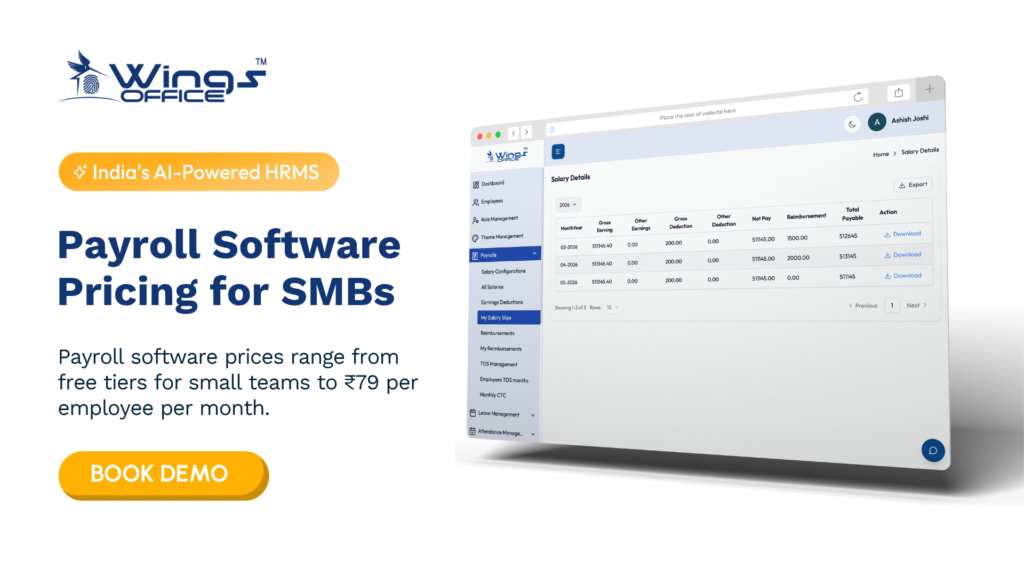
Payroll software pricing in India

Key Takeaways Payroll software pricing in India usually follows one of a few models (per employee per month, headcount slabs, flat subscriptions, or one-time licenses), and the right model depends on how fast your team is growing. The subscription fee is rarely the full cost, because implementation, data migration, add-on modules, minimum billing clauses, and 18% GST can change what you actually pay. Company size changes what you should pay for: a 15-person startup needs accurate statutory compliance, while a 500-person company needs multi-location, approval workflows, and integrations. A free trial is only useful if you run a real payroll cycle through it, including edge cases like mid-month joiners, loss of pay, and full and final settlements. Payroll software prices in India typically range from free tiers for small teams to ₹79 per employee per month, or ₹2500 to over ₹50,000 per year for flat-rate and enterprise solutions. Most businesses that compare payroll software pricing in India end up comparing the wrong number. The headline per-employee rate on a pricing page tells you very little about your real annual spend. What matters is how that rate scales with headcount, which statutory features sit behind a higher tier, and what you’ll pay before the first payslip ever goes out. This guide breaks down how vendors in India structure their pricing, what different company sizes should expect to budget for, and how to use a trial period to pressure-test a tool before you commit. You’ll also find a shortlist of established options, including where Wings Office fits. What Are the Payroll Software Pricing Models in India? Indian payroll vendors mostly use variations of five pricing structures. Each one rewards a different kind of business, so the model matters as much as the rate. Pricing Model How It Works Best Suited For Watch Out For Per employee per month (PEPM) You pay a fixed amount for each active employee processed every month Growing teams that want costs to track headcount Minimum monthly billing that kicks in regardless of actual headcount Headcount slabs A fixed price covers a range of employees (for example, up to 50) Stable teams that sit comfortably inside one slab Paying for a full slab when you’re just one hire over the threshold Flat subscription One price for the platform, often with a headcount cap Small businesses with predictable teams Caps that force an upgrade sooner than expected Module-based pricing Core payroll is priced separately from attendance, leave, expenses, and performance Companies that only need specific functions Essential features quietly placed inside paid add-ons One-time license (on-premise) Upfront purchase plus annual maintenance charges Organisations with strict data residency or IT control requirements Upgrade costs, server maintenance, and slower compliance updates PEPM is the most common model among cloud payroll vendors in India today. It feels fair because you only pay for people you actually process. The catch is that it rewards companies whose headcount is flat or shrinking, while fast-hiring startups can watch their bill climb faster than their revenue. Slab pricing works in the opposite direction. If you have 48 employees on a “up to 50” plan, you’re getting excellent value. If you have 52, you’re likely paying for a jump to the next tier that covers far more people than you have. What Actually Drives the Number on Your Quote Two vendors quoting similar per-employee rates can produce very different annual invoices. The gap usually comes from the factors below, and most of them don’t appear on a public pricing page. Statutory compliance depth. Basic plans typically handle PF and TDS calculations. Fuller compliance means ESI, professional tax across multiple states, Labour Welfare Fund contributions, quarterly Form 24Q filing support, and Form 16 generation. If you operate in several states, professional tax alone adds real complexity, since rates and slabs differ by state and some states don’t levy it at all. Implementation and data migration. Moving historical salary data, YTD tax figures, and employee master records from spreadsheets or an older system takes effort. Some vendors include onboarding in the subscription. Others charge a one-time setup fee, and the amount often depends on how messy your existing data is. Integrations. Connecting payroll to your attendance devices, accounting software, or bank for salary disbursement may be free, may require a higher plan, or may be billed as a custom project. Taxes. Software subscriptions in India attract 18% GST. It sounds obvious, but many internal budget approvals get built on pre-tax figures and come up short. Support level. Email-only support is standard on entry plans. A dedicated account manager or priority phone support during payroll week usually costs more, and for a first-time implementation it’s often worth it. What Will Payroll Software Cost for Your Company Size? Rather than quote rupee figures that change every quarter, it’s more useful to look at what each company size should be paying for. Your budget should follow your operational needs, not the other way around. Micro businesses and early startups (under 20 employees) At this stage, your biggest risk is compliance errors, not efficiency. You need accurate salary computation, correct PF and TDS deductions, and payslips your employees can trust. A flat plan or a low-tier PEPM plan usually covers this. Be wary of vendors whose minimum monthly charge assumes a larger team, because you’ll end up paying a per-head rate far above the advertised one. Small and growing businesses (20 to 200 employees) This is where payroll stops being a monthly task and starts being a process. You’ll want leave and attendance integration, employee self-service for tax declarations and payslips, reimbursement handling, and support for both old and new tax regimes. Most businesses in this band get the best value from mid-tier plans. Paying for enterprise features now, on the assumption you’ll grow into them, is one of the most common forms of overspending. Mid-sized companies (200 to 1,000 employees) Multi-location payroll, role-based access, approval workflows, and audit trails become necessary rather than nice-to-have. You’ll likely negotiate a custom quote rather

Compare

Best Keka Alternatives: HRMS and Payroll Solutions for Small Businesses

Key Takeaways SMEs typically outgrow Keka when pricing tiers, per-employee costs, or feature bundles stop matching how a small team actually works. The right HRMS for a small business prioritizes accurate payroll, statutory compliance, and easy adoption over long feature lists nobody uses. Wings Office HRMS positions itself as a lean, affordable option for SMEs that want core HR and payroll without paying for enterprise scale. A side-by-side comparison matters more than reviews, because the “best” tool depends on your headcount, payroll complexity, and budget. Named alternatives like Zoho People, greytHR, and Wings Office cover different price and complexity points, so shortlist based on your specific gaps. Keka works well for a lot of growing companies, which is exactly why so many small businesses start with it and then hit a wall. Somewhere between the eleventh and fiftieth hire, the pricing math changes, a module you never touch shows up on the invoice, or payroll runs need a workaround that eats an afternoon every month. That’s usually the moment teams begin hunting for Keka alternatives that fit a smaller budget and a leaner workflow. This guide compares the strongest options, walks through a direct Keka vs Wings Office HRMS breakdown, and helps you decide what actually matters when you’re choosing HR software for small businesses instead of enterprise-grade suites. Why SMEs start looking past Keka Most switches aren’t triggered by one big failure. They build up. A five-person startup signs up when the tool feels generous, then a year later the per-employee pricing has quietly become a line item the founder notices. Or the HR person realizes half the platform is built for org structures the company won’t have for years. Here are the reasons that come up most often when small teams evaluate a move: Cost per employee climbs faster than headcount value, especially when you’re forced onto a higher tier just to access one payroll or compliance feature you actually need. Feature overload slows adoption, because a small team doesn’t want performance-review cycles, OKR modules, and applicant tracking when they mostly need attendance, leave, and salary processing done cleanly. Payroll edge cases need manual fixes, such as mid-month joiners, reimbursement claims, or arrears, and every workaround adds risk to numbers that have to be exact. Support response times stretch out once you’re on a lower plan, which is a real problem when payroll day is non-negotiable and something breaks. None of these mean Keka is a bad product. They mean the fit changed. For a business running lean, the right question isn’t “what’s the most powerful HRMS,” it’s “what covers my real work at a price that scales with me.” What actually matters in an affordable HRMS It’s easy to get distracted by feature checklists. For a small business, three things carry most of the weight, and everything else is secondary. Payroll accuracy comes first. If salary, deductions, and statutory contributions aren’t calculated correctly and on time, nothing else the software does matters. Look for automatic handling of proration, arrears, and reimbursements, plus clean payslip generation. Compliance is the second pillar. Payroll software for SMEs has to keep pace with PF, ESI, professional tax, and TDS rules without you tracking every change manually. A tool that generates compliance-ready reports saves the exact kind of time small teams can’t spare. Adoption is the quiet third factor. The best-designed system fails if your team avoids it. Self-service leave requests, mobile attendance, and a dashboard a non-HR founder can read in thirty seconds decide whether the tool actually gets used or becomes shelfware you still pay for. Pro Tip: Before comparing features, list the three payroll or HR tasks that currently cost you the most time each month. Score every shortlisted tool only against those three. It cuts through marketing pages faster than any review site. What you actually gain from the right fit Choosing well pays off in ways that go beyond a lower invoice. When the software matches your size, HR stops being a scramble at month-end and becomes something that runs quietly in the background. A tool sized for SMEs typically means faster onboarding for new hires, fewer payroll corrections, and a support relationship where you’re not lost in an enterprise queue. Founders get visibility without hiring a full HR team, and the one person handling people operations stops living in spreadsheets. The goal of good HR software for small businesses isn’t to add process for its own sake, it’s to remove the manual, error-prone work so a small team can move fast without compliance risk hanging over every pay cycle. Keka vs Wings Office HRMS: feature comparison Wings Office HRMS comes up often for teams that want core HR and payroll without the weight of a full enterprise suite. Here’s how the two compare on the areas small businesses tend to prioritize. Area Keka Wings Office Best fit Mid-size to larger teams Small businesses and lean teams Core payroll Comprehensive, tier-dependent Focused on essential payroll runs Statutory compliance Broad coverage Covers standard PF, ESI, PT, TDS needs Feature breadth Wide (performance, hiring, OKRs) Leaner, HR, and payroll core Learning curve Steeper for small teams Lighter, quicker to adopt Pricing model Per-employee, tiered Positioned for affordability Read the table with your own headcount in mind. If you’re running structured performance cycles across departments, Keka’s breadth earns its cost. If your monthly reality is attendance, leave, and an accurate salary run, the extra modules are weight you carry without using. A closer look at Keka vs Wings Office HRMS Tables tell you what exists, not how it feels to run payroll on a Wednesday when someone joined mid-month. So here’s the practical read. Keka is built to grow with you. Its strength is depth, and if you expect to scale into a company with formal review cycles, internal hiring pipelines, and layered approvals, that depth is an investment rather than clutter. The trade-off is that a ten-person team pays for and navigates a system designed for a hundred.

Comparison HRMS Software
Compare

Compare 15 HRMS Software in India 2026: Features & Pricing

The HR Stack Is Broken & Most Indian Businesses Are Still Pretending It Isn’t If you’re a business owner, CTO, or senior HR professional reading this in 2026, you already know this pain. You’ve lived it. And the cost isn’t just time — it’s your best people quietly updating their LinkedIn profiles because your HR processes make them feel like a number in a ledger, not a professional being invested in. This guide cuts through that noise. No fluff, no vendor-sponsored rankings. Just an honest, consultant-level breakdown of the 15 best HRMS software in India for 2026 — with real pricing, real limitations, and clear guidance on which type of business each tool actually suits. What Is HRMS Software? HRMS stands for Human Resource Management System. At its core, it’s a unified platform that handles the full employee lifecycle—from recruitment and onboarding to payroll, attendance, performance management, and eventually offboarding. Think of it as the operating system for your people operations. A well-implemented HRMS replaces the scattered tools, manual processes, and institutional knowledge sitting in one person’s head with a structured, auditable, and scalable system. Modern HRMS platforms typically include the following: Core HR — employee records, org charts, document management Payroll & Compliance — salary processing, TDS, PF, ESI, PT calculations Attendance & Leave Management — shift scheduling, geo-fencing, holiday calendars Recruitment (ATS) — job postings, applicant tracking, offer management Performance Management — goal setting, appraisals, 360-degree feedback Employee Self-Service — portals for employees to manage their own data Analytics & Reporting — workforce insights, attrition trends, headcount reports The distinction between HRMS, HRIS (Human Resource Information System), and HCM (Human Capital Management) is largely semantic in the Indian market. Most vendors use these terms interchangeably. What matters is whether the platform solves your specific operational pain points. Why Do Indian Businesses Need HRMS Software in 2026? India’s HR compliance landscape is genuinely complex—and it keeps changing. You’re dealing with state-specific professional tax slabs, evolving labor codes (the four codes consolidating 29 central laws are still being rolled out state by state), EPFO regulations, ESIC requirements, gratuity calculations, and the ever-present TDS reconciliation. The numbers reflect this urgency. India’s HRMS market is projected to cross $1.5 billion by 2027, growing at roughly 12% annually. Adoption is no longer limited to enterprises — mid-sized companies with 50–500 employees are now the fastest-growing segment. Here’s what’s actually driving adoption among Indian businesses right now: Statutory compliance pressureErrors in PF, ESI, or TDS filings attract penalties that hurt more than the cost of good software Attrition management With attrition rates in IT averaging 18–22%, retention analytics and structured engagement tools have become critical Founder/leader bandwidthGrowing businesses can’t afford for founders or senior managers to firefight payroll every month Audit readinessInvestors and acquirers now expect clean HR data; messy records are a red flag in due diligence Remote workforce management Managing attendance and productivity without micromanaging requires intelligent tooling Best HRMS Software in India — Quick Comparison Table (2026) Software Best For Starting Price  Free Trial Indian Payroll Keka HR Mid-market (100–2000 employees) ₹6,999/month (up to 100) Yes Yes Darwinbox Enterprise (500+ employees) Custom pricing Yes Yes greytHR SMBs & compliance-heavy teams ₹3,495/month (up to 50) Yes Yes Zoho People Startups & SMBs ₹48/employee/month Yes Via Zoho Payroll HROne Growing mid-market ₹85/employee/month Yes Yes sumHR Small businesses (< 200) ₹60/employee/month Yes Yes Spine HR Manufacturing & traditional sectors Custom pricing Yes Yes BambooHR MNCs & global teams Custom (USD pricing) Yes Limited Workday Large enterprise (1000+) Custom pricing No Limited Wings Office Global enterprise Custom pricing No Yesr OrangeHRM Open-source / budget-conscious Free / ₹2,700+/month Yes Limited Qandle Tech-first SMBs ₹60/employee/month Yes Yes Kredily Startups (free tier available) Free / ₹1,499+/month Yes Yes PeopleStrong Large Indian enterprises Custom pricing Yes Yes HRMantra Enterprise with complex workflows Custom pricing Yes Yes Top 15 Best HRMS Software in India 2026 1. Keka HR Overview: Keka is arguably the most talked-about HRMS in the Indian mid-market right now and for good reason. Built entirely in India, it understands the local payroll and compliance nuances without needing workarounds. The interface is clean, onboarding is relatively fast, and the payroll engine is reliable. Pricing: Starts at ₹6,999/month for up to 100 employees. Higher tiers (Foundation, Strength, Growth) go up to ₹13,999/month with advanced features. Pros: Strong Indian payroll with automated PF, ESI, PT, TDS Good employee self-service portal Active product development and responsive support Integrates with accounting tools like Tally and QuickBooks Cons: The performance management module feels underdeveloped compared to core HR Reporting customisation is limited in lower tiers Can feel expensive for companies with under 50 employees Best For: Mid-sized Indian companies (100–2,000 employees) that want a reliable, locally built payroll-first HRMS. 2. Darwinbox Overview: Darwinbox has positioned itself as the enterprise HRMS built for Asian markets, and it shows. The platform covers the full HR lifecycle with impressive depth, including a solid mobile app that field-force-heavy industries (FMCG, retail, and logistics) genuinely find useful. Pricing: Custom pricing only. Typically, it ranges from ₹150 to ₹250/employee/month for enterprise contracts. No published pricing. Pros: Comprehensive module coverage, including workforce planning Strong mobile app with offline capability Backed by significant investment, the product roadmap is ambitious Good for geographically distributed teams Cons: Implementation takes time — expect 2–4 months for full deployment Customer support response time can vary post-implementation Overkill (and overpriced) for companies under 300 employees Best For: Indian enterprises and large mid-market companies scaling rapidly, especially those with field workforces. 3. greytHR Overview: greytHR has been around since 1994, and that institutional knowledge shows in its payroll and compliance engine. It’s not the flashiest product on this list, but for finance teams and HR professionals who need accuracy above all else, it’s a trusted choice. Pricing: Starts at ₹3,495/month for up to 50 employees. Per-employee pricing beyond that. Pros: Battle-tested Indian payroll — handles complex salary structures reliably Excellent statutory compliance coverage Large user community and good documentation Affordable for smaller teams Cons: UI feels

Scroll to Top


