
CONFIGURATION HRMS
Setup HRMS once.
Run it seamlessly.
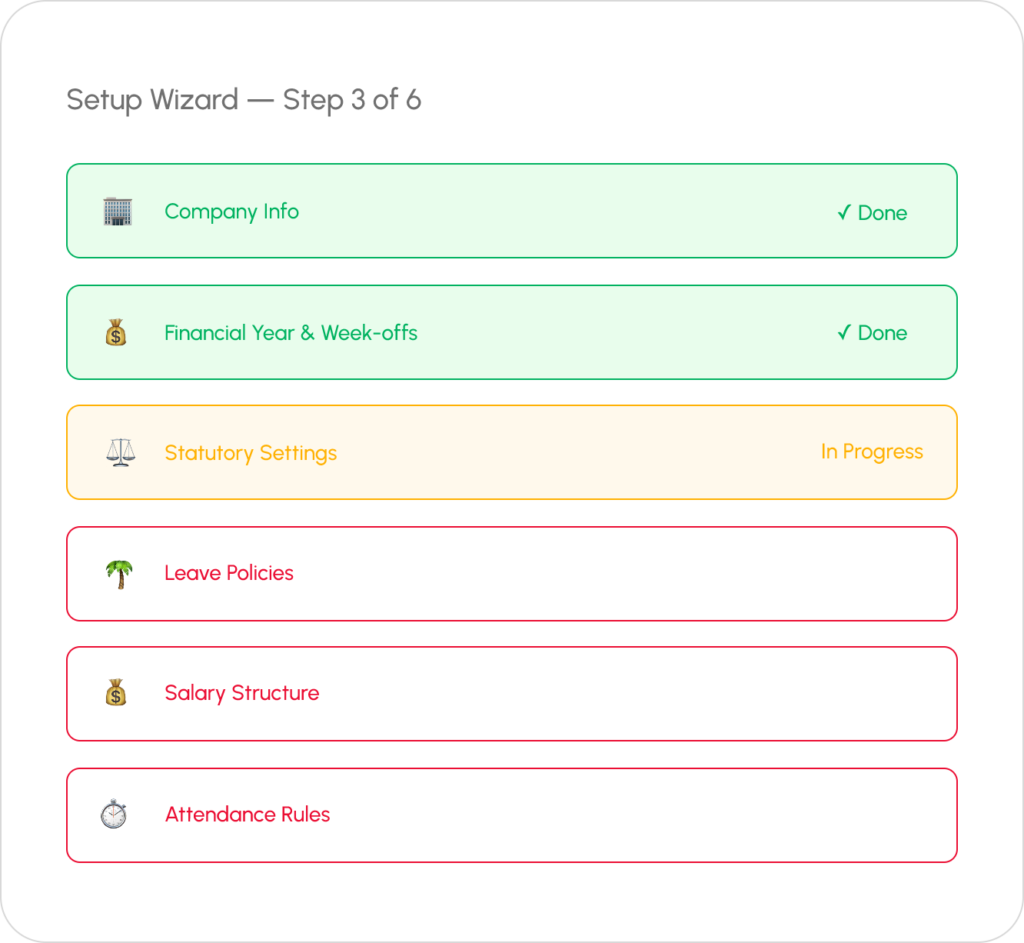
Easy to configure your own HRMS solution Wings Office, a guided wizard walks you through every setting — financial year, weekly offs, statutory registrations, attendance policies, and salary structures. Configure once, and the system runs on autopilot.
WHAT YOU CONFIGURE
Everything Your Company Needs to Get Started
The global configuration wizard covers every setting your HR system needs. No technical knowledge required — just follow the guided steps.

Company Information
Company name, address, registration numbers, logo, contact details, and branches. The foundation for all official documents and reports.

Financial Year
Set your financial year start/end dates. All payroll calculations, tax computations, and leave accruals align automatically to your fiscal calendar.

Weekly Off Patterns
Define weekly off patterns — fixed, alternate, or custom. Different patterns for different departments or shifts. Auto-applied in attendance calculations.

Statutory Settings
PF establishment code, ESIC number, PT registration, LWF details. All statutory deductions auto-calculate based on these registrations.

Policy Defaults
Set default leave policies, attendance rules, probation periods, and notice periods. These defaults auto-apply to new employees unless overridden.

System Preferences
Date formats, currency, time zones, email notification preferences, and self-service portal settings. Customize WingsOffice to fit your workflow.
Go Live in 4 Simple Steps
Most teams are up and running the same day.
Sign Up
Create your free account in under 2 minutes. No credit card required.
Configure
Set up company profile, policies & workflows with our guided setup wizard.
Onboard Team
Invite your team via email or bulk upload CSV. They’re ready in minutes.
Go Live
Start managing HR with AI power. Most teams are live the same day.
Frequently Asked Questions
Common Questions
What is HRMS Software (Human Resources Management System)?
HRMS software is an integrated digital platform that automates and manages core HR functions such as employee data, attendance, payroll, leave, recruitment, and compliance. It centralizes workforce management to improve efficiency, accuracy, and decision-making.
Who Uses an HRMS System?
HRMS systems are used by HR teams, payroll administrators, managers, and business owners across startups, SMEs, and large enterprises. Employees also use self-service portals to access payslips, apply for leave, and update personal information.
How to Find the Right HRMS for You?
The right HRMS depends on business size, scalability needs, budget, and required features like payroll automation, attendance tracking, and compliance support. A good HRMS should be user-friendly, cloud-based, customizable, and capable of integrating with existing systems.
What Are the Common Functions of HRMS Systems?
Common HRMS functions include employee database management, payroll processing, attendance and leave tracking, recruitment, performance management, document management, and HR analytics. These functions streamline HR operations and reduce manual workload.
How Can an HRMS Software Benefit an Organization?
HRMS software improves operational efficiency by automating HR tasks, reducing errors, ensuring compliance, and enhancing employee experience. It provides real-time insights, supports data-driven decisions, and helps organizations scale workforce management effectively.
Ready for Attendance That Just Works?
Join 500+ companies using WingsOffice to manage their employees with clarity, security, and confidence.


