
Key Takeaways
- Payroll automation ROI comes from three sources: recovered admin hours, fewer costly compliance errors, and lower penalty risk, not just software savings.
- Most businesses see the strongest returns when they automate calculation, tax filing, and payslip distribution rather than only digitizing timesheets.
- Automation and outsourcing solve different problems, so the right choice depends on your headcount, in-house expertise, and how much control you want.
- Accuracy gains matter as much as time savings, since a single misfiled tax return can wipe out a quarter of your labor-cost savings.
Payroll runs quietly until it breaks. A miscalculated tax deduction, a late statutory filing, or one employee paid twice, and suddenly a “back office” task is eating a full week of someone’s time and triggering penalties. That’s the real case for payroll automation ROI: it isn’t about buying software, it’s about buying back the hours and risk that manual payroll silently drains every month.
This guide breaks down what payroll automation actually is, where the returns come from, how to implement it without disrupting a live pay cycle, and how it stacks up against outsourcing. Wherever numbers matter, we’ll show you how to calculate them for your own business rather than quoting figures that may not apply to you.
What Payroll Automation Actually Means
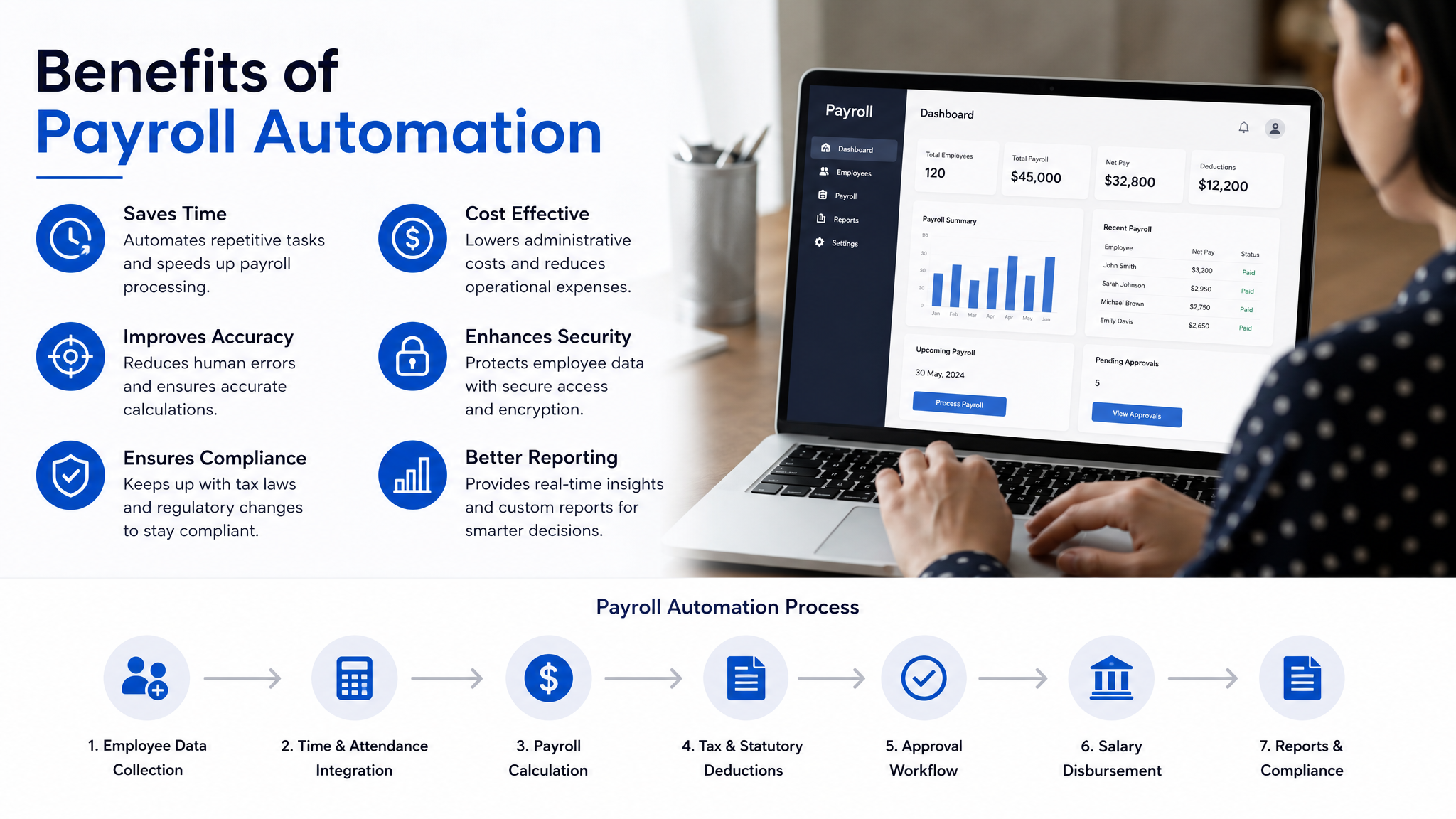
Payroll automation replaces manual, repetitive payroll steps with software-driven workflows. Instead of a person exporting timesheets, plugging numbers into a spreadsheet, calculating deductions by hand, and emailing payslips one by one, the system handles those steps on a schedule or trigger.
A useful way to think about it: automation touches the whole chain, from attendance capture to net pay to statutory filing. Digitizing one step, say, a cloud timesheet, isn’t automation if a human still has to move that data into a separate calculation sheet. Real automation means the data flows through without re-entry.
The scope usually covers gross-to-net calculation, tax and statutory deductions, payslip generation, salary disbursement files for the bank, and compliance reporting. Modern payroll automation software also keeps an audit trail, so every change is logged and traceable, which becomes valuable the moment an auditor or an employee questions a figure.
Where the ROI Actually Comes From
The return on payroll automation rarely shows up as one big line item. It accumulates across several areas, and the mix depends on your team size and how error-prone your current process is.
Recovered time.
The most visible saving. If a two-person team spends three days each pay cycle on data entry, calculations, and payslips, automation can compress that to a few hours of review. Multiply the reclaimed hours by their loaded hourly cost and by 12 or 24 pay runs a year to get a defensible annual figure.
Error reduction.
Manual payroll errors carry two costs: the correction effort and the downstream damage. A wrong deduction means a correction run, an apology to the employee, and sometimes an amended tax filing. Automation removes most arithmetic and transcription errors because the same rules run every cycle without fatigue.
Compliance and penalty avoidance.
Late or incorrect statutory filings attract fines and interest. Because these are unpredictable, most businesses ignore them in ROI math until one hits. A system that files on schedule and applies current tax rules turns that variable risk into near-zero.
Employee experience.
Harder to price, but real. Self-service payslips, accurate pay, and transparent deduction breakdowns reduce HR queries and the quiet frustration that pushes good people to look elsewhere.
To calculate your own ROI, add the annual savings from these areas, subtract the total cost of the software plus setup and training, and divide the net gain by that cost. A payback period under a year is common for teams doing payroll manually today.
Why payroll software for Small Businesses
Larger enterprises often have dedicated payroll staff and custom systems, so their marginal gain from automation is smaller. For smaller businesses, the calculus is different. Payroll usually sits on the plate of a founder, an office manager, or a part-time accountant, people whose time is expensive and better spent elsewhere.
That’s why payroll software for SMEs tends to produce the sharpest ROI. The person running payroll is rarely a specialist, so the risk of error is higher and the value of their reclaimed time is significant. Automation also lets a lean team scale headcount without proportionally increasing payroll effort. Going from 8 employees to 25 shouldn’t triple your payroll workload, and with the right system it won’t.
There’s a compliance angle too. Smaller companies are less likely to have someone tracking every change in tax and statutory rules. Payroll automation for SMBs bakes those rules into the software and updates them centrally, so a rate change doesn’t depend on someone remembering to adjust a formula.
How Automation Improves Accuracy and Compliance
Accuracy and compliance are where automation quietly pays for itself, because the failures they prevent are the expensive ones.
Consistency is the core mechanism. A spreadsheet formula is only as reliable as the last person who edited it, and one dragged cell can corrupt an entire column. Automated systems apply the same validated logic to every employee, every cycle, with no risk of a copy-paste slip. When a tax slab or contribution rate changes, the update happens once at the system level rather than in dozens of individual calculations.
Compliance follows the same logic. Good payroll automation software tracks filing deadlines, generates the correct statutory reports, and flags anomalies before they reach a return. Consider a business that hires several employees mid-month across different pay grades; manually pro-rating their salaries, benefits, and deductions is exactly where errors creep in. An automated system handles the pro-ration by rule, applies the right tax treatment, and records what it did.
The audit trail deserves its own mention. When every change is timestamped and attributed, disputes get resolved in minutes instead of hours, and audits become a matter of exporting a report rather than reconstructing history from memory.
How to Implement Payroll Automation Without Breaking a Pay Cycle
Payroll is unforgiving because it runs on a fixed date and people notice immediately if it’s wrong. A staged rollout protects you.
- Audit your current process first.
Map every step, who does it, and where errors currently happen. This tells you what to automate and gives you the baseline for measuring ROI later. Skipping this step means you can’t prove the return. - Clean and centralize your data.
Employee records, tax details, bank information, and salary structures need to be accurate before migration. Bad data automated is just faster bad data, so this cleanup is not optional. - Configure rules and run a parallel cycle.
Set up your pay structures, deductions, and statutory rules, then run the new system alongside your existing process for at least one full cycle. Compare outputs line by line and resolve every discrepancy before you cut over. - Train the people who own payroll.
Even the best system fails if the operator doesn’t trust it or misuses it. A short, focused training session on the review-and-approve workflow prevents most early mistakes. - Go live, then monitor closely.
Run the first live cycle with extra review time budgeted. Watch for edge cases like new joiners, exits, and one-off bonuses, since these are where configurations most often need tuning.
Most disruption happens when businesses skip the parallel run to save a month. Don’t. That single overlapping cycle is your safety net.

What Payroll Automation Typically Costs
Pricing varies by provider, employee count, and feature depth, so treat the ranges below as a structure for comparison rather than fixed quotes. Always confirm current pricing directly with a vendor, since models change and per-employee tiers differ widely.
| Pricing component | What it usually covers | What affects the cost |
|---|---|---|
| Base subscription | Core payroll processing, payslips, standard reports | Billed monthly or annually; annual often discounted |
| Per-employee fee | Charged for each active employee per pay run | Scales directly with headcount; watch for tier jumps |
| Setup / onboarding | Data migration, configuration, initial training | Often one-time; complexity of pay structures matters |
| Compliance / filing add-ons | Automated statutory filings and reports | May be bundled or priced separately by region |
| Integrations | Links to accounting, HR, or attendance systems | Some included, premium connectors cost extra |
When comparing quotes, calculate total annual cost including per-employee fees and add-ons, not just the headline monthly price. A cheaper base plan with expensive filing add-ons can cost more than an all-inclusive tier.
Payroll Automation vs Payroll Outsourcing
These are often framed as competitors, but they solve different problems. Automation keeps payroll in-house and gives your team a faster, more reliable tool. Outsourcing hands the entire function to a third-party provider who runs it for you.
| Factor | Payroll automation (in-house software) | Payroll outsourcing |
|---|---|---|
| Control | Full control over process and data | Provider controls execution; you approve |
| Cost model | Predictable subscription, scales with headcount | Service fee, often higher per employee |
| Expertise required | Some in-house payroll knowledge needed | Provider supplies the expertise |
| Speed of changes | Adjust immediately in the system | Requests routed through the provider |
| Compliance responsibility | Shared; software helps, you file | Largely shifts to the provider |
| Best fit | Teams wanting control and lower long-term cost | Teams lacking payroll staff or facing complex multi-region rules |
The honest answer is that neither wins universally. If you have someone reasonably capable of reviewing and approving payroll, automation usually costs less over time and keeps your data in-house. If you have no payroll expertise, operate across multiple jurisdictions with tangled rules, or simply want the liability off your desk, outsourcing can be worth the premium. Some businesses even combine the two, using automation software while a provider handles complex statutory filings.
When payroll software automations are worth it, and when they aren’t
Automation isn’t automatically the right call for everyone. The value of payroll software automations depends on volume and complexity. If you have three employees on identical fixed salaries with no variable components, a spreadsheet and a calendar reminder may genuinely be enough, and the software cost won’t pay back quickly.
The tipping point usually arrives with variability. Once you have variable pay, overtime, multiple pay grades, frequent joiners and exits, or statutory filings you’re at risk of getting wrong, the manual approach starts costing more in time and risk than the software would. That’s the moment the ROI turns clearly positive.
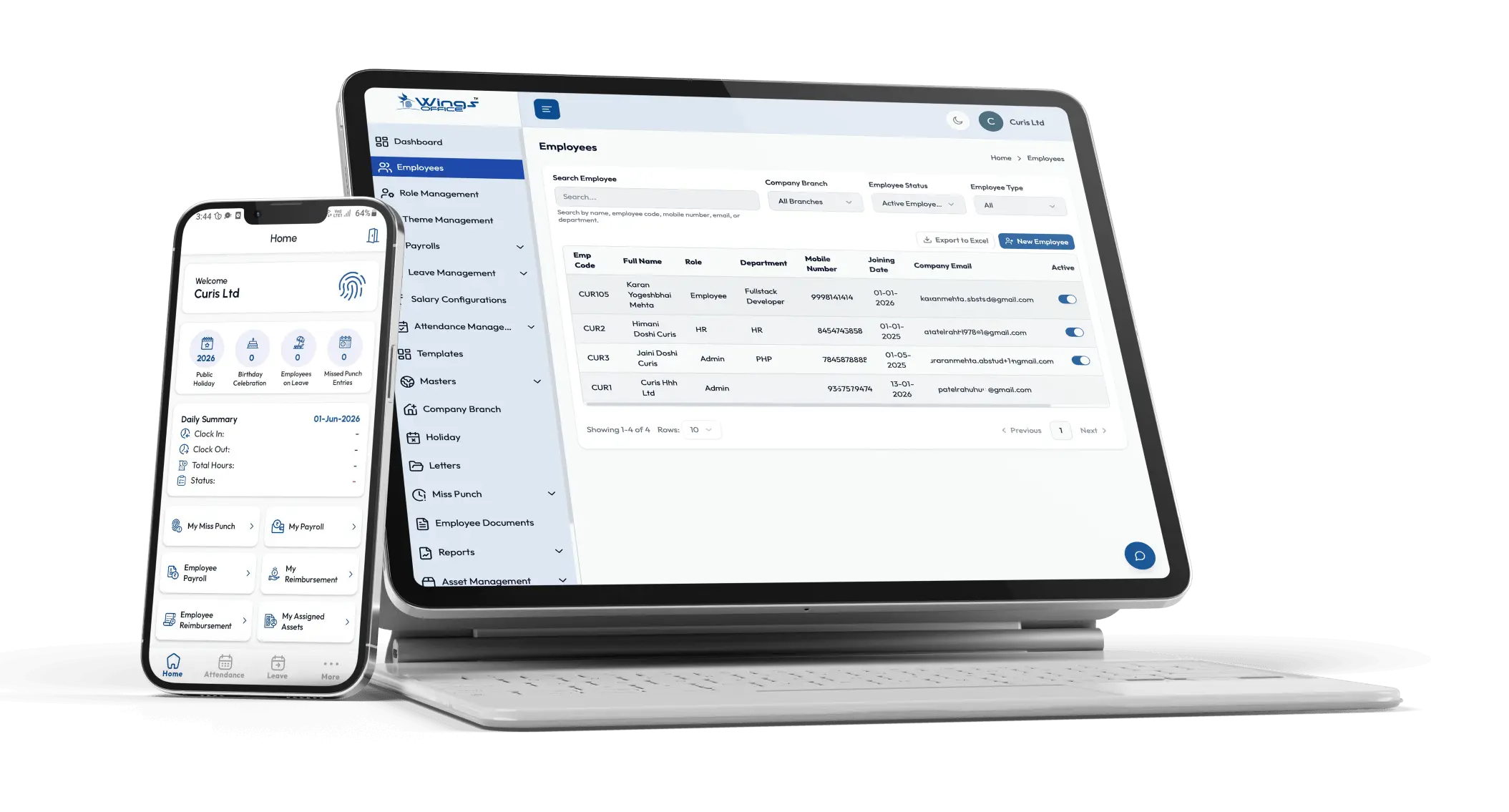
Wings Office is built for exactly that transition point, helping growing businesses move from fragile manual processes to reliable automated payroll without losing control of their data or their pay cycle. The right time to switch is before the errors and lost hours force your hand, not after.
Frequently Asked Questions
How quickly does payroll automation pay for itself?
For teams currently running payroll manually, payback often falls within the first year because the reclaimed staff hours and avoided error corrections usually exceed the subscription and setup cost. The exact timeline depends on your team size and how much time you spend on payroll today, so calculate it against your own baseline hours.
Is payroll automation only for large companies?
No. Smaller businesses often see stronger relative returns because the person handling payroll is usually a founder, office manager, or part-time accountant whose time is costly and who isn’t a payroll specialist. Automation reduces both their workload and the risk of errors.
Will automating payroll make me non-compliant if tax rules change?
A reliable payroll automation system updates statutory rules and rates centrally, so changes apply without you rewriting formulas. You still own the responsibility to review and approve, but the software removes most of the manual tracking that causes compliance slips.
Can I switch to automation mid-financial-year?
Yes, though it’s cleaner to align the switch with a pay cycle boundary and run a parallel cycle first. Migrate your year-to-date figures accurately so tax calculations and statutory totals remain correct through the transition.


