
EMPLOYEE DATA MANAGEMENT
Manage Employee Data At One Place
Designations, departments, branches, shifts, holidays, banks—Wings Office centralizes all your employees' data. Define it once, and it flows into every module — employee profiles, attendance, payroll, reports, and more.
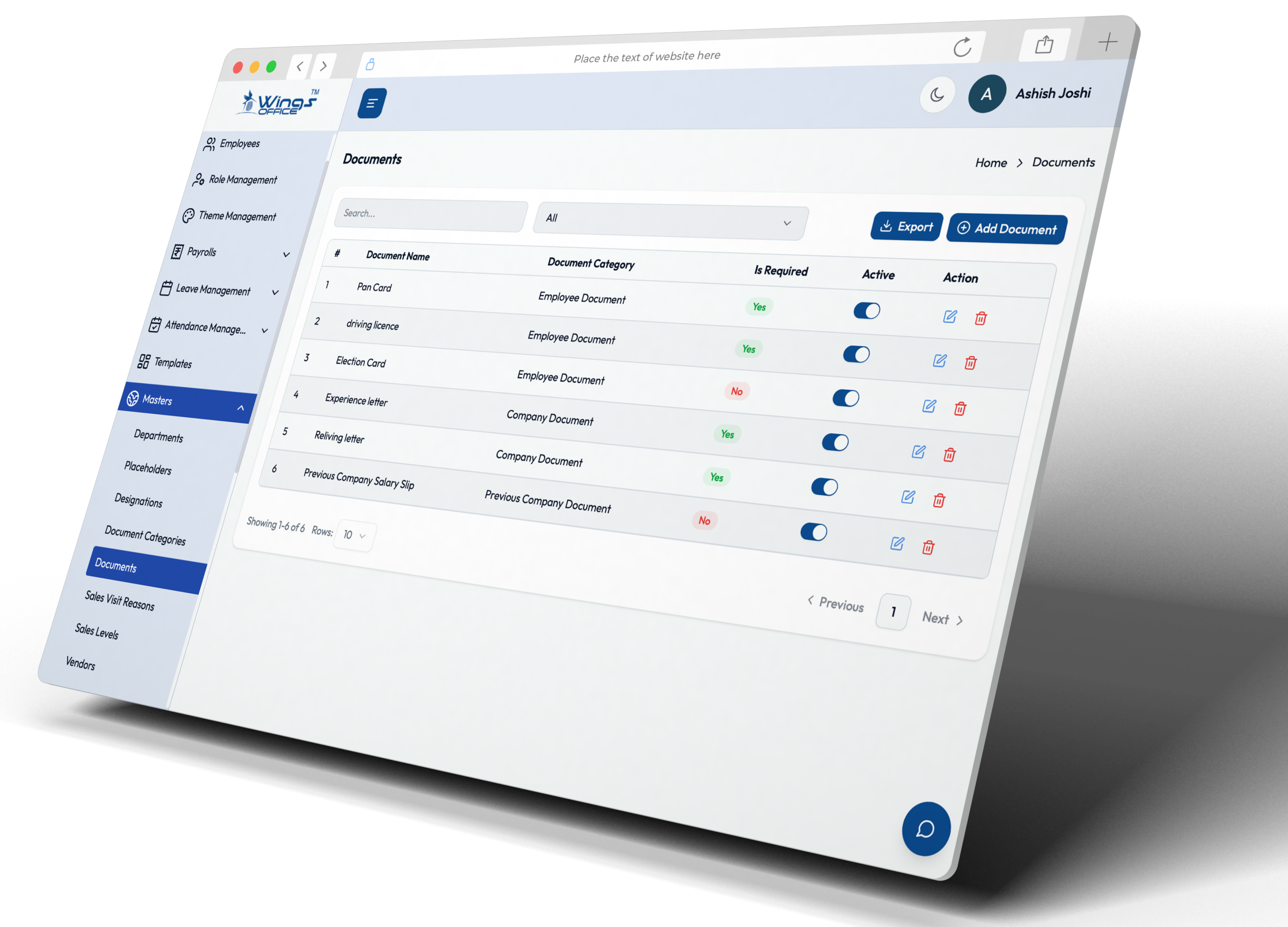
What You Can Manage
Every Master List
Your HR Needs

Designations
Junior Developer, Senior Manager, VP — define all designations used across your company. Map them to salary structures for auto salary assignment.

Departments
Engineering, Marketing, HR, Finance — organize your company into departments. Used for reporting, approvals, and access control.

Branches & Locations
Main Office, Regional Branch, Client Site — manage multiple locations with their own addresses, statutory settings, and attendance rules.

Shift Management
General Shift, Night Shift, Flexible Hours — define shifts with start/end times, grace periods, and overtime rules. Assign to employees or departments.

Holiday Calendar
National holidays, regional festivals, company-specific days off. Set up the annual holiday calendar and auto-apply it to attendance calculations.

Banks & More
Banks for salary disbursement, document types, leave types, earning/deduction heads — every dropdown and option list in WingsOffice is managed from masters.
KEY FEATURES
Clean Data. Consistent Results.

Bulk Import
Upload master data via Excel. Import designations, departments, holidays — all at once.

Cross-Module Links
Changes to master data reflect everywhere — employee profiles, payroll, reports, and attendance.

Protected Entries
Master entries in use can’t be deleted. WingsOffice prevents data integrity issues automatically.
Go Live in 4 Simple Steps
Most teams are up and running the same day.
Sign Up
Create your free account in under 2 minutes. No credit card required.
Configure
Set up company profile, policies & workflows with our guided setup wizard.
Onboard Team
Invite your team via email or bulk upload CSV. They’re ready in minutes.
Go Live
Start managing HR with AI power. Most teams are live the same day.
Frequently Asked Questions
Common Questions
What Is the Best Software for HR Database Management?
The best HR database management software centralizes employee records, attendance, payroll, leave, documents, and performance data in one secure platform. A modern HRMS improves data accuracy, streamlines HR operations, and provides quick access to employee information for better workforce management.
Can I Import Employees from My Existing System?
Yes, most HRMS platforms support employee data import through Excel, CSV files, or API integrations. This simplifies migration from legacy systems, minimizes manual data entry, and ensures a smooth transition without disrupting ongoing HR and payroll operations.
How Does the Self-Service Portal Work?
An Employee Self-Service (ESS) portal allows employees to securely access personal information, download payslips, apply for leave, view attendance, update profiles, and submit HR requests independently. This reduces administrative workload while improving employee experience and operational efficiency.
HRMS Software for HR Access Database
HRMS software provides HR teams with a secure, centralized employee database that stores personal details, employment history, payroll information, attendance records, compliance documents, and performance data. Role-based access ensures authorized users can retrieve and manage information while maintaining data security and privacy.
What Is HRMS and How Does It Work?
A Human Resource Management System (HRMS) is an integrated software solution that automates core HR functions, including employee management, attendance tracking, leave administration, payroll processing, and compliance. It centralizes workforce data, streamlines HR workflows, and enables organizations to manage employees more efficiently through a single digital platform.


