
EMPLOYEE MANAGEMENT SOFTWARE
Payroll Software for Education Industry
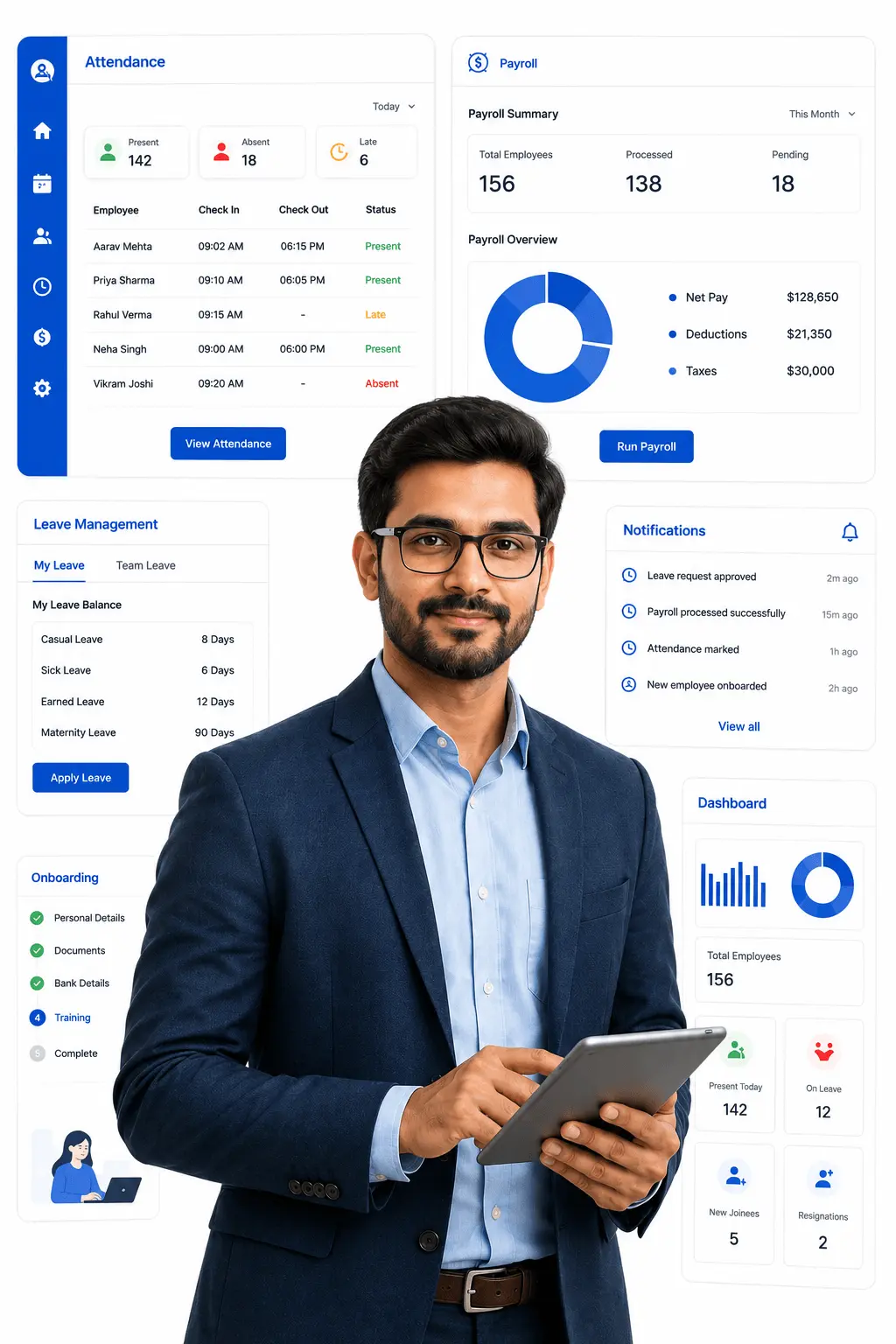
WingsOffice's payroll software for education is built around how academic institutions actually function. It brings teaching and non-teaching payroll, leave tracking aligned to the academic calendar, and statutory compliance into a single platform, so administrators spend less time on manual salary sheets and more time supporting staff and students. Whether you run a single school or a multi-campus institution, the system adapts to your staff categories, pay structures, and compliance needs without forcing everyone into one rigid format.
WHAT IT MATTERS
Key Features of our HR Software for Education Industry
Employee data scattered across Excel files, emails, and folders? That’s a compliance risk waiting to happen. Wings Office puts everything in one place — searchable, secure, and always up to date.

Academic Calendar-Linked Leave Management
Align leave policies with terms, semesters, and vacation periods instead of a standard corporate calendar. Automatically adjust leave balances around academic breaks.

Multi-Campus Payroll Consolidation
Run payroll for multiple schools, campuses, or branches from one centralized platform. Apply campus-specific rules while viewing consolidated cost reports.

Statutory Compliance Automation
Auto-calculates PF, ESI, professional tax, and TDS for all staff categories. Stays updated with changing central and state regulations affecting educational institutions.

Visiting & Contractual Faculty Payroll
Process payments for visiting faculty and guest lecturers based on classes taken or hours engaged. Keep contractual pay separate from full-time staff payroll.

Teaching & Non-Teaching Staff Management
Maintain separate profiles, pay structures, and workflows for teaching staff, administrative staff, and support staff. Keep every employee category organized without mixing pay rules.

Staff Self-Service Portal
Let staff view payslips, apply for leave, and check attendance from their phones. Reduces the volume of routine queries reaching the administrative office.
Benefits
Payroll Software Task managed
Employee data scattered across Excel files, emails, and folders? That’s a compliance risk waiting to happen. Wings Office puts everything in one place — searchable, secure, and always up to date.

Academic Calendar-Based Pay Cycles
An institution paying full-time staff monthly while visiting faculty are paid only for the sessions they teach during a term. This feature lets you run different pay cycles for different staff categories within the same system.

Hourly & Session-Based Faculty Pay
Guest lecturers and visiting faculty compensated per class or per hour rather than a fixed salary. The software calculates pay directly from session or hour logs instead of a flat monthly figure.

Increment & Contract Renewal Tracking
Teaching staff on annual contracts due for renewal or increment at the start of a new academic year. The system tracks contract end dates and increment cycles, flagging them ahead of time.
Deep Dive
Everything You Need to Manage Your Workforce
Payroll Software Task managed
New hire? Set up their entire profile in under 5 minutes. Pre-fill from job offers, trigger welcome emails, assign reporting managers, and auto-create login credentials all in a guided flow.
Shift-Based Wage Calculation
Factories often run three shifts a day with different pay rates for night and rotational shifts. This feature auto-applies the correct shift rate per worker.
Production-Linked Pay
Many manufacturing units pay workers based on units produced rather than fixed hours. The software calculates wages using production data fed from the shop floor.
Laboure Law Compliance
Manufacturing units are subject to strict PF, ESI, and factory act regulations that vary by state. The system auto-updates compliance rules and generates statutory reports.

Dedicated Permissions Required Role based
Search, filter, and find any employee in seconds. Filter by department, designation, location, status, or any custom field. Export filtered lists to Excel instantly.
Campus/Branch Administrator
Access to attendance, leave, and payroll processing for staff at their assigned campus only.
Compliance & Finance Officer
Access to PF, ESI, TDS filings, and statutory audit reports across all campuses.
Payroll Controller
Full visibility into salary disbursal, faculty payments, and cost reports across the entire institution.
HR/Admin Coordinator
Manage onboarding, attendance, and leave requests for teaching and non-teaching staff.
Dedicated Permissions Required Role based
Search, filter, and find any employee in seconds. Filter by department, designation, location, status, or any custom field. Export filtered lists to Excel instantly.
Plant HR Manager
Access to attendance, shift rosters, and payroll processing for their assigned plant only.
Compliance Officer
Access to PF, ESI, and labour law filings and audit trail reports.
Payroll Finance Controller:
Full visibility into salary disbursal, statutory dues, and cost reports across all plants.
Contract Labour Admin
Manage onboarding, attendance, leave requests, and payments specifically for contract and daily-wage workers.
Employee (Self-Service)
View-only access to their own payslip, attendance, and leave balance .
Best Payroll Software for Manufacturing Industry
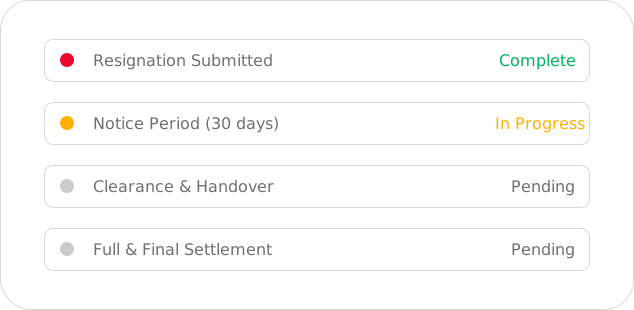
When an employee leaves, WingsOffice manages the entire exit process — resignation acceptance, notice period tracking, clearance checklists, full & final settlement calculation, and experience letter generation.
Shift Allowance
for night shifts and rotational duty
Overtime Allowance
calculated automatically based on actual hours worked
Attendance Bonus
Pricing designed for SMEs, startups, and growing enterprises.
Uniform/Safety Gear Allowance
covers PPE and uniform-related costs
Canteen/Food Allowance
for subsidized meals provided at the facility
Schedule a Free Demo – HRMS Software for Effortless Task Management
See how our HRMS software simplifies task management across your organization, before you commit to anything. Assign, track, and prioritize employee tasks in real time, all from a single dashboard designed for busy HR and team leads.
Book a free, no-obligation demo today and discover how much time your team can save with automated task workflows, deadline reminders, and progress tracking built right into your HRMS.
Frequently Asked Questions
Common Questions
Can this payroll software handle both teaching and non-teaching staff categories?
Yes, teaching staff, non-teaching staff, and visiting faculty can each be managed under separate pay structures and workflows within the same system.
Does it support payment for visiting or guest faculty paid per class or per hour?
Yes, the software calculates pay directly from session or hour logs, keeping contractual faculty payments separate from full-time staff payroll.
How does the software ensure statutory compliance for educational institutions?
The system stays updated with central and state regulations and automatically calculates PF, ESI, professional tax, and TDS for all staff categories.
Can we manage payroll for multiple schools or campuses from one platform?
Yes, the software lets you centralize payroll across multiple campuses while still applying campus-specific pay rules and compliance requirements.
Is staff data secure, and can we control who accesses what?
Yes, role-based permissions ensure campus administrators, compliance officers, and finance teams only access the data relevant to their role, keeping sensitive payroll information secure.


