
Key Takeaways
- Workforce management (WFM) is the set of processes and tools that align staffing, scheduling, time tracking, and productivity with actual business demand.
- Mobile workforce management extends those capabilities to field teams, remote staff, and anyone working away from a fixed desk.
- The right WFM system reduces scheduling errors, cuts payroll leakage, and gives managers real visibility instead of guesswork.
- When choosing a solution, weigh integration, mobile support, compliance handling, and how well it fits your team size before price.
What Is Workforce Management?
Picture a delivery company with fifty field agents, three shift patterns, and a manager still stitching schedules together in a spreadsheet every Friday night. Someone calls in sick, two others swap shifts without telling anyone, and payroll ends up chasing timesheets on Monday. That daily scramble is exactly what workforce management is built to solve. At its core, workforce management (WFM) is the practice of getting the right people, with the right skills, in the right place, at the right time, and doing it without burning out your managers or your budget.
For decision-makers evaluating the best workforce management software, the challenge isn’t understanding the concept. It’s knowing which capabilities actually matter for your operation and which ones are just marketing gloss. This guide breaks down what WFM covers, why it matters, and the specific things to check before you commit.

What Workforce Management Actually Covers
Workforce management is often reduced to “scheduling software,” but that undersells it. A complete WFM approach ties together several moving parts that most businesses currently handle in disconnected tools.
At a minimum, it includes staff scheduling and shift planning, time and attendance tracking, leave and absence management, labor forecasting based on demand, and productivity or performance monitoring. In more mature setups, it also folds in compliance with labor laws, skills mapping, and real-time visibility into who is working on what.
The reason these belong together is simple. When your scheduling tool doesn’t talk to your attendance system, and neither feeds into payroll, you end up re-entering the same data three times and introducing errors at every hop. WFM exists to close those gaps so information flows once and stays accurate.
What Is Mobile Workforce Management (MWM)?
Not every team sits at a desk. Field technicians, sales reps, delivery drivers, security personnel, healthcare aides, and maintenance crews spend their day away from any office. Mobile workforce management (MWM) is the branch of WFM built specifically for these teams.
MWM typically runs through a smartphone app that lets workers clock in from a job site, view their assignments, update task status, capture proof of delivery or service, and communicate with dispatch, all from the field. On the management side, it gives supervisors GPS-verified check-ins, live job progress, and the ability to reassign work on the fly when priorities shift.
Consider a facilities company managing cleaning crews across twenty office buildings. Without MWM, the supervisor has no reliable way to confirm a crew actually reached a site on time or finished the full checklist. With it, each check-in is timestamped and location-tagged, and the completed task list is visible the moment work wraps. That difference between “I think it got done” and “I can see it got done” is the whole point of mobile WFM.
Why Workforce Management Matters More Than Most Businesses Realize
Poor workforce management rarely announces itself with a single dramatic failure. It leaks quietly, through overtime that nobody planned, shifts that were overstaffed on a slow day and understaffed on a busy one, and hours logged that don’t quite match reality.
Here’s where a structured system pays off:
- Payroll accuracy. Manual timesheets are prone to rounding, buddy punching, and honest mistakes. Automated time capture ties pay to actual worked hours, which protects both the business and the employee from disputes.
- Demand matching. Forecasting tools help you staff to expected volume, so you aren’t paying five people to handle a two-person afternoon or scrambling when a rush hits.
- Compliance and audit readiness. Working-hour limits, mandatory breaks, and overtime rules vary by region and industry. A WFM system that enforces these rules reduces the risk of penalties and keeps records ready if you’re ever audited.
- Employee experience. Fair, predictable schedules and easy leave requests reduce friction. People who can swap a shift from their phone without a three-email chain tend to stay longer.
The financial case is straightforward even without dramatic statistics: every hour of unplanned overtime, every no-show that goes uncovered, and every manager hour spent rebuilding a broken schedule is money and morale you don’t get back.
Real Workforce Management Examples in Practice
Abstract benefits are easy to nod along to, so it helps to ground WFM in how different operations actually use it.
A retail chain uses demand forecasting tied to historical footfall and seasonal patterns to schedule more staff on weekends and fewer on slow weekday mornings. A hospital manages nurse rosters around certification levels and mandatory rest periods, making sure no shift is left without a qualified lead. A logistics firm dispatches drivers through a mobile app, tracks delivery completion in real time, and automatically routes the next job to whoever is closest and free.
A smaller example: a home-services business with a dozen electricians uses a scheduling and mobile check-in system so the office knows which jobs are running long and can call ahead to reschedule the customer waiting next. None of these are exotic. They’re everyday operational problems that WFM turns from guesswork into a repeatable process.

Why the Best Workforce Management Software Fits Different Businesses Differently
There is no single “best” tool for every company, and any vendor claiming otherwise is selling you their roadmap rather than solving your problem. The best workforce management software for a 2,000-person contact center looks nothing like what a growing 25-person field team needs.
What matters is fit. A large enterprise usually needs deep forecasting, complex compliance rule engines, and integrations with existing HR and payroll suites. A smaller operation is often better served by something lighter that a non-technical manager can set up in an afternoon. For the best workforce management software for small businesses, the deciding factors are usually ease of onboarding, transparent pricing, mobile clock-in, and a support team that actually responds, not the length of the feature list.
If you operate in India or hire across Indian states, workforce management software India options should also handle local statutory requirements, regional shift norms, and multi-location attendance without custom development. Wings Office is built with these operational realities in mind, giving teams mobile check-ins, real-time visibility, and scheduling that holds up whether your staff sit in one office or spread across job sites.
Key Considerations When Choosing Workforce Management Solutions
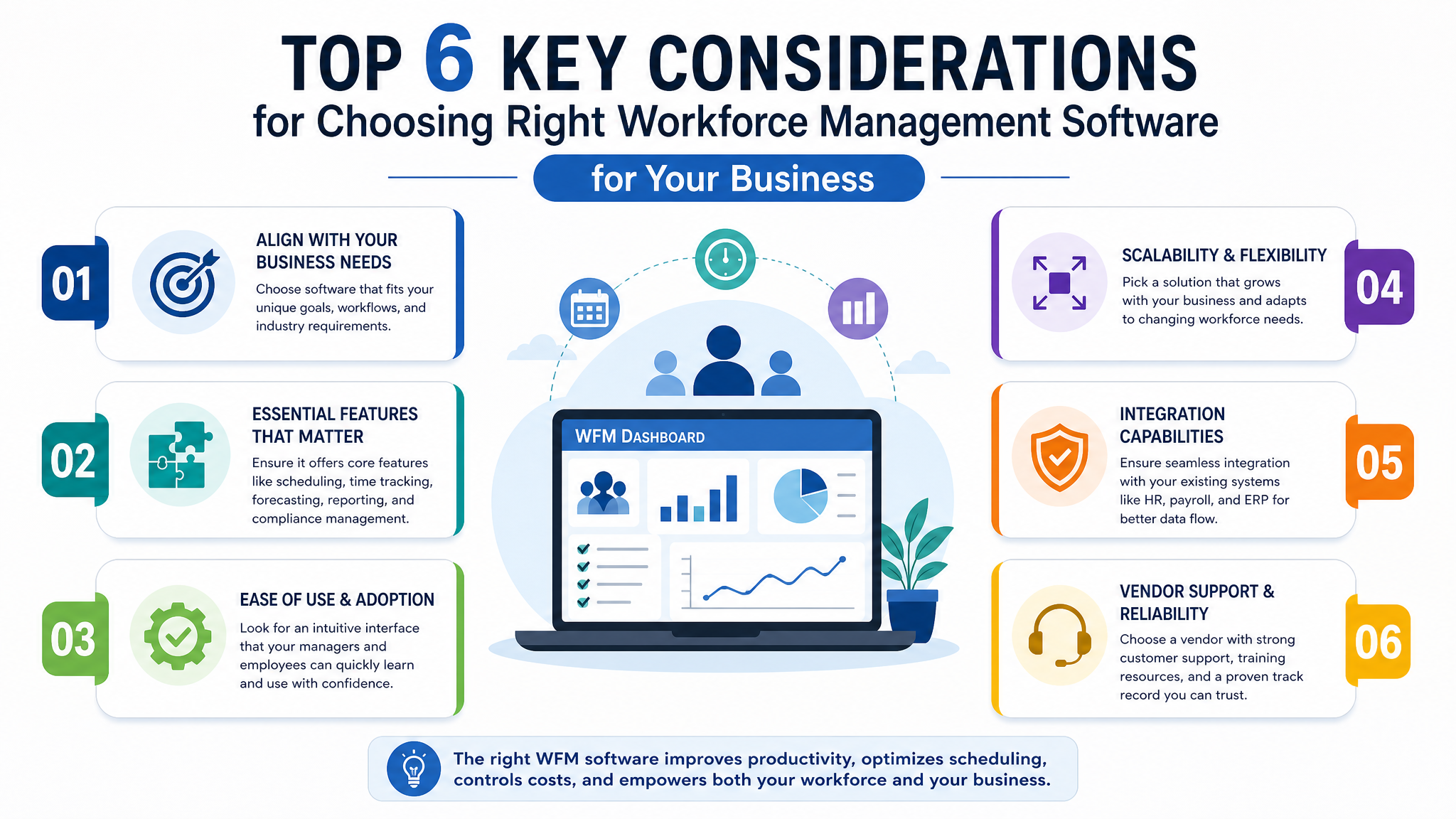
This is where most evaluations go sideways. Teams get dazzled by dashboards and forget to check whether the tool survives contact with their actual operation. When you assess workforce management solutions, run each candidate through these considerations.
Integration with what you already run. Your WFM tool needs to feed payroll and pull from your HR records. If it can’t connect to your existing systems, you’ve just added another silo. Ask specifically how data moves in and out, and whether it’s automatic or manual export.
Mobile capability, if you have any field or remote staff. A desktop-only tool fails the moment someone works off-site. Check whether the mobile app works offline and syncs later, because field workers don’t always have signal.
Compliance handling for your region and industry. Rules around overtime, breaks, and maximum hours differ widely. The system should enforce your rules automatically rather than relying on a manager to remember them.
Ease of adoption. The most powerful tool is worthless if your team refuses to use it. Involve the people who’ll actually clock in and build schedules during evaluation, not just the buyers.
Scalability and pricing transparency. Understand exactly what happens to the price as you add users or locations, and whether core features sit behind higher tiers you’ll be forced into later.
Support quality. When attendance breaks the morning payroll is due, response time matters. Ask about support hours and channels before you sign, not after.
Here’s a quick way to compare priorities depending on your size:
| Consideration | Small business priority | Larger operation priority |
|---|---|---|
| Setup speed | High, needs fast rollout | Moderate, phased is fine |
| Forecasting depth | Basic is usually enough | Advanced, demand-driven |
| Compliance engine | Regional essentials | Multi-region, complex rules |
| Integrations | Payroll and attendance | Full HR and enterprise stack |
| Pricing model | Predictable per-user | Volume and tier flexibility |
The Benefits of Mobile Workforce Management, Beyond the Obvious
The headline benefits of mobile WFM, accurate time tracking and live job visibility, get most of the attention. But a few second-order gains often matter more once you’re running it day to day.
Managers reclaim hours they used to spend chasing updates and rebuilding schedules by hand, which frees them for actual coaching and planning. Disputes drop, because timestamped, location-verified records leave little room for “I was there at nine” arguments. Customer communication improves, since dispatch can see when a job is running late and warn the next customer before they’re kept waiting. And decisions get sharper, because you’re finally looking at what happened rather than what someone remembers happening.
There’s a trade-off worth naming honestly: mobile monitoring can feel like surveillance if it’s rolled out badly. The businesses that succeed frame it as a tool that protects fair pay and reduces disputes, and they involve staff early. Handled that way, adoption tends to stick.
Bringing It Together
Workforce management isn’t a nice-to-have once your team grows past the point where one person can hold the whole schedule in their head. It’s the difference between reacting to staffing problems and preventing them. Whether you need full mobile capability for a field team or a simpler system to tidy up scheduling and attendance, the goal is the same: accurate data, less manual effort, and managers who spend their time leading rather than firefighting.
Start by naming your biggest recurring headache, whether that’s overtime creep, no-shows, or payroll disputes, and evaluate tools against solving that first. If your teams work across locations or in the field, look closely at how Wings Office handles mobile check-ins and real-time visibility, then book a short demo focused on your specific workflows before committing.
Frequently Asked Questions
What is the difference between workforce management and HR software?
HR software focuses on the employee lifecycle, things like hiring, records, payroll, and benefits. Workforce management focuses on the operational side of getting the right people scheduled and working productively day to day. The two overlap and increasingly integrate, but WFM is about scheduling, attendance, and demand matching, while HR is about people administration.
Is mobile workforce management only for field teams?
It’s most valuable for field, remote, and multi-location teams, but it’s not limited to them. Even office-based businesses benefit from mobile clock-in for hybrid staff and managers who need to approve leave or adjust schedules while away from their desk. The mobile layer simply removes the dependence on being physically present to manage the workforce.
How do I know if my small business is ready for a WFM tool?
A common signal is when scheduling, timesheets, and leave tracking start eating meaningful manager time each week, or when payroll disputes and no-shows become recurring. If you’re re-entering the same data across spreadsheets or chasing people for hours worked, a lightweight WFM tool usually pays for itself quickly.
What should I check about workforce management software in India specifically?
Confirm it handles regional statutory requirements, supports multi-location and multi-state attendance, and works with local shift and overtime norms without needing custom development. Reliable mobile clock-in across varying network conditions and responsive local support also matter, since field teams often work in areas with patchy connectivity.


