
Key Takeaways
- SMEs typically outgrow Keka when pricing tiers, per-employee costs, or feature bundles stop matching how a small team actually works.
- The right HRMS for a small business prioritizes accurate payroll, statutory compliance, and easy adoption over long feature lists nobody uses.
- Wings Office HRMS positions itself as a lean, affordable option for SMEs that want core HR and payroll without paying for enterprise scale.
- A side-by-side comparison matters more than reviews, because the “best” tool depends on your headcount, payroll complexity, and budget.
- Named alternatives like Zoho People, greytHR, and Wings Office cover different price and complexity points, so shortlist based on your specific gaps.

Keka works well for a lot of growing companies, which is exactly why so many small businesses start with it and then hit a wall. Somewhere between the eleventh and fiftieth hire, the pricing math changes, a module you never touch shows up on the invoice, or payroll runs need a workaround that eats an afternoon every month. That’s usually the moment teams begin hunting for Keka alternatives that fit a smaller budget and a leaner workflow.
This guide compares the strongest options, walks through a direct Keka vs Wings Office HRMS breakdown, and helps you decide what actually matters when you’re choosing HR software for small businesses instead of enterprise-grade suites.
Why SMEs start looking past Keka
Most switches aren’t triggered by one big failure. They build up. A five-person startup signs up when the tool feels generous, then a year later the per-employee pricing has quietly become a line item the founder notices. Or the HR person realizes half the platform is built for org structures the company won’t have for years.
Here are the reasons that come up most often when small teams evaluate a move:
- Cost per employee climbs faster than headcount value, especially when you’re forced onto a higher tier just to access one payroll or compliance feature you actually need.
- Feature overload slows adoption, because a small team doesn’t want performance-review cycles, OKR modules, and applicant tracking when they mostly need attendance, leave, and salary processing done cleanly.
- Payroll edge cases need manual fixes, such as mid-month joiners, reimbursement claims, or arrears, and every workaround adds risk to numbers that have to be exact.
- Support response times stretch out once you’re on a lower plan, which is a real problem when payroll day is non-negotiable and something breaks.
None of these mean Keka is a bad product. They mean the fit changed. For a business running lean, the right question isn’t “what’s the most powerful HRMS,” it’s “what covers my real work at a price that scales with me.”
What actually matters in an affordable HRMS
It’s easy to get distracted by feature checklists. For a small business, three things carry most of the weight, and everything else is secondary.
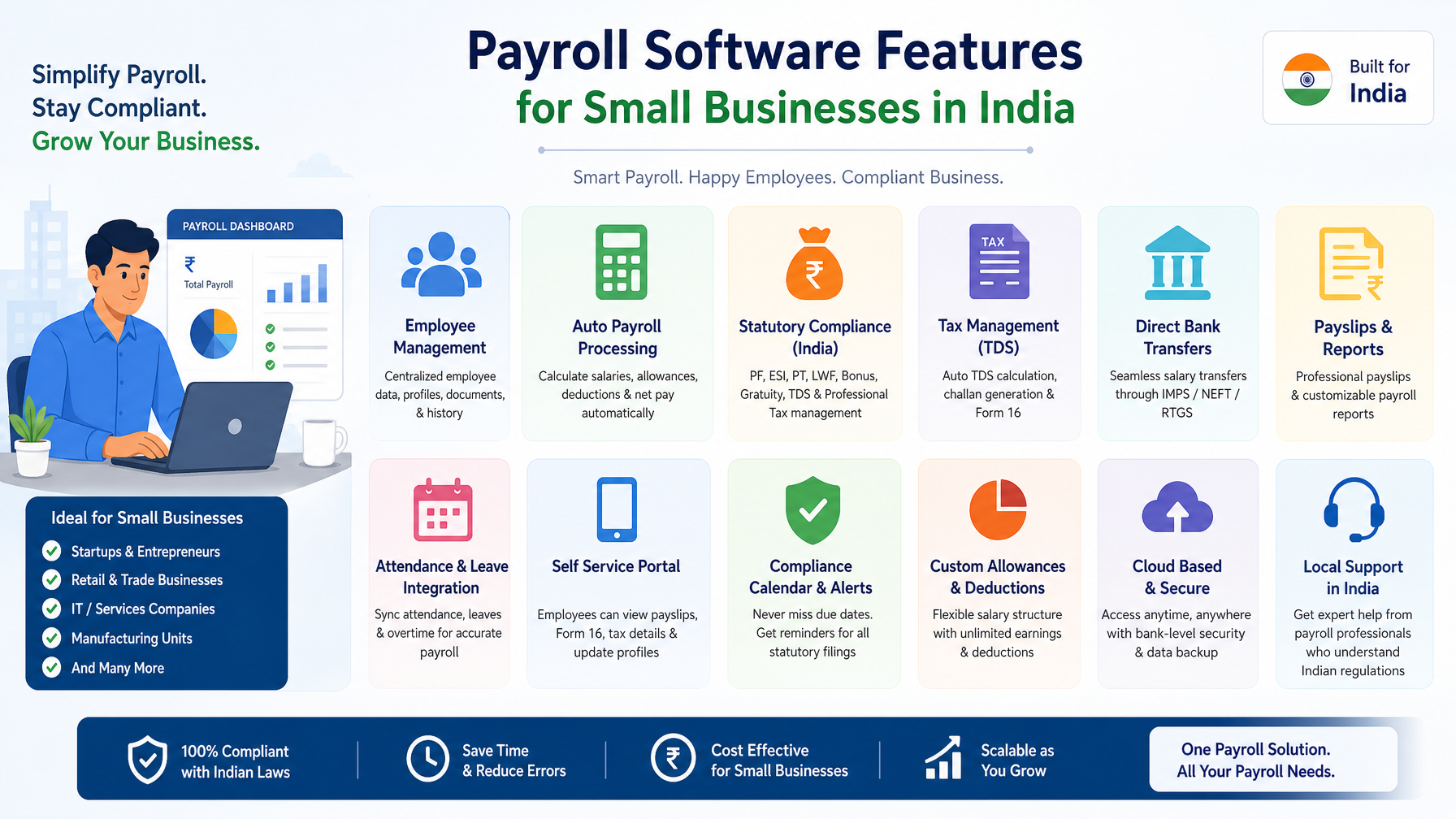
Payroll accuracy comes first. If salary, deductions, and statutory contributions aren’t calculated correctly and on time, nothing else the software does matters. Look for automatic handling of proration, arrears, and reimbursements, plus clean payslip generation.
Compliance is the second pillar. Payroll software for SMEs has to keep pace with PF, ESI, professional tax, and TDS rules without you tracking every change manually. A tool that generates compliance-ready reports saves the exact kind of time small teams can’t spare.
Adoption is the quiet third factor. The best-designed system fails if your team avoids it. Self-service leave requests, mobile attendance, and a dashboard a non-HR founder can read in thirty seconds decide whether the tool actually gets used or becomes shelfware you still pay for.
What you actually gain from the right fit
Choosing well pays off in ways that go beyond a lower invoice. When the software matches your size, HR stops being a scramble at month-end and becomes something that runs quietly in the background.
A tool sized for SMEs typically means faster onboarding for new hires, fewer payroll corrections, and a support relationship where you’re not lost in an enterprise queue. Founders get visibility without hiring a full HR team, and the one person handling people operations stops living in spreadsheets. The goal of good HR software for small businesses isn’t to add process for its own sake, it’s to remove the manual, error-prone work so a small team can move fast without compliance risk hanging over every pay cycle.

Keka vs Wings Office HRMS: feature comparison
Wings Office HRMS comes up often for teams that want core HR and payroll without the weight of a full enterprise suite. Here’s how the two compare on the areas small businesses tend to prioritize.
| Area | Keka | Wings Office |
|---|---|---|
| Best fit | Mid-size to larger teams | Small businesses and lean teams |
| Core payroll | Comprehensive, tier-dependent | Focused on essential payroll runs |
| Statutory compliance | Broad coverage | Covers standard PF, ESI, PT, TDS needs |
| Feature breadth | Wide (performance, hiring, OKRs) | Leaner, HR, and payroll core |
| Learning curve | Steeper for small teams | Lighter, quicker to adopt |
| Pricing model | Per-employee, tiered | Positioned for affordability |
Read the table with your own headcount in mind. If you’re running structured performance cycles across departments, Keka’s breadth earns its cost. If your monthly reality is attendance, leave, and an accurate salary run, the extra modules are weight you carry without using.
A closer look at Keka vs Wings Office HRMS
Tables tell you what exists, not how it feels to run payroll on a Wednesday when someone joined mid-month. So here’s the practical read.
Keka is built to grow with you. Its strength is depth, and if you expect to scale into a company with formal review cycles, internal hiring pipelines, and layered approvals, that depth is an investment rather than clutter. The trade-off is that a ten-person team pays for and navigates a system designed for a hundred.
Wings Office takes the opposite stance. It trims the surface area down to what a small business runs weekly and monthly, which keeps both the cost and the cognitive load lower. For a founder or a solo HR person, that focus is the feature. The honest limitation is the flip side of the same coin: if you outgrow lean and start needing advanced talent management, a leaner tool may eventually need supplementing.
Neither is universally better. The deciding factor is trajectory. A team that will double this year and formalize HR should weigh depth. A team that wants payroll handled correctly and cheaply for the next few years should weigh focus.
Top Keka alternatives worth shortlisting
Beyond Wings Office, several real platforms serve the SME segment well. The right pick depends on your budget, headcount, and how complex your payroll actually is. Verify current pricing and features directly, since plans change.
Wings Office is worth evaluating for SMEs that want HR and payroll workflows connected to broader office and business operations rather than treated as a standalone silo. It fits founders who prefer fewer disconnected tools and want people operations sitting alongside the rest of how the business runs.
WeekMate HRMS is the strongest starting point for teams that want an affordable HRMS covering attendance, leave, and payroll without paying for modules they won’t touch. It suits small businesses that value a short learning curve and predictable cost over exhaustive feature depth.
Zoho People works well for businesses already inside the Zoho ecosystem, offering solid HR management with the advantage of integrating cleanly with other Zoho apps you may already use for accounting or CRM.
greytHR has a strong reputation for payroll and statutory compliance in India, making it a practical choice for SMEs that put compliance accuracy at the top of their list and want a tool tuned to local requirements.
RazorpayX Payroll appeals to smaller teams that want payroll automation and compliance handled with minimal setup, particularly startups that already use Razorpay for payments and want payroll to feel like an extension of that.
Each of these solves a slightly different problem. Don’t shortlist on brand recognition. Shortlist on which one closes the specific gap that pushed you away from Keka in the first place.
How to make the final call
Run a short, structured evaluation instead of a long, vague one. Pick two or three tools, load your real employee data into a trial, and process one full payroll cycle end to end in each. The tool that handles your messiest case, the mid-month joiner, the reimbursement claim, the arrears calculation, without a manual fix is usually the right answer.
Then weigh three practical questions. Does the pricing stay sane as you add people? Will your team actually log in and use it? And does support respond fast enough that payroll day won’t turn into a crisis? Get honest answers to those, and the choice tends to make itself.
Frequently Asked Questions
Is Keka too expensive for very small teams?
Keka can become expensive for small teams because its per-employee, tiered pricing sometimes forces you onto a higher plan just to access one payroll or compliance feature. For a lean team, an affordable HRMS focused on core payroll and attendance often delivers better value.
What should a small business prioritize when choosing HR software?
Prioritize payroll accuracy, statutory compliance, and ease of adoption above feature count. A small team benefits far more from a tool that runs payroll correctly and gets used daily than from a wide suite of modules nobody opens.
Is Wings Office HRMS a good replacement for Keka?
Wings Office HRMS is a strong replacement for small businesses that want core HR and payroll without enterprise complexity. It suits lean teams that value affordability and a short learning curve, though teams needing advanced talent management may eventually need more depth.
Which payroll software for SMEs handles Indian compliance well?
Tools like greytHR and RazorpayX Payroll are known for handling PF, ESI, professional tax, and TDS requirements, and Wings Office HRMS covers standard statutory needs too. Always confirm current compliance features directly before committing.
The best HRMS isn’t the one with the most features. It’s the one that fits how your team works today and doesn’t punish you as you grow. Map your real monthly tasks, trial a couple of options with live payroll, and pick the tool that quietly does the job. If you want HR and payroll that stay connected to the rest of how your business operates, take a closer look at Wings Office as part of your shortlist.


