
Key Takeaways
- Leave management software automates how employees request time off and how managers approve it, replacing spreadsheets and email chains.
- A clear leave management process reduces payroll errors, prevents understaffing, and keeps leave balances accurate in real time.
- A well-defined leave policy protects both the company and employees by setting consistent, transparent rules for every type of absence.
- The right platform fits your company size, leave types, and compliance needs rather than being the one with the most features.
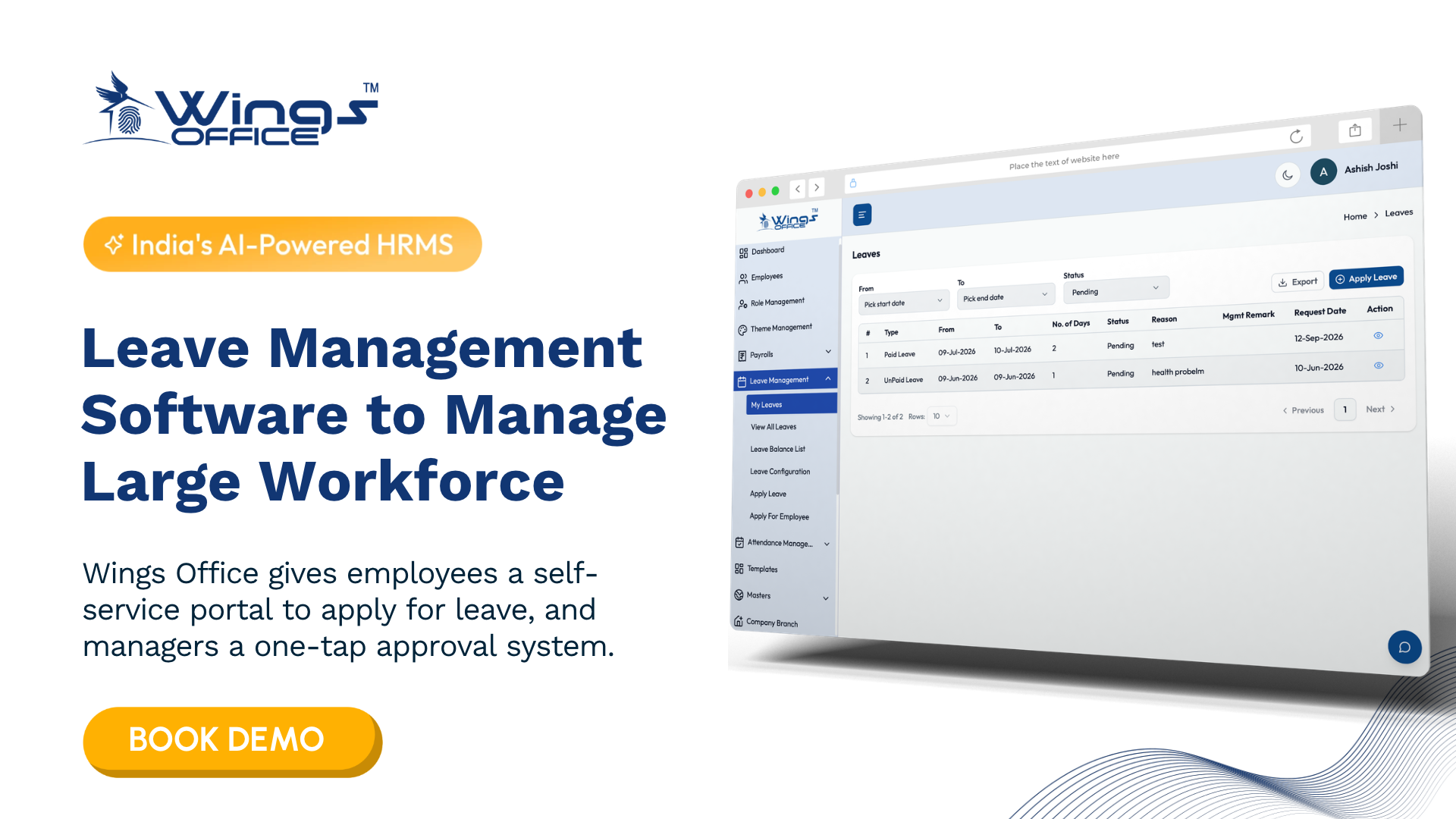
Ask any HR manager what eats their week, and tracking who is off, who is owed what, and who forgot to apply usually ranks near the top. Leave management software exists to end that chaos. At its core, it is a tool that lets employees request time off, lets managers approve or decline it, and keeps every balance updated automatically, without a single spreadsheet formula breaking somewhere down the line.
If your team still runs leave through email threads and a shared file that three people edit at once, you already know the cost. Overlapping absences, disputes over how many days are left, and payroll that doesn’t match reality. This guide breaks down what the software actually does, how the underlying process works, why your leave policy matters just as much as the tool, and how to decide whether you need one.
Why leave management software matters more than a spreadsheet
A spreadsheet doesn’t object when two engineers on the same three-person team book the same week off. It doesn’t flag when someone applies for leave they haven’t accrued. It doesn’t notify a manager that a request is waiting. Every one of those gaps becomes a human problem later, usually at the worst time.
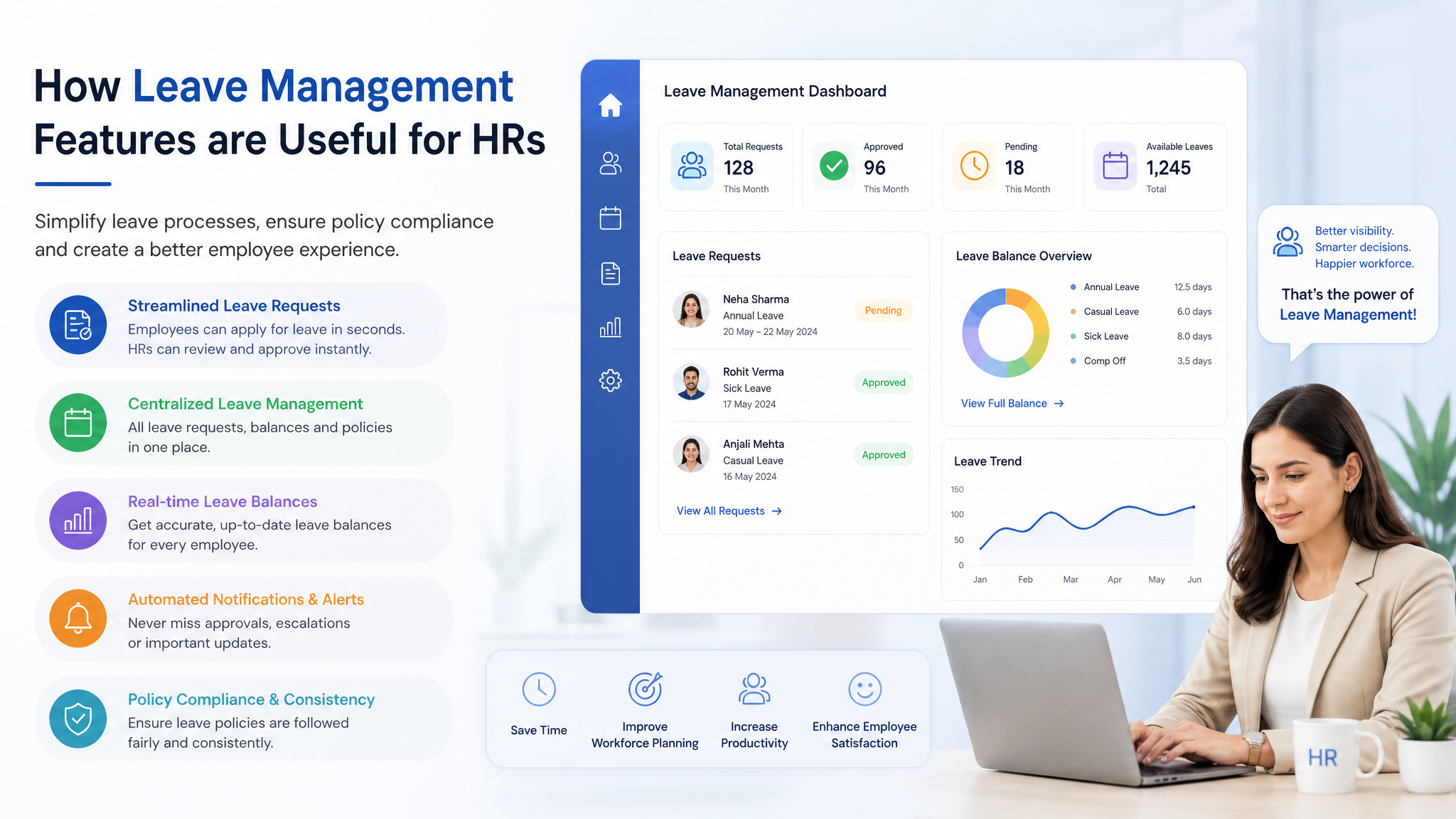
Leave management software closes those gaps by making the rules enforce themselves. When an employee submits a request, the system already knows their balance, their accrual rate, the company holiday calendar, and who needs to approve it. The manager gets a notification, approves with one click, and the balance updates instantly. Payroll pulls accurate numbers at month-end because the data was never out of sync to begin with.
The deeper value is visibility. A team lead can see at a glance who is away next month before committing to a client deadline. Finance can forecast leave liability, the money owed in accrued but unused leave, without chasing anyone. That shift from reactive firefighting to planned staffing is the real reason companies move away from manual tracking.
Consider a mid-sized agency with forty people spread across three offices. Under a manual system, the HR lead spent the last two days of every month reconciling leave against timesheets. With automated tracking, that reconciliation effectively disappears, because the records were accurate throughout the month. The time saved is real, but the bigger win is fewer disputes with employees who swore they had two more days left.
What the leave management process actually looks like
Software only helps if the process underneath it is sound. Strip away the interface and the leave management process follows a predictable sequence, whether you run it by hand or automate it.
- Request submission. An employee chooses a leave type, selects dates, and adds a reason if required. The system checks the balance before the request even reaches a manager, so impossible requests get caught early rather than after an awkward conversation.
- Approval routing. The request goes to the right approver, sometimes two approvers for longer absences, based on rules you set once. No more wondering whether the request landed in the right inbox or got buried under a hundred other emails.
- Balance adjustment. Once approved, the system deducts the days from the correct leave bucket automatically, and the shared calendar updates so the whole team can see the coverage gap coming.
- Record keeping. Every request, approval, and rejection is logged with a timestamp, which matters enormously when a dispute surfaces six months later and someone insists a day was never counted.
- Reporting and payroll handoff. At the end of the cycle, accurate leave data flows into payroll and into management reports without manual re-entry, which is where most spreadsheet errors creep in.
The sequence looks simple written out. The difficulty in manual systems is that each step depends on a human remembering to do it correctly, every time, for every person. Automation removes that dependency.
Why your leave policy carries as much weight as the tool
Buying software without a clear policy is like installing traffic lights with no agreed meaning for the colors. The tool enforces rules, but you have to define the rules first, and that is where a written leave policy earns its place.
A good policy answers the questions that cause friction when left unspoken. How much notice is required for planned leave? What counts as an emergency? How does unused leave carry over, if at all? Can employees go into a negative balance? What documentation does sick leave require, and after how many days? When these answers live only in one person’s head, every edge case becomes a negotiation, and negotiations breed resentment and inconsistency.
Consistency is the quiet benefit. When the policy is written and the software applies it uniformly, two employees in similar situations get the same answer. That fairness matters more than most leaders realize, because perceived favoritism in time-off decisions is a common and corrosive source of team friction.
A policy also protects the company legally. Many regions have statutory rules on minimum leave, carryover, and payout on exit. A documented policy that reflects those rules, applied consistently through your system, is far easier to defend than an informal arrangement nobody wrote down.

How leave management fits into the broader HR function
Leave tracking rarely lives alone. In most organizations, leave management for HR is one piece of a wider system that also handles attendance, payroll, and employee records. The value compounds when those pieces connect.
When leave data links directly to payroll, approved time off, unpaid leave, and leave encashment all calculate correctly without manual adjustment. When it links to attendance, the system can distinguish an approved absence from an unexplained one, which changes how you handle performance conversations. And when leave records sit alongside the employee’s full profile, onboarding a new hire with the right leave entitlement from day one becomes a non-event rather than a setup chore.
This is why leave management in HR is increasingly treated as a feature of a broader people platform rather than a standalone app. For a small team, a dedicated leave tool may be plenty. For a growing company juggling attendance, remote staff, and multi-location payroll, an integrated approach saves the pain of reconciling data across disconnected tools later. Wings Office takes that integrated route, handling leave alongside attendance and the rest of the HR workflow so the numbers stay consistent across the board.
Do you actually need software, or will a template do?
Not every company needs a dedicated system on day one. If you have a handful of employees and leave requests are rare, a well-built leave management template in a spreadsheet can genuinely hold you over.
A workable template usually tracks these columns at minimum:
- Employee name and ID, so records stay unambiguous even when two people share a first name or a similar one.
- Leave type and total entitlement, broken out by category such as annual, sick, and casual leave so balances never get mixed up.
- Dates requested and number of days, with a running total that subtracts each approved request from the opening balance.
- Approval status and approver, recorded against each request so there is always a clear trail of who signed off and when.
- Remaining balance, calculated automatically by formula rather than typed in by hand, since manual entry is where the errors start.
A template works until it doesn’t. The breaking points are predictable. Multiple approvers editing at once, more than fifteen or twenty employees, multiple leave types with different accrual rules, or any need for employees to check their own balances without asking HR. Once you hit one of those, the spreadsheet stops saving time and starts creating risk.
The honest signal that you’ve outgrown a template is when someone has to double-check it before trusting it. If the file needs auditing before payroll every month, the manual approach is already costing you more than software would.
| Factor | Spreadsheet template | Leave management software |
|---|---|---|
| Best team size | Under 15 people | 15 and above, or growing fast |
| Balance accuracy | Depends on formulas and human care | Updated automatically on approval |
| Self-service | None, employees ask HR | Employees check and request on their own |
| Approval workflow | Manual, via email or chat | Built-in routing and notifications |
| Payroll handoff | Manual re-entry, error-prone | Direct data flow |
| Audit trail | Easily overwritten | Timestamped and preserved |
Choosing the right leave management solution for your team
The best leave management solution is rarely the one with the longest feature list. It is the one that matches how your company actually works. Before comparing products, get clear on a few things that are easy to skip in a demo.
Start with your leave types. A company with simple annual and sick leave has very different needs from one tracking comp-offs, sabbaticals, and region-specific statutory leave. Make sure the tool handles your real categories without forcing awkward workarounds.
Think about approval complexity next. Single-manager approval is standard, but if longer absences need a department head and HR to both sign off, confirm the tool supports multi-level routing before you commit. Discovering a gap after rollout is painful.
Then weigh integration. If payroll and attendance are already handled elsewhere, a leave tool that doesn’t talk to them just relocates your reconciliation problem. For most growing teams, a solution that keeps leave, attendance, and payroll in one place removes an entire category of recurring errors. That is the thinking behind Wings Office, which treats leave as part of a connected HR workflow rather than an isolated module.
Finally, factor in the people who use it daily. If employees find requesting leave confusing, they will revert to messaging their manager directly, and your clean audit trail quietly collapses. A simple, obvious interface matters more than any advanced feature nobody will touch.
Frequently Asked Questions
What is the difference between leave management and attendance tracking?
Leave management handles planned and approved absences such as annual leave, sick days, and holidays, including requests, approvals, and balances. Attendance tracking records whether someone was present or working on a given day. The two overlap, because an approved leave day should show as an authorized absence rather than an unexplained one, which is why many companies prefer a system that handles both together.
Can a small business manage leave without dedicated software?
Yes, up to a point. A small team with few leave requests can run a well-built spreadsheet template with formulas for balances and a clear column for approvals. The approach breaks down once you pass roughly fifteen to twenty employees, add multiple leave types with different accrual rules, or need employees to check their own balances without asking HR.
How does leave management software reduce payroll errors?
It keeps leave balances accurate in real time and passes that data directly to payroll, so unpaid leave, leave encashment, and partial-month absences calculate correctly. Manual systems introduce errors through re-entry and out-of-date spreadsheets, while an integrated tool removes that step entirely.
What should a leave policy include before adopting a tool?
At minimum, define your leave types and entitlements, notice requirements for planned leave, rules for carrying over unused days, documentation needed for sick leave, and your approval chain. The software enforces these rules, so they have to be decided and written down first, otherwise you are automating ambiguity.
Leave management software isn’t about adding another tool for its own sake. It’s about removing the recurring friction that comes from tracking time off by hand, the disputes, the payroll mismatches, the scheduling surprises. Start by writing down how leave should work at your company, then choose a system that enforces those rules consistently. If leave already connects to attendance and payroll in your setup, an integrated platform like Wings Office keeps the whole picture accurate instead of leaving you to reconcile three disconnected tools at month-end.