
Key Takeaways
- Payroll automation replaces manual calculation, filing, and disbursement steps with software that runs on rules, cutting errors and freeing finance teams for higher-value work.
- ROI shows up in three measurable places: hours saved per pay cycle, penalties avoided through accurate compliance, and reduced cost per employee processed.
- Accuracy and compliance gains often outweigh raw time savings, since a single miscalculated tax filing can cost more than a year of software fees.
- Automation and outsourcing solve different problems; the right choice depends on your headcount, in-house expertise, and how much control you want to keep.
- Small and mid-sized businesses see the fastest payback because they start from the most manual, spreadsheet-heavy processes.
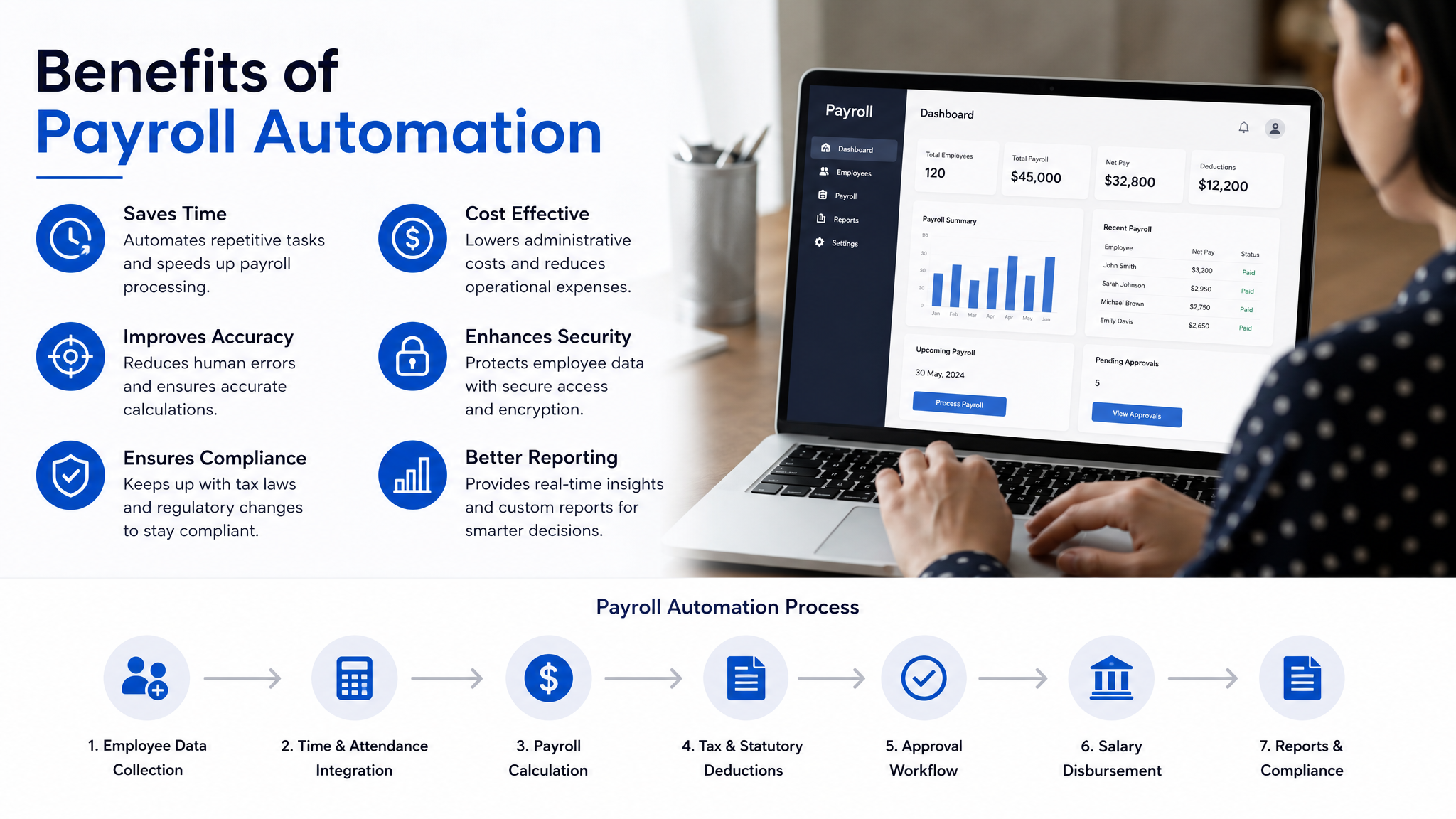
Most finance leaders can tell you almost to the hour how long payroll takes each month. What they rarely calculate is what that time actually costs, or what the errors buried inside those spreadsheets cost when a tax authority comes knocking. That gap is exactly where payroll automation earns its keep. The return isn’t abstract. It’s hours reclaimed, penalties avoided, and a payroll process that stops depending on one person remembering to update a formula.
This piece breaks down where payroll automation ROI actually comes from, how to implement it without disrupting a live pay cycle, and how to decide between automating in-house or outsourcing the whole function.
What Payroll Automation Actually Does
Payroll automation is software that handles the repetitive, rules-based work of paying people: calculating gross-to-net pay, applying tax slabs and deductions, generating payslips, filing statutory returns, and pushing salaries to bank accounts. Instead of a person keying numbers into a spreadsheet each month, the system applies your pay rules automatically and flags anything that looks off.
The distinction worth understanding is between digitising payroll and automating it. A cloud spreadsheet is digital, but a human still drives every calculation. Payroll automation software takes the rules you configure once, employee salary structures, tax rules, leave policies, overtime logic, and runs them on every cycle without manual input. The person’s job shifts from doing the math to reviewing exceptions.
For growing companies, this shift is where payroll automation for SMBs stops being a nice-to-have. When you’re paying 12 people, a spreadsheet copes. At 60 people across two states with different professional tax rules, manual payroll becomes a monthly risk event.
The Real Sources of Payroll Automation ROI
Time savings are the headline benefit, but they’re rarely the biggest one. Let’s separate the return into its actual components, because each behaves differently.
Hours reclaimed per cycle.
Manual payroll involves collecting attendance, reconciling leave, calculating deductions, generating payslips, and filing returns. Automation collapses most of this into a review step. A finance team spending three full days a month on payroll can often cut that to a few hours. Multiply the saved hours by loaded salary cost across a year, and you have your most visible line item.
Penalties and interest avoided.
This is the quieter, larger return. Late or incorrect statutory filings, PF, ESI, TDS, professional tax, carry penalties and interest. One missed deadline or one miscalculated deduction can cost more than an entire year of software fees. Automation removes the single most common cause of these errors: manual data entry.
Cost per employee processed.
As headcount grows, manual payroll cost scales almost linearly, more people means more hours. Automated payroll cost stays nearly flat. The per-employee cost of processing drops every time you add someone, which is why the ROI curve steepens as you grow.
Reduced dependency risk.
When payroll lives in one person’s head and their spreadsheet, a resignation or a sick week becomes a crisis. Automation encodes the logic into the system, so continuity no longer hinges on one individual.
How Payroll Automation Improves Accuracy and Compliance
Accuracy and compliance deserve their own discussion because they’re where the strongest ROI often hides, and where it’s hardest to see until something breaks.
Manual payroll accumulates error in predictable places. A copied formula that doesn’t update when tax slabs change. A new joiner entered mid-cycle with the wrong proration. A leave-without-pay day that never made it from the attendance sheet into the salary calculation. None of these are dramatic on their own, but each one either shortchanges an employee or creates a compliance gap.
Automation reduces these through a few mechanisms. Validation rules catch impossible entries before they’re processed, like a deduction exceeding gross pay. Statutory rates update centrally, so a change in a tax slab applies everywhere at once instead of requiring you to hunt through cells. Audit trails record who changed what and when, which matters enormously during an assessment or an internal review.
Compliance is really a timing-and-accuracy problem, and both are what software is good at. The system knows filing deadlines, generates the required returns in the right format, and keeps a record of every submission. For a business operating across multiple states with differing professional tax and labour rules, this consistency is difficult to maintain by hand and nearly automatic once configured.
The honest caveat: automation is only as compliant as its configuration. Software applies the rules you give it. If your initial setup misclassifies an allowance or applies the wrong slab, it will repeat that mistake reliably. This is why implementation quality matters as much as the tool itself.
Why Payroll software automations Matters More as You Scale
The value of payroll software automations isn’t fixed, it compounds with complexity. A ten-person startup with identical salary structures barely stresses a manual process. The same ten people plus variable pay, plus reimbursements, plus contractors on different terms, plus a second office in another state, and the manual approach starts consuming a disproportionate share of finance time.
Automation absorbs that complexity without adding proportional effort. Rules for variable pay, shift differentials, and location-based deductions are configured once and applied consistently. This is the point where many finance leaders realise they’ve been paying a hidden “complexity tax” in the form of overtime, errors, and stress every month-end, and the automation simply removes it.

How to Implement Payroll Automation Without Breaking a Live Cycle
The biggest fear with payroll automation is switching over and getting the first run wrong. A methodical rollout prevents that. Here’s a sequence that works in practice:
- Audit your current process end to end.
Document every step, every rule, every exception you handle manually. This is tedious but essential, because undocumented rules are exactly what break during migration. You cannot automate a process you haven’t fully written down. - Clean your employee data before migrating.
Bad data in a spreadsheet is invisible; bad data in an automated system produces wrong payslips at scale. Verify salary structures, bank details, PAN, and statutory identifiers before anything moves. - Configure and map your pay rules carefully.
Translate every allowance, deduction, and policy into the software’s logic. Pay particular attention to edge cases like mid-month joiners, leavers, and pro-rated pay. - Run parallel for one or two cycles.
Process payroll both the old way and the new way for the same period and compare outputs line by line. Any discrepancy points to a configuration gap you fix before going live. This step is non-negotiable for a clean cutover. - Train the reviewer, not just the operator.
The person approving payroll needs to understand what the system is doing so they can spot when an output looks wrong. Automation shifts the human role to judgment, and that role needs training too.
Run this properly and the transition is uneventful, which is exactly what you want from a payroll change.
Why Payroll software for SMEs Deserves a Closer Look
Larger enterprises often assume automation is built for them, but the fastest ROI usually lands with smaller businesses, and here’s why. Payroll software for SMEs targets companies starting from the most manual baseline: a spreadsheet, a single overworked finance person, and no dedicated compliance team. The gap between “before” and “after” is widest here, so the payback period is shortest.
Smaller organisations also can’t easily absorb a compliance penalty or a payroll error the way a large enterprise can. A single mistake that annoys a large company’s employees can genuinely damage trust and cash flow in a small one. For these businesses, the accuracy benefit alone often justifies the investment before you even count the hours saved.
Wings Office fits this segment specifically, offering payroll automation software built for the scale, budget, and compliance realities of small and mid-sized businesses rather than the sprawling requirements of enterprises.
What Payroll Automation Actually Costs
Pricing for payroll automation software is typically per-employee, per-month, sometimes with a base platform fee. Actual figures vary by provider, feature depth, and region, so treat the ranges below as a structural guide to how pricing is packaged rather than fixed quotes.
| Pricing tier | Typical structure | Best suited for |
|---|---|---|
| Entry / self-serve | Low per-employee fee, core payroll and payslips, self-configured | Small teams with simple, uniform pay structures |
| Standard | Per-employee fee plus statutory filing and compliance modules | Growing SMBs needing PF, ESI, and TDS handling |
| Advanced | Higher per-employee fee, plus integrations, multi-state, variable pay | Mid-sized firms with complex pay and multiple locations |
| Enterprise / custom | Negotiated pricing, dedicated support, custom workflows | Larger organisations with bespoke requirements |
The mistake to avoid is comparing tools on headline price alone. A cheaper tool that doesn’t handle your statutory filing forces you to keep doing that part manually, which erodes the ROI you bought it for. Price the whole outcome, not the software line item.
Payroll Automation vs Payroll Outsourcing
These two options get compared as if they’re interchangeable, but they solve different problems. Automation gives you a tool and keeps the process in-house. Outsourcing hands the whole function to a third party. Which one wins depends on whether your constraint is time, expertise, or control.
| Factor | Payroll automation (in-house software) | Payroll outsourcing (third-party service) |
|---|---|---|
| Control | Full control over data and process | Process handled externally, less direct control |
| Cost model | Predictable per-employee software fee | Service fee, often higher per employee |
| Expertise required | You retain and apply payroll knowledge | Provider brings the compliance expertise |
| Speed of changes | Instant, you adjust rules yourself | Depends on provider turnaround |
| Data privacy | Data stays inside your systems | Data shared with the provider |
| Best when | You have some in-house capacity and want control | You lack payroll expertise or want zero involvement |
A practical read: businesses that want to build internal capability and keep costs predictable tend toward automation. Those with no payroll expertise and no desire to develop any lean toward outsourcing. Many mid-sized companies land on a hybrid, automating routine processing while getting expert help for complex compliance questions.
Frequently Asked Questions
How quickly does payroll automation pay for itself?
For most small and mid-sized businesses the payback period is short, often within the first year, because the combination of reclaimed finance hours and avoided compliance penalties usually exceeds the annual software cost. The exact timeline depends on your current process; the more manual and error-prone it is today, the faster the return.
Does payroll automation remove the need for a payroll person?
No, it changes their role rather than eliminating it. Instead of doing manual calculations and data entry, they review exceptions, approve runs, and handle judgment calls the software flags. You typically need fewer hours from that person, not zero hours.
Is payroll automation software suitable for a very small team?
Yes, and small teams often see the clearest benefit because they start from a fully manual baseline. Even at ten or fifteen employees, the accuracy and compliance gains usually justify the cost before you count time saved.
What is the biggest risk when moving to automated payroll?
Incorrect initial configuration is the main risk, since the software will repeat any setup mistake reliably every cycle. Running payroll in parallel for one or two cycles before going live catches these errors while you can still fix them without affecting real payslips.
Payroll automation ROI isn’t a single number you can quote in a slide. It’s the sum of hours you stop spending, penalties you stop risking, and the calm of a month-end that no longer depends on one person and one fragile spreadsheet.
The businesses that get the most from it are usually the ones with the messiest manual process today, which means the case is often strongest exactly where it’s least examined. If your payroll still runs on formulas and hope, the return is probably already sitting on the table.


