
If you’ve spent a Friday evening reconciling attendance sheets instead of closing your books, you already know why this guide exists. I’ve sat across the table from founders running 12-person startups and HR heads managing 600+ employees across three states, and the complaint is almost always the same: payroll software in India is either too basic to trust or too bloated to use without a three-day training session.
After two decades of watching businesses pick HR tools and watching half of them switch within 18 months, I can tell you the problem is rarely the software itself. It’s that most teams buy based on a sales demo instead of their actual pain points: late salary runs, PF and ESI errors that trigger notices, managers who can’t approve leave from their phones, or finance teams who still export Excel sheets to file TDS returns.
This comparison isn’t a marketing brochure. It’s the breakdown I’d give a friend who called me asking, “Which HRMS should I actually buy?” We’ll walk through what small businesses need, what manufacturing units can realistically afford, what changes once you cross 50 employees, and how to make a decision you won’t regret in a year.

Best HRMS for Small Businesses in India
Small businesses don’t need every module under the sun;previously drew a warning letter can now draw a penalty notice they need three things done well: payroll accuracy, statutory compliance, and an interface their office manager can run without calling support every week.
For teams under 50 employees, the sweet spot is usually a cloud-based system with automated PF, ESI, and TDS calculations, a self-service portal so employees stop emailing HR for payslips, and pricing that scales with headcount rather than locking you into an annual enterprise contract.
What I tell small business owners: don’t get distracted by AI chatbots and analytics dashboards in the sales pitch. Ask one question instead: “Can this run my payroll correctly on the first try, every month, without manual correction?” If the answer is anything but a confident yes, keep looking.
What Are the Essential Functions of Modern Payroll Software?
At its core, payroll software in India 2026 needs to do far more than calculate salaries. The essential functions include:
- Statutory compliance automation
PF, ESI, professional tax, and TDS calculated and filed without manual intervention. - Attendance and leave integration
Payroll pulled directly from biometric or app-based attendance, not a separate spreadsheet. - Payslip generation and distribution
Automated, downloadable, and accessible through self-service. - Reimbursement and expense management
Claims submitted, approved, and paid within the same system. - Audit trails and reporting
Every change logged, every report exportable for statutory or internal audits
Software that handles these six functions reliably will outperform a feature-heavy tool that does twenty things adequately and none of them well.
Key Features to Look for in a Cloud-Based Payroll Solution
Cloud-based doesn’t automatically mean better — but when implemented properly, it solves real operational headaches. Here’s what actually matters:
Real-time compliance updates:
Indian labor law and tax slabs change more often than most businesses track. A good cloud system updates calculations automatically, so you’re not filing based on last year’s rules.
Mobile accessibility:
Managers approving leave from airports, employees checking payslips from home — this isn’t a luxury anymore; it’s the baseline expectation.
Data security and backup:
Salary data is sensitive. Look for ISO certification, encrypted storage, and role-based access controls before anything else.
Integration capability:
Your payroll software should talk to your accounting software, biometric devices, and ERP — not sit as an isolated island of data.
Scalability without re-platforming:
The system you choose at 20 employees should still work at 200, without forcing a painful migration.
Affordable HR Software for Manufacturing Companies
Manufacturing businesses face a specific set of problems most office-based HRMS tools weren’t built for: shift-based attendance, contract labour tracking, multiple plant locations, and statutory compliance that varies by state. Budget matters here more than in most sectors, since margins are tighter and headcount is often larger relative to revenue.
Software | Best Suited For | Starting Price (per employee/month) | Shift Management | Multi-Location Support |
greytHR | Large manufacturing units | ₹40–₹60 | Yes | Limited |
Keka | Growing manufacturing firms | ₹6,999/month flat (up to 100) | Yes | Yes |
Zoho Payroll | Budget-conscious small units | ₹50–₹70 | Basic | No |
RazorpayX Payroll | Tech-integrated manufacturers | ₹50 onwards | Basic | Limited |
Wings Office | Small-mid manufacturing units | Custom pricing | Strong | Yes |
A word of honesty here: most “affordable” tools cut corners on multi-location compliance, which is exactly where manufacturing companies get tripped up. Don’t pick the cheapest option without checking whether it handles state-specific professional tax and labor welfare fund rules; that gap costs far more than the subscription savings.
Payroll Management Solutions for 50+ Employees
Somewhere around the 50-employee mark, payroll quietly stops being an administrative task and turns into a risk function. A single calculation error that affected three people at headcount 20 now affects fifteen. A missed PF deadline that drew a warning letter before can draw a penalty notice now. At this scale, the systems that worked fine on spreadsheets and basic accounting software start showing cracks, and those cracks show up in employee paychecks, which is the worst possible place for a business to lose trust.
I’ve watched HR teams at this size try to stretch entry-level tools past their limits for too long, usually because switching feels disruptive. The irony is that staying on the wrong system is usually more disruptive, just spread out over a year instead of concentrated into one migration project.
Why This Headcount Range Needs a Different Approach
Below 50 employees, payroll errors are usually individual mistakes, a missed reimbursement, or a wrong tax slab. Above that number, errors tend to be systemic: a misconfigured salary structure that affects an entire department or a compliance rule applied incorrectly across multiple locations. Dedicated payroll platforms are built to catch these patterns before they become a problem through the following:
- Bulk processing with validation checks that flag anomalies before the salary run is finalized
- Department and location-wise segregation, so errors stay contained rather than cascading
- Role-based approval workflows, ensuring no single person can push through an unverified payroll cycle
- Statutory compliance engines that auto-adjust for PF, ESI, and professional tax across different states
Pros of Dedicated Payroll Platforms at This Scale
- Significantly reduced manual error rates during bulk salary processing
- Faster month-end closing, since reconciliation is largely automated
- Built-in audit trails that make statutory filings and internal audits far less stressful
- Self-service portals that cut down HR’s query load dramatically — employees stop emailing for payslips and start checking the app
- Better visibility into payroll costs across departments, useful for budgeting and forecasting
Cons Worth Knowing Before You Commit
- Implementation isn’t instant.
Expect 4 to 8 weeks for clean data migration, especially if you’re moving off spreadsheets with inconsistent formatting. - Complex salary structures can cost extra.
If your business has variable pay, commission structures, or multiple allowance types, customization sometimes comes at an additional fee. - Advanced reporting and API access aren’t always included in base pricing — read the fine print before assuming a feature is “included.”
- Switching later is genuinely painful.
;Once your data, approval chains, and integrations are built into one platform, moving to another involves real migration effort. The choice you make now has a longer shelf life than it feels like at signing.
A Practical Way to De-Risk the Transition
Before fully cutting over, run your old payroll process and the new system in parallel for one full cycle. It costs a little extra time, but it catches discrepancies, wrong tax calculations, missing employees, and misapplied deductions before they hit anyone’s bank account. I’ve seen this single step prevent more compliance headaches than any feature comparison ever could.
At 50+ employees, the right payroll system isn’t the one with the most modules. It’s the one that handles your actual salary structure correctly, scales as you grow past 100 or 200 employees, and gives your HR team enough confidence that month-end stops feeling like a fire drill.
Benefits of Automating Payroll for Small and Medium Enterprises
The honest case for automation isn’t about looking modern; it’s about avoiding the specific, expensive mistakes that manual payroll invites.
Automated systems reduce calculation errors that lead to compliance notices, cut the time HR spends on repetitive tasks by a significant margin, and create an audit-ready trail that manual spreadsheets simply can’t match. Beyond compliance, automation changes how employees experience your company: payslips arrive on time, queries get resolved through self-service, and trust in the organization quietly improves.
There’s also a less-discussed benefit: automation frees up your HR team to focus on retention, hiring, and culture instead of spending the last week of every month buried in salary reconciliation. That shift in priorities often matters more to growth than the time saved itself.
How to Choose the Best HRMS Software for Your Indian Business
Choosing the right system comes down to matching the tool to your actual operational reality, not a checklist of features:
- Map your current pain points:
Late payroll, compliance errors, manual attendance, and poor reporting. - Define your headcount trajectory
Choose where you’ll be in two years, not just today. - Shortlist based on industry fit
Manufacturing, IT services, and retail have different compliance needs. - Request a live demo with your own data, not a generic sales walkthrough.
- Check support response times
Payroll errors during a salary run need same-day resolution, not a 48-hour ticket queue. - Confirm transparent pricing
Ask specifically about hidden costs for statutory filing, API access, or additional modules.
The businesses that get this right treat the selection process like hiring a key team member, not buying software off a shelf.
Final Thoughts
There’s no single best HRMS and payroll software in India; there’s only the best fit for your business size, industry, and growth stage. What I’ve learned over the years is that the companies who succeed with these tools are the ones who choose based on their real pain points, not the longest feature list or the slickest demo.
If you’re still weighing your options, the smartest next step isn’t reading another comparison list; it’s seeing the system work with your own payroll data, your own compliance requirements, and your own team’s questions answered in real time. Schedule a demo for payroll software with a provider that’s willing to show you exactly that before you sign anything.
Frequently Asked Questions
The best choice depends on headcount and budget, but small businesses generally do well with cloud-based tools that automate statutory compliance and offer per-employee pricing without long-term lock-in contracts.
Pricing typically ranges from ₹40 to ₹150 per employee per month, depending on features like compliance automation, multi-location support, and integration capabilities. You can book a demo with their authorized person.
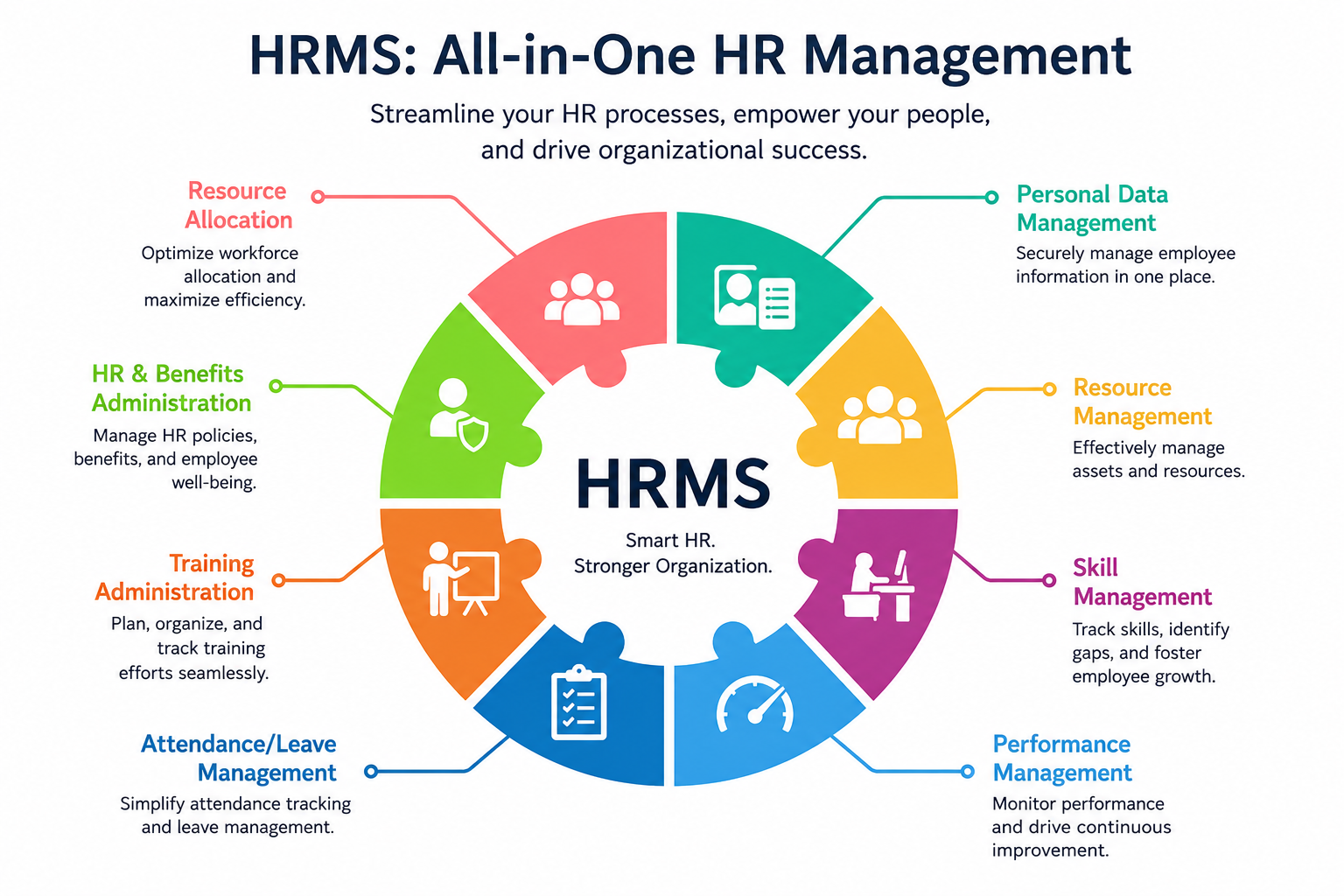
Payroll software focuses specifically on salary calculation and statutory compliance, while HRMS is broader, covering attendance, leave, performance management, and employee records alongside payroll.
Yes, provided the vendor offers data encryption, ISO certification, and role-based access controls. Always verify these security standards before signing a contract.
Implementation usually takes between 2 and 8 weeks, depending on company size, data migration complexity, and the number of integrations required with existing systems.


