
There’s no single “best” HRMS software. There’s only the best fit for how your company hires, pays, and manages people. A 40-person startup and a 4,000-person manufacturing firm both need attendance tracking and payroll, but almost nothing else about their requirements overlaps.
That gap is exactly why buying decisions stall. Teams shortlist tools by feature count, sit through a dozen demos, then pick whatever the loudest stakeholder liked. Six months later, HR is still running payroll in spreadsheets because the “complete” platform they bought was too rigid to match their actual process. This guide walks through how to judge the best HRMS software for your situation, what genuinely separates the options, and where a few well-known platforms fit.
What Actually Separates One HRMS From Another
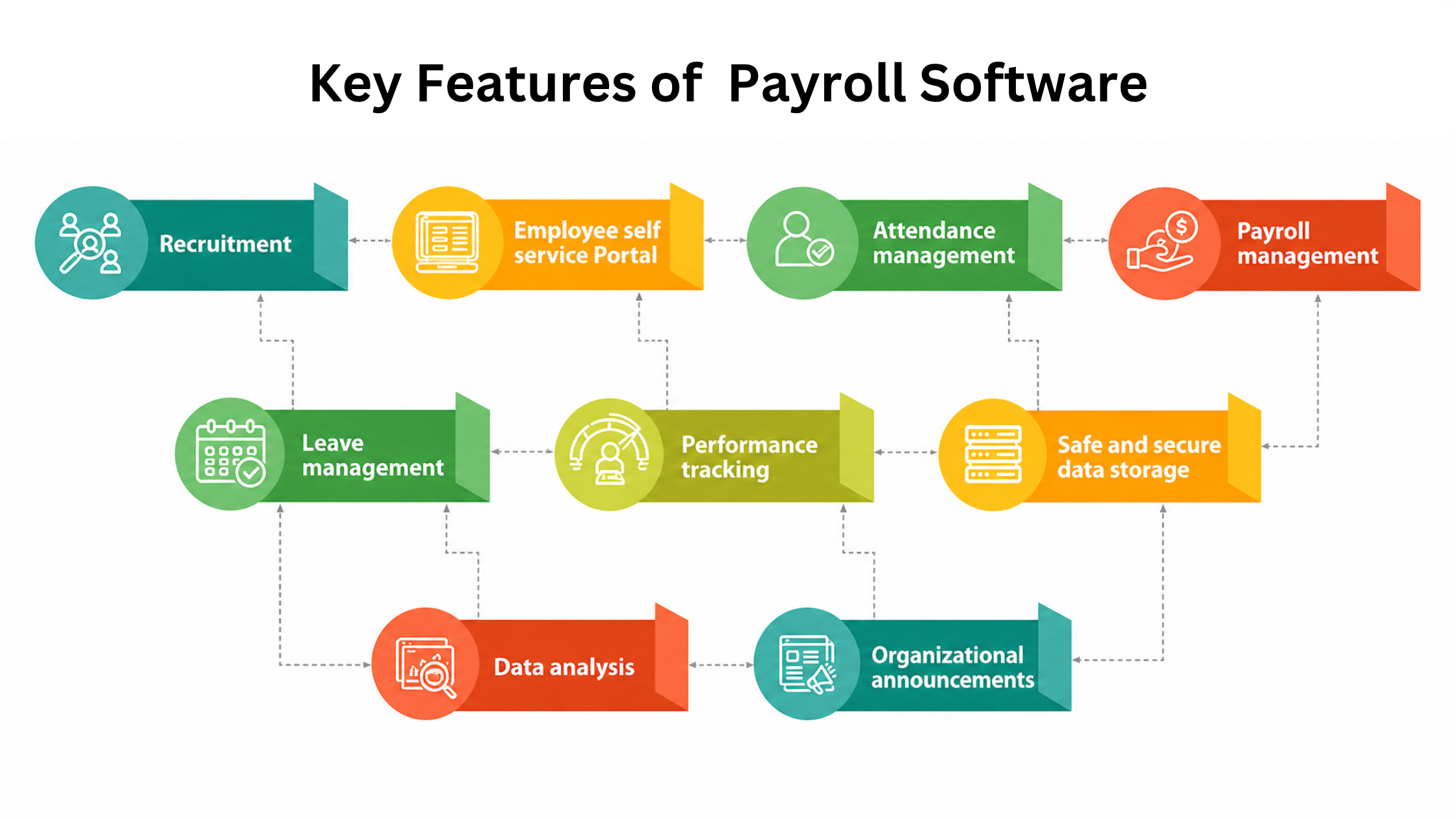
Every vendor lists the same modules on their homepage: core HR, payroll, attendance, leave, performance, recruitment. On paper they look identical. The real differences show up in the details nobody demos.
Take payroll. Almost every HRMS claims to “handle payroll.” Far fewer handle statutory compliance for your specific region without manual patching, PF, ESI, professional tax, TDS, and the filing formats that change when regulations do. A platform built for one country’s tax logic will quietly become a monthly headache in another.
Then there’s the depth question. Some HRMS solutions are broad but shallow: they touch every function lightly and do none of them deeply. Others go deep on payroll and attendance but treat performance management as an afterthought. Neither is wrong. What’s wrong is buying a shallow tool when you needed depth in the one area that actually breaks your week.
Configuration flexibility is the third divider, and the most underrated. Your leave policy, your shift rules, your approval hierarchies, these are rarely standard. If the software forces you to change your process to fit its defaults, you’ll fight it forever. If it bends to your rules without custom development, it earns its place.
How to Judge the Best HRMS Software for Your Team
Skip the feature checklist. Start with the workflows that currently cause pain, then test whether each shortlisted tool removes that pain or just relocates it.
A practical way to evaluate:
- Run your real payroll cycle in the trial. Load actual employee data, apply your genuine deductions and reimbursements, and see if the output matches what your finance team produces by hand. A demo with clean sample data hides every edge case that matters.
- Test the messiest employee, not the simplest. The person with mid-month joining, a salary revision, unpaid leave, and a reimbursement claim will expose whether the system handles reality or only textbook cases.
- Check who owns the data and how you get it out. Export your full employee records during the trial. If extraction is clumsy or locked behind support tickets, migrating later will be painful and expensive.
- Time the support response. Send a genuine question during evaluation and measure the reply. Post-sale support tends to be slower than pre-sale attention, so treat the trial as your best-case scenario.
- Involve the people who’ll use it daily. HR runs it, but employees apply for leave and download payslips through it. If the self-service side is confusing, adoption stalls and HR ends up doing the work the tool was meant to remove.
The goal isn’t to find software with the most features. It’s to find the one that fits your process with the least friction and the fewest workarounds.
Why HRMS Software in India Needs Extra Scrutiny
Compliance is where generic global platforms fall short and where locally built tools earn their keep. HRMS software in India has to keep pace with statutory requirements that shift with each budget and state-level rule: Provident Fund contributions, Employee State Insurance, professional tax that varies by state, gratuity calculations, and TDS with its own return formats.
A platform that treats these as a bolt-on rarely keeps them current. When the PF wage ceiling changes or a new filing format is mandated, you want the update handled by the vendor, not passed to you as a manual configuration task. This is the single biggest reason many Indian companies move away from spreadsheets or foreign tools that were never built for local statutory logic.
Regional realities matter too. Multi-state operations, contract and gig workforces, and shift-heavy industries like manufacturing and retail all put demands on an HRMS that a standard template doesn’t anticipate. The right tool for an Indian business is one that treats compliance as core, not optional.

A Look at Some Widely Used Options
No two of these tools serve the same buyer equally well. Here’s how a few recognized platforms tend to fit, so you can match them to your own profile rather than chase a universal winner.
| Platform | Best suited for | Where it’s strong |
|---|---|---|
| Wings Office | Indian SMBs and growing teams wanting integrated HR, payroll, and office operations | Statutory-aware payroll, attendance and leave, workflow flexibility for local processes |
| Zoho People | Small to mid-size teams already using the Zoho ecosystem | Clean interface, affordable tiers, tight integration with other Zoho apps |
| Keka | Mid-market companies prioritizing payroll and performance together | Strong payroll compliance, well-regarded employee experience |
| greytHR | Compliance-focused SMBs in India | Established statutory handling, payroll and leave management |
| BambooHR | Companies wanting core HR and culture tools, less payroll-centric | Intuitive core HR, onboarding, and reporting; limited India payroll depth |
| SAP SuccessFactors | Large enterprises with complex, multi-country structures | Deep configurability, enterprise-grade modules, heavy implementation |
A few honest notes on this list. Enterprise suites like SuccessFactors are powerful but rarely justified below a few thousand employees; the implementation cost and complexity outweigh the benefit for smaller teams. Tools strong on culture and core HR may need a separate payroll solution to meet Indian statutory demands. And ecosystem-native tools shine when you’re already invested in that ecosystem but feel constrained if you’re not.
Where Wings Office fits.
For growing Indian businesses that want HR, payroll, and daily office operations in one place rather than stitched across separate apps, Wings Office is built around local statutory requirements and flexible enough to match non-standard leave, shift, and approval rules without custom development. It suits teams that have outgrown spreadsheets but don’t need, and don’t want to pay for, an enterprise suite.
The Cost Question Nobody Frames Honestly
Per-employee-per-month pricing is easy to compare and misleading on its own. The subscription is often the smaller part of what you actually spend.
Implementation is the hidden line item. Migrating employee records, configuring policies, setting up approval chains, and training staff can take weeks. Some vendors include this; others charge separately or leave you to figure it out. A cheaper monthly rate with a painful, unsupported setup can cost more in the first year than a pricier tool with proper onboarding.
Then there’s the cost of a wrong fit. Switching HRMS platforms mid-stream means re-migrating data, retraining everyone, and absorbing the productivity dip while people relearn a system. That’s why the evaluation effort up front pays for itself. The most expensive HRMS is the one you replace in eighteen months.
Watch for pricing that scales in ways you didn’t expect: charges per module, per payroll run, or steep jumps between employee tiers. Ask for the fully loaded cost at your projected headcount twelve months out, not just today’s per-seat rate.
Matching the Tool to Your Stage
Company size changes the answer more than any other single factor.
Under 50 employees, you need reliable payroll, attendance, and leave without complexity you’ll never use. Simplicity and quick setup matter more than depth. An over-featured enterprise tool here just slows you down.
Between 50 and 500, integrated workflows start earning their keep. You want performance management, structured recruitment, and self-service that genuinely reduces HR’s manual load. This is the range where the best HRMS software choice has the largest payoff, big enough to feel process pain, small enough that switching later is still costly.
Above 500 and especially into the thousands, configurability and multi-entity support dominate. Complex hierarchies, multiple locations, and integration with existing enterprise systems push you toward heavier platforms, and you’ll have the internal resources to run them.
Buying for the size you’ll be in five years is a common mistake. Buy for where you are now with room to grow one stage. You can migrate up when you actually reach that stage, and by then your needs will be clearer than any forecast today.
Deciding With Confidence
The best HRMS software isn’t the one with the longest feature list or the biggest brand. It’s the one that runs your real payroll cleanly, bends to your policies without a fight, keeps you compliant automatically, and doesn’t collapse when you throw a messy edge case at it.
Shortlist two or three tools that fit your stage, then run each through a genuine trial with your own data and your own toughest cases. The tool that survives that test with the least friction is your answer, whatever its name.
If you’re weighing options for an Indian business and want a platform that keeps payroll compliant and adapts to your workflows without custom builds, [Wings Office](https://wingsoffice.in) is worth a place on your shortlist.
Frequently Asked Questions
No. The best HRMS depends on your headcount, industry, payroll complexity, and compliance needs. A tool that suits a 30-person startup will frustrate a 3,000-person enterprise and vice versa. Match the software to your current stage and workflows rather than chasing a universal recommendation.
It’s often the deciding factor. Statutory requirements like PF, ESI, professional tax, and TDS change regularly, and a platform that keeps these current automatically saves significant manual effort. Tools not built for Indian compliance tend to require constant manual patching, which increases the risk of filing errors.
All-in-one platforms reduce integration headaches and give you a single source of employee data, which suits most small and mid-size teams. Best-of-breed makes sense only when one function is so specialized that no integrated suite handles it well. For most companies, an integrated tool with strong payroll wins on simplicity.
It varies with company size and complexity. Small teams can be running in a week or two, while mid-market rollouts involving data migration, policy configuration, and training often take several weeks. Enterprise implementations can stretch across months. Always confirm implementation scope and support before signing.


