
Key Takeaways
- Payroll software pricing in India usually follows one of a few models (per employee per month, headcount slabs, flat subscriptions, or one-time licenses), and the right model depends on how fast your team is growing.
- The subscription fee is rarely the full cost, because implementation, data migration, add-on modules, minimum billing clauses, and 18% GST can change what you actually pay.
- Company size changes what you should pay for: a 15-person startup needs accurate statutory compliance, while a 500-person company needs multi-location, approval workflows, and integrations.
- A free trial is only useful if you run a real payroll cycle through it, including edge cases like mid-month joiners, loss of pay, and full and final settlements.
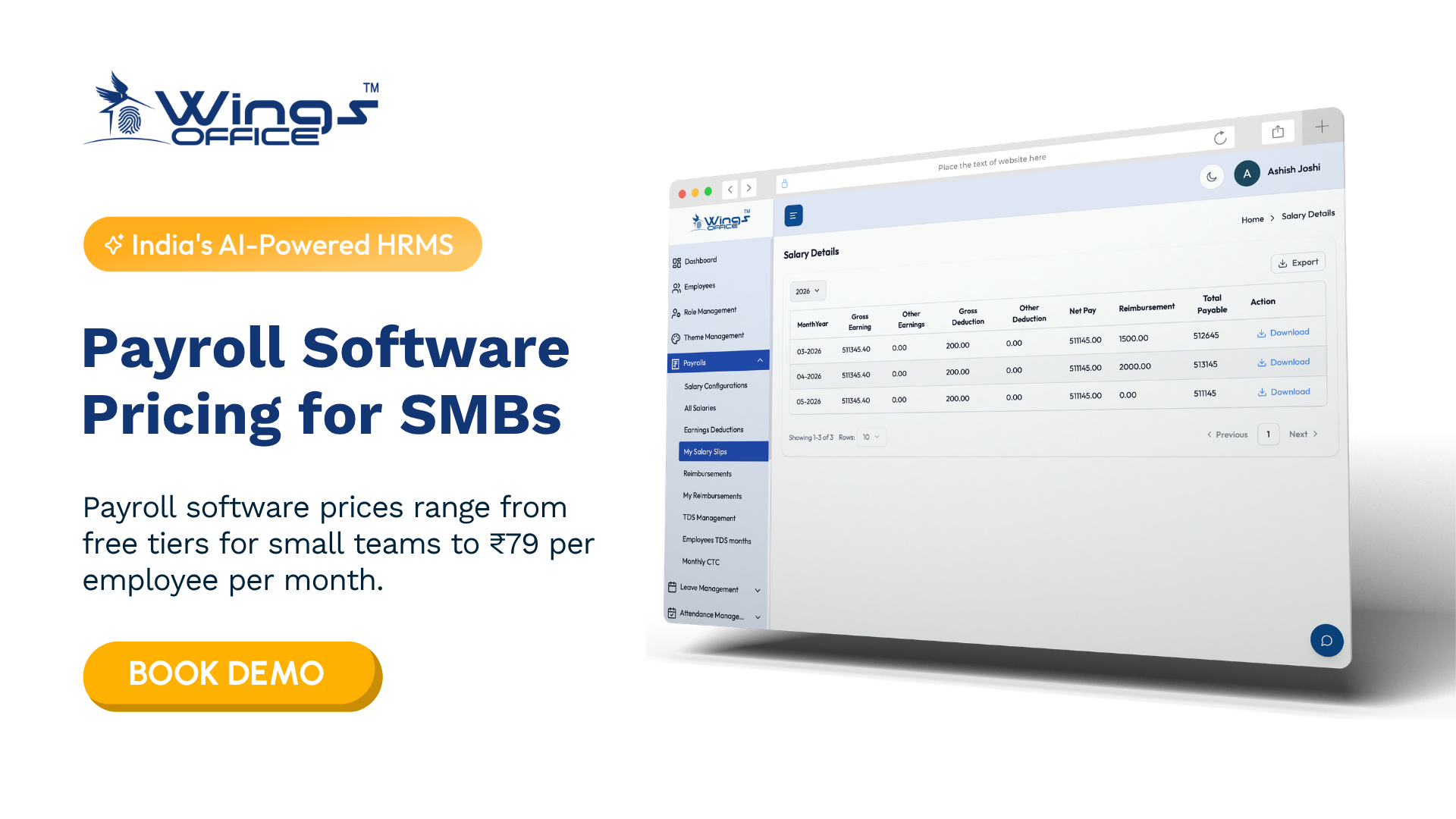
- Payroll software prices in India typically range from free tiers for small teams to ₹79 per employee per month, or ₹2500 to over ₹50,000 per year for flat-rate and enterprise solutions.
Most businesses that compare payroll software pricing in India end up comparing the wrong number. The headline per-employee rate on a pricing page tells you very little about your real annual spend. What matters is how that rate scales with headcount, which statutory features sit behind a higher tier, and what you’ll pay before the first payslip ever goes out.
This guide breaks down how vendors in India structure their pricing, what different company sizes should expect to budget for, and how to use a trial period to pressure-test a tool before you commit. You’ll also find a shortlist of established options, including where Wings Office fits.
What Are the Payroll Software Pricing Models in India?
Indian payroll vendors mostly use variations of five pricing structures. Each one rewards a different kind of business, so the model matters as much as the rate.
| Pricing Model | How It Works | Best Suited For | Watch Out For |
|---|---|---|---|
| Per employee per month (PEPM) | You pay a fixed amount for each active employee processed every month | Growing teams that want costs to track headcount | Minimum monthly billing that kicks in regardless of actual headcount |
| Headcount slabs | A fixed price covers a range of employees (for example, up to 50) | Stable teams that sit comfortably inside one slab | Paying for a full slab when you’re just one hire over the threshold |
| Flat subscription | One price for the platform, often with a headcount cap | Small businesses with predictable teams | Caps that force an upgrade sooner than expected |
| Module-based pricing | Core payroll is priced separately from attendance, leave, expenses, and performance | Companies that only need specific functions | Essential features quietly placed inside paid add-ons |
| One-time license (on-premise) | Upfront purchase plus annual maintenance charges | Organisations with strict data residency or IT control requirements | Upgrade costs, server maintenance, and slower compliance updates |
PEPM is the most common model among cloud payroll vendors in India today. It feels fair because you only pay for people you actually process. The catch is that it rewards companies whose headcount is flat or shrinking, while fast-hiring startups can watch their bill climb faster than their revenue.
Slab pricing works in the opposite direction. If you have 48 employees on a “up to 50” plan, you’re getting excellent value. If you have 52, you’re likely paying for a jump to the next tier that covers far more people than you have.
What Actually Drives the Number on Your Quote
Two vendors quoting similar per-employee rates can produce very different annual invoices. The gap usually comes from the factors below, and most of them don’t appear on a public pricing page.
Statutory compliance depth. Basic plans typically handle PF and TDS calculations. Fuller compliance means ESI, professional tax across multiple states, Labour Welfare Fund contributions, quarterly Form 24Q filing support, and Form 16 generation. If you operate in several states, professional tax alone adds real complexity, since rates and slabs differ by state and some states don’t levy it at all.
Implementation and data migration. Moving historical salary data, YTD tax figures, and employee master records from spreadsheets or an older system takes effort. Some vendors include onboarding in the subscription. Others charge a one-time setup fee, and the amount often depends on how messy your existing data is.
Integrations. Connecting payroll to your attendance devices, accounting software, or bank for salary disbursement may be free, may require a higher plan, or may be billed as a custom project.
Taxes. Software subscriptions in India attract 18% GST. It sounds obvious, but many internal budget approvals get built on pre-tax figures and come up short.
Support level. Email-only support is standard on entry plans. A dedicated account manager or priority phone support during payroll week usually costs more, and for a first-time implementation it’s often worth it.
What Will Payroll Software Cost for Your Company Size?
Rather than quote rupee figures that change every quarter, it’s more useful to look at what each company size should be paying for. Your budget should follow your operational needs, not the other way around.
Micro businesses and early startups (under 20 employees)
At this stage, your biggest risk is compliance errors, not efficiency. You need accurate salary computation, correct PF and TDS deductions, and payslips your employees can trust. A flat plan or a low-tier PEPM plan usually covers this. Be wary of vendors whose minimum monthly charge assumes a larger team, because you’ll end up paying a per-head rate far above the advertised one.
Small and growing businesses (20 to 200 employees)
This is where payroll stops being a monthly task and starts being a process. You’ll want leave and attendance integration, employee self-service for tax declarations and payslips, reimbursement handling, and support for both old and new tax regimes. Most businesses in this band get the best value from mid-tier plans. Paying for enterprise features now, on the assumption you’ll grow into them, is one of the most common forms of overspending.
Mid-sized companies (200 to 1,000 employees)
Multi-location payroll, role-based access, approval workflows, and audit trails become necessary rather than nice-to-have. You’ll likely negotiate a custom quote rather than pick a listed plan. At this size, ask vendors for volume-based discounts and multi-year pricing, since your headcount gives you leverage in the conversation.
Large enterprises (1,000+ employees)
Pricing is almost always custom. The real cost drivers are integration with existing ERP systems, multi-entity structures, dedicated implementation teams, and SLAs on support response times. Budget for implementation as a project, not a line item.
Payroll Software Pricing Plans for Every Budget: What Each Tier Usually Includes
Vendors name their tiers differently, but the feature split tends to follow a recognisable pattern. Use this as a reference when reading any pricing page, so you can spot when an essential feature has been pushed into a higher plan.
| Tier | Typical Inclusions | Commonly Missing |
|---|---|---|
| Starter / Basic | Salary processing, payslips, PF and TDS calculation, basic reports | Multi-state professional tax, ESS mobile app, attendance integration |
| Growth / Standard | Full statutory compliance, employee self-service, leave and attendance, tax declaration management | Custom approval workflows, advanced analytics, API access |
| Professional | Multi-location payroll, accounting integrations, custom reports, role-based access | Dedicated account manager, custom SLAs |
| Enterprise / Custom | Multi-entity support, ERP integration, dedicated support, custom development | Usually nothing, but pricing is negotiated individually |
The tier that matters most for most Indian businesses is the middle one. It’s where full compliance usually lives. If a vendor places ESI or multi-state professional tax only in its top tier, that tells you something about how the pricing has been engineered.
Best Payroll Software for Businesses in India: A Practical Shortlist
There’s no single best tool for every company, but a handful of established names come up repeatedly when Indian businesses evaluate payroll software for businesses of different sizes. Pricing for all of these changes periodically, so check each vendor’s site for current plans rather than relying on third-party listings.
- Wings Office: A payroll and HR management platform built for Indian businesses, designed to handle statutory requirements alongside everyday HR tasks. It’s a strong fit for small and mid-sized companies that want affordable payroll without sacrificing compliance coverage, and you can review current plans directly at wingsoffice.in.
- greytHR: One of the longer-standing payroll and HR platforms in India, widely used by SMEs. It’s known for its compliance focus and suits businesses that want a mature, well-documented product.
- Keka: An HR and payroll platform popular with startups and tech companies, with a strong emphasis on employee experience. It tends to suit teams that want performance and engagement tools in the same system as payroll.
- Zoho Payroll: Part of the broader Zoho ecosystem, which makes it convenient for businesses already using Zoho Books or Zoho People. It’s a sensible choice if you value tight integration with other Zoho apps.
- RazorpayX Payroll: Payroll tied closely to Razorpay’s business banking and payments stack. It appeals to companies that want salary processing and disbursement handled in one place.
- Darwinbox: An enterprise-focused HCM platform used by larger organisations. It’s better suited to companies with complex structures than to small teams looking for basic payroll.
Your shortlist should usually contain three vendors at most. Beyond that, comparison fatigue sets in and evaluations drag on for months.
Payroll Software for Payroll Service Providers: A Different Pricing Conversation
If you run payroll for other companies, standard pricing pages weren’t written for you. A PEPM rate that’s reasonable for a single 100-person business can make your margins disappear when you’re processing payroll for 40 clients.
Payroll bureaus and outsourcing firms should evaluate tools on a different set of criteria. Multi-client management from a single login is essential, as is the ability to keep each client’s data, statutory settings, and salary structures completely separate. Bulk processing matters too, because running 40 payrolls one screen at a time doesn’t scale.
On pricing, push for partner or reseller arrangements rather than retail plans. Many vendors offer these, but they rarely advertise them publicly. Ask specifically about per-entity pricing versus per-employee pricing, white-label options for client-facing payslips and reports, and whether client onboarding fees apply each time you add a new account. The answers determine whether the tool supports your business model or quietly eats into it.

How to Get a Payroll Software Free Trial That Actually Tells You Something
Getting a payroll software free trial is easy. Most cloud vendors offer one, either through a sign-up form on their website or after a demo call with their sales team. The harder part is using it well, because most trials get wasted on clicking through dashboards with dummy data.
A payroll tool only proves itself when it processes your real, messy payroll. Here’s how to structure a trial so you come out with a decision rather than a vague impression.
- Request a trial length that covers a full payroll cycle. If the default period is too short to run one complete month, ask for an extension. Many vendors will agree, especially if you’re clearly a serious buyer.
- Run a parallel payroll. Process last month’s actual payroll in the new tool while keeping your existing method as the reference. Compare net pay, deductions, and employer contributions line by line, and investigate every mismatch.
- Test the edge cases, not the easy ones. Add a mid-month joiner, an employee with loss of pay days, a salary revision with arrears, and a full and final settlement. These scenarios break weak payroll engines far more often than standard salaries do.
- Check the statutory outputs. Generate a PF ECR file, an ESI contribution report, and a sample Form 16. If your accountant or CA can’t use them as-is, that’s a real problem.
- Involve one actual employee. Have someone submit a tax declaration and download a payslip through the self-service portal. If they struggle, your HR team will spend payroll week answering support questions.
- Test support during the trial. Send a genuinely difficult question and note how long the answer takes and how useful it is. Support quality during a trial rarely improves after you’ve signed.
How Do You Choose the Right Payroll Software Without Overpaying?
Overpaying for payroll software rarely happens because of a high sticker price. It happens because of mismatched plans, overlooked contract terms, and features bought for a future that never arrives. Watch for these patterns.
Buying for projected headcount. Founders often pick a plan sized for where they hope to be in two years. Unless the vendor locks in that price and you’re confident in the hiring plan, buy for your current size and negotiate upgrade terms in advance.
Annual prepayment without an exit. Annual billing usually comes with a discount, and it’s often worth taking. Before you pay upfront, though, confirm whether you can reduce headcount mid-term, and what happens to your data if you leave.
Paying for duplicate features. If you already use a dedicated attendance system or an HRMS you’re happy with, you may not need an all-in-one payroll suite. A focused payroll tool that integrates with your existing stack can cost less and cause less disruption.
Ignoring the internal time cost. A cheaper tool that needs two extra days of manual correction every month isn’t actually cheaper. Factor in HR and finance hours when comparing quotes, because that time has a real cost even if it never appears on an invoice.
Skipping the contract details. Read the clauses on price revisions at renewal, minimum billing, and data export. Some of the biggest cost surprises in payroll software arrive in year two, not year one.
A quick test helps here: if you can’t explain to your CFO exactly what you’ll pay over 24 months, including setup, taxes, add-ons, and likely headcount changes, you’re not ready to sign yet.
Frequently Asked Questions
Is payroll software pricing in India usually charged per employee?
Per employee per month is the most common model among cloud payroll vendors, but headcount slabs, flat subscriptions, and module-based pricing are also widely used. Always check whether a minimum monthly charge applies, since that can change your effective per-employee rate.
Does GST apply to payroll software subscriptions?
Yes. Software subscriptions in India attract 18% GST, so make sure your budget approval is based on the post-tax figure rather than the price shown on a vendor’s pricing page.
Can small businesses with fewer than 10 employees justify payroll software?
Often, yes. Even a small team needs accurate PF, TDS, and payslip handling, and a single compliance error can cost more in penalties and time than a basic subscription. Look for entry-level plans without high minimum billing.
What should I do if a vendor does not offer a free trial?
Ask for a guided demo using a sample of your own anonymised payroll data, or request a short paid pilot with a clear exit clause. A vendor confident in its product will usually find a way to let you test it properly.
Making the Pricing Decision With Confidence
The cheapest payroll tool and the right payroll tool are rarely the same product, but the most expensive one isn’t automatically right either. What you’re really buying is accuracy every month, compliance you don’t have to second-guess, and an HR team that isn’t buried in corrections during payroll week.
Start with your current headcount and compliance footprint, shortlist no more than three vendors, and run a real payroll cycle through each trial. If Wings Office is on that shortlist, its plans are designed with Indian statutory requirements and growing businesses in mind, so it’s a practical place to begin your comparison.


