
EMPLOYEE MANAGEMENT SOFTWARE
Payroll Software for Multiple companies
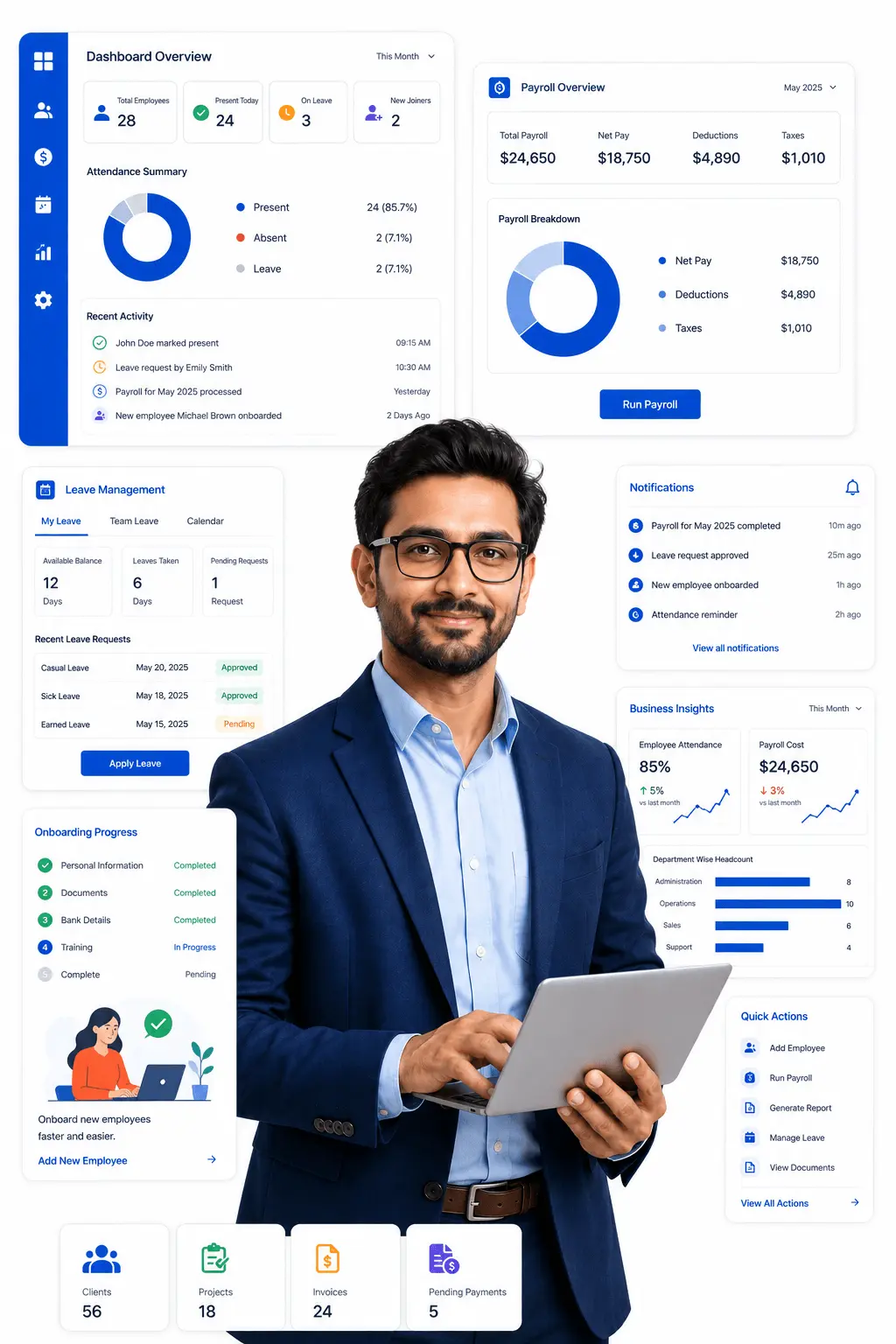
WingsOffice's payroll software for multiple companies is built around how group businesses actually operate. It keeps each entity's payroll, compliance filings, and employee records separate and accurate, while rolling everything up into a single consolidated view for group leadership. Whether your group runs three companies or thirty, the system lets you manage entity-specific rules without losing the bird's-eye view needed to run the business as a whole.
WHAT IT MATTERS
Key Features of our HR Software for Multiple companies
Employee data scattered across Excel files, emails, and folders? That’s a compliance risk waiting to happen. Wings Office puts everything in one place — searchable, secure, and always up to date.

Processing Salaries and Wages Accurately and on Time
Payroll must be processed correctly according to each company’s salary structure, employee work records, overtime, allowances, and other payments. Ensuring timely payment helps maintain employee satisfaction and trust.

Preparing Separate Payroll Reports
Separate payroll reports should be prepared for each company to provide a clear summary of salaries, deductions, contributions, and total payroll expenses. These reports help management review and monitor payroll activities effectively.

Maintaining Separate Payroll Records
Each company should have its own separate payroll records to avoid mixing employee and financial information. This includes employee details, attendance, salaries, deductions, and payment history for each individual company.

Managing Company-Specific Wage Structures
Different companies may have different salary structures, working hours, leave policies, allowances, and payroll rules. Payroll management should follow the specific policies and requirements of each company separately.

Ensuring Compliance
Payroll activities for each company must comply with applicable labor laws, tax regulations, and statutory requirements. This helps companies avoid legal issues, penalties, and compliance-related problems.

Identifying and Resolving Payroll Errors or Discrepancies
Any errors or differences in salaries, attendance, deductions, or payments should be identified and resolved quickly. Proper checking and communication help prevent repeated mistakes and ensure accurate payroll processing.
Benefits
Payroll Software Task managed
Employee data scattered across Excel files, emails, and folders? That’s a compliance risk waiting to happen. Wings Office puts everything in one place — searchable, secure, and always up to date.

Entity-Isolated Payroll Processing
This feature keeps payroll processing fully separate per entity, so a rule or rate set for one company never accidentally applies to another. Each subsidiary stays independently accurate and compliant.

Group-Level Consolidated Cost Reporting
The software automatically consolidates payroll data across all entities into one report. This gives management a real-time, accurate view of total cost without waiting on manual compilation.

Seamless Inter-Company Transfers
The system transfers the employee's record between entities while preserving service history and continuity of benefits. This avoids the administrative mess of treating the move as a fresh exit and re-hire.
Deep Dive
Everything You Need to Manage Your Workforce
Payroll Software Task managed
New hire? Set up their entire profile in under 5 minutes. Pre-fill from job offers, trigger welcome emails, assign reporting managers, and auto-create login credentials all in a guided flow.
Shift-Based Wage Calculation
Factories often run three shifts a day with different pay rates for night and rotational shifts. This feature auto-applies the correct shift rate per worker.
Production-Linked Pay
Many manufacturing units pay workers based on units produced rather than fixed hours. The software calculates wages using production data fed from the shop floor.
Laboure Law Compliance
Manufacturing units are subject to strict PF, ESI, and factory act regulations that vary by state. The system auto-updates compliance rules and generates statutory reports.

Dedicated Permissions Required Role based
Search, filter, and find any employee in seconds. Filter by department, designation, location, status, or any custom field. Export filtered lists to Excel instantly.
Group CFO/Leadership
Full visibility into consolidated payroll costs and compliance status across every entity in the group.
Entity Finance Head
Access to run payroll and view reports for their specific company only, without visibility into other entities.
HR Shared Services Team
Access to manage employee records and onboarding across entities, based on assigned company tags.
Employee (Self-Service)
View-only access to their own payslip, leave balance, and current entity/employment details.
Dedicated Permissions Required Role based
Search, filter, and find any employee in seconds. Filter by department, designation, location, status, or any custom field. Export filtered lists to Excel instantly.
Plant HR Manager
Access to attendance, shift rosters, and payroll processing for their assigned plant only.
Compliance Officer
Access to PF, ESI, and labour law filings and audit trail reports.
Payroll Finance Controller:
Full visibility into salary disbursal, statutory dues, and cost reports across all plants.
Contract Labour Admin
Manage onboarding, attendance, leave requests, and payments specifically for contract and daily-wage workers.
Employee (Self-Service)
View-only access to their own payslip, attendance, and leave balance .
Best Payroll Software for Manufacturing Industry
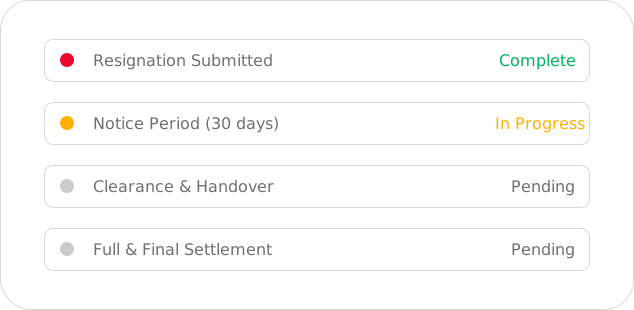
When an employee leaves, WingsOffice manages the entire exit process — resignation acceptance, notice period tracking, clearance checklists, full & final settlement calculation, and experience letter generation.
Shift Allowance
for night shifts and rotational duty
Overtime Allowance
calculated automatically based on actual hours worked
Attendance Bonus
Pricing designed for SMEs, startups, and growing enterprises.
Uniform/Safety Gear Allowance
covers PPE and uniform-related costs
Canteen/Food Allowance
for subsidized meals provided at the facility
Schedule a Free Demo – HRMS Software for Effortless Task Management
See how our HRMS software simplifies task management across your organization, before you commit to anything. Assign, track, and prioritize employee tasks in real time, all from a single dashboard designed for busy HR and team leads.
Book a free, no-obligation demo today and discover how much time your team can save with automated task workflows, deadline reminders, and progress tracking built right into your HRMS.
Frequently Asked Questions
Common Questions
Can this software manage payroll for several group companies without mixing up their data?
Yes, each entity’s payroll, employee records, and compliance data are kept fully separate, even while being managed from a single platform.
Can leadership see a consolidated view of payroll costs across all entities?
Yes, the software automatically rolls up payroll and headcount data from every entity into a single consolidated report for group leadership.
How does the software handle employees who transfer between group companies?
Employee records move between entities while preserving service history and benefit continuity, avoiding the need to process the move as an exit and fresh hire.
Can different companies within the group follow different pay cycles or policies?
Yes, each entity can maintain its own pay cycle, wage structure, and allowance policies independently within the same platform.
Can we control which team members can access payroll data for specific companies?
Yes, role-based permissions let you restrict access by entity, so finance heads and HR teams only see data for the companies relevant to their role.


